Backup
1 min
Upon activation of an edge device, the backup files for the edge device are automatically stored in the Backup tab. You can make an edge device backup, upload an edge device backup, and restore from a backup file for the edge device. You can perform actions from a listed backup file. Options are: download, start restore, and remove a backup file.
Refer to the following actions you can take on the Belden Horizon Data Manager User UI's Edge Devices Details Backup tab.
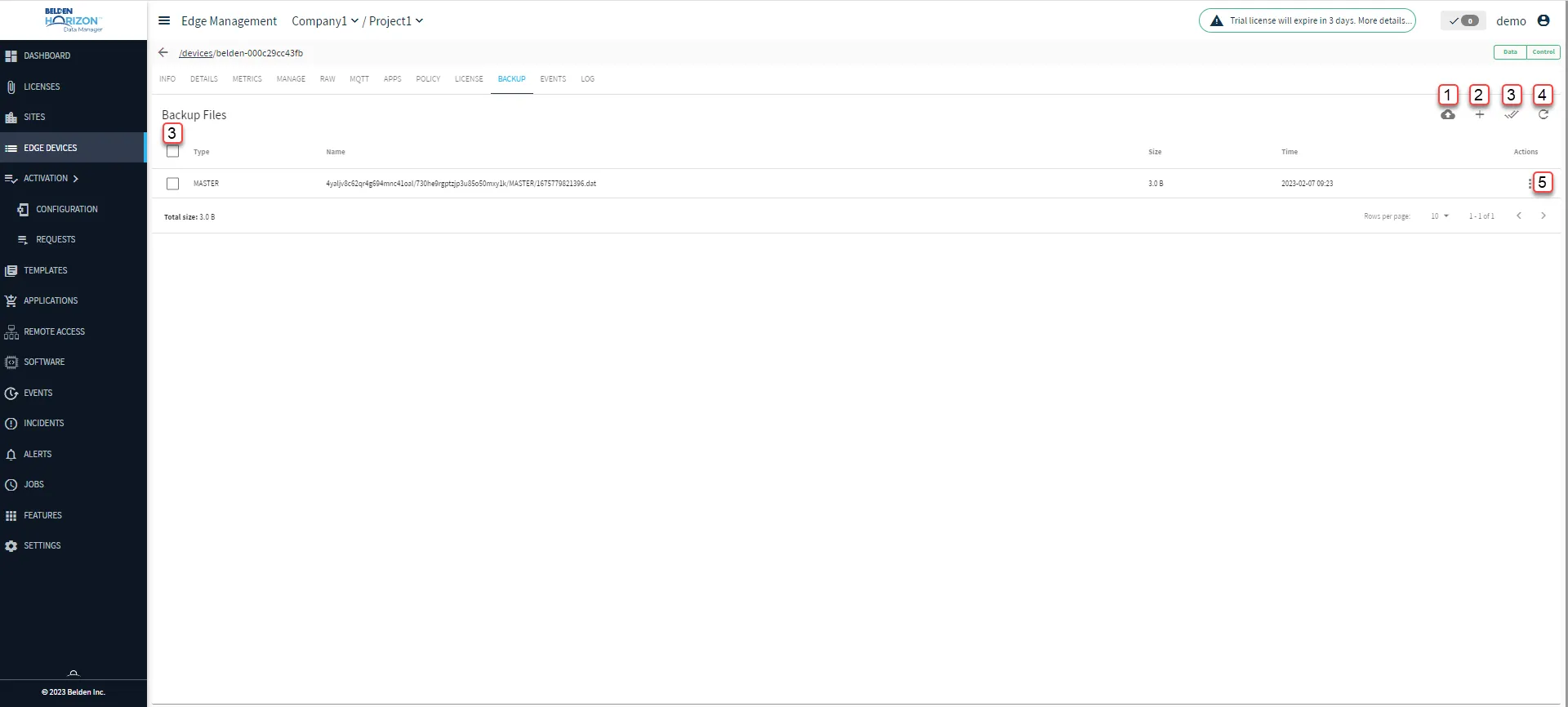
Belden Horizon Data Manager User UI : Edge Device Details : Backup tab
[1] Make device backup
[2] Upload new backup file: Select MASTER or FLOWS
[3] Multiple Select: Delete multiple backups concurrently. This feature is available for Belden Horizon Data Manager version 2.8.0 and later.
[4] Refresh
[5] Action menu:
- Download
- Start Restore
- Remove