Jobs
3 min
The Jobs module includes a list of edge device update jobs.
Each entry in the Device Jobs list includes:
- A job name
- The group for which the edge device is a member, if available
- The run type for the job, for example, RUN_ONCE or CONTINUOUS
- The cron expression used for the job, if available
- The online status of the edge device
- The date and time of the last execution of the job
- The date and time for the next execution of the job, if available
- The Actions drop-down list allowing you to view the log
These jobs appear after you have activated an edge device. See Set Up an Activation Config for more information.
Access Jobs UI
To access the jobs UI:
1. Log in to Belden Horizon Data Manager.
2. Select a company. The Projects pane appears. 3. Do one of the following:
- Click a project from the Project pane. The Dashboard pane appears for the project.
- Click the Actions icon for a project, and then select View. The Dashboard pane appears for the project.
4. From the Navigation panel, select Jobs . The Device Jobs pane appears.
Refer to the following actions you can take on the Belden Horizon Data Manager User UI's Jobs pane.
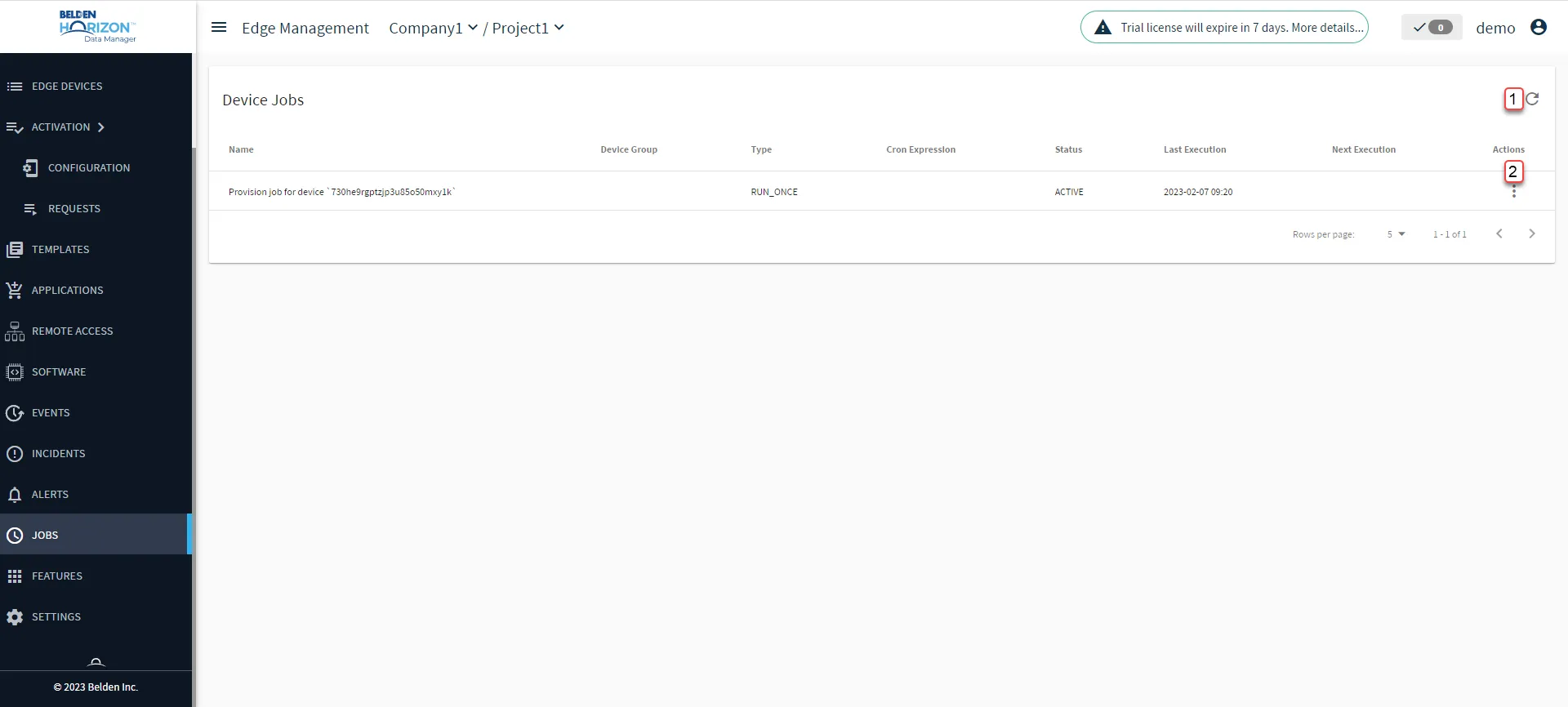
Belden Horizon Data Manager User UI : Jobs
[1] Refresh job list
[2] Action menu: