Manage Sites
1 min
After you create a site, the Sites pane offers a list of actions to manage them. Refer to the following actions you can take on the Belden Horizon Data Manager User UI's Sites pane.
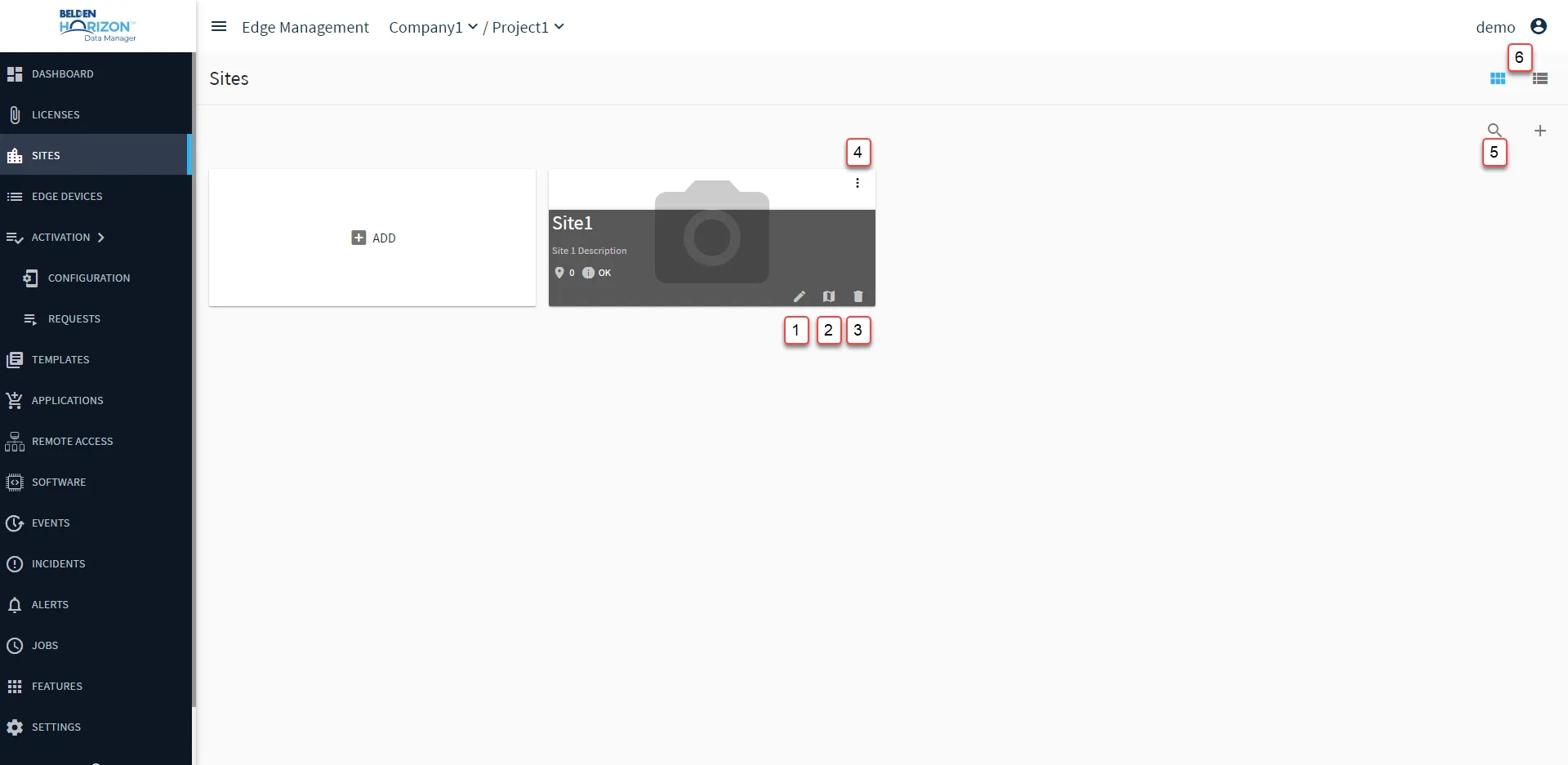
Belden Horizon Data Manager User UI: Site
[1] View/Edit site: See Add a New Site for details
[2] Show Site Points: See Show Site Points details
[3] Delete
[4] Action menu
- Delete
[5] Show filter / Hide filter: Search by Name or Description
[6] Change to Table/Module view