Add a New Site
1 min
You can add a site by navigating to Belden Horizon Data Manager User UI > Sites.
To add a Site:
1. From Sites pane, do one of the following:
- Click the Add icon. The New Site dialog box appears.
- From the Sites pane, click the Add box. The New Site dialog box appears.
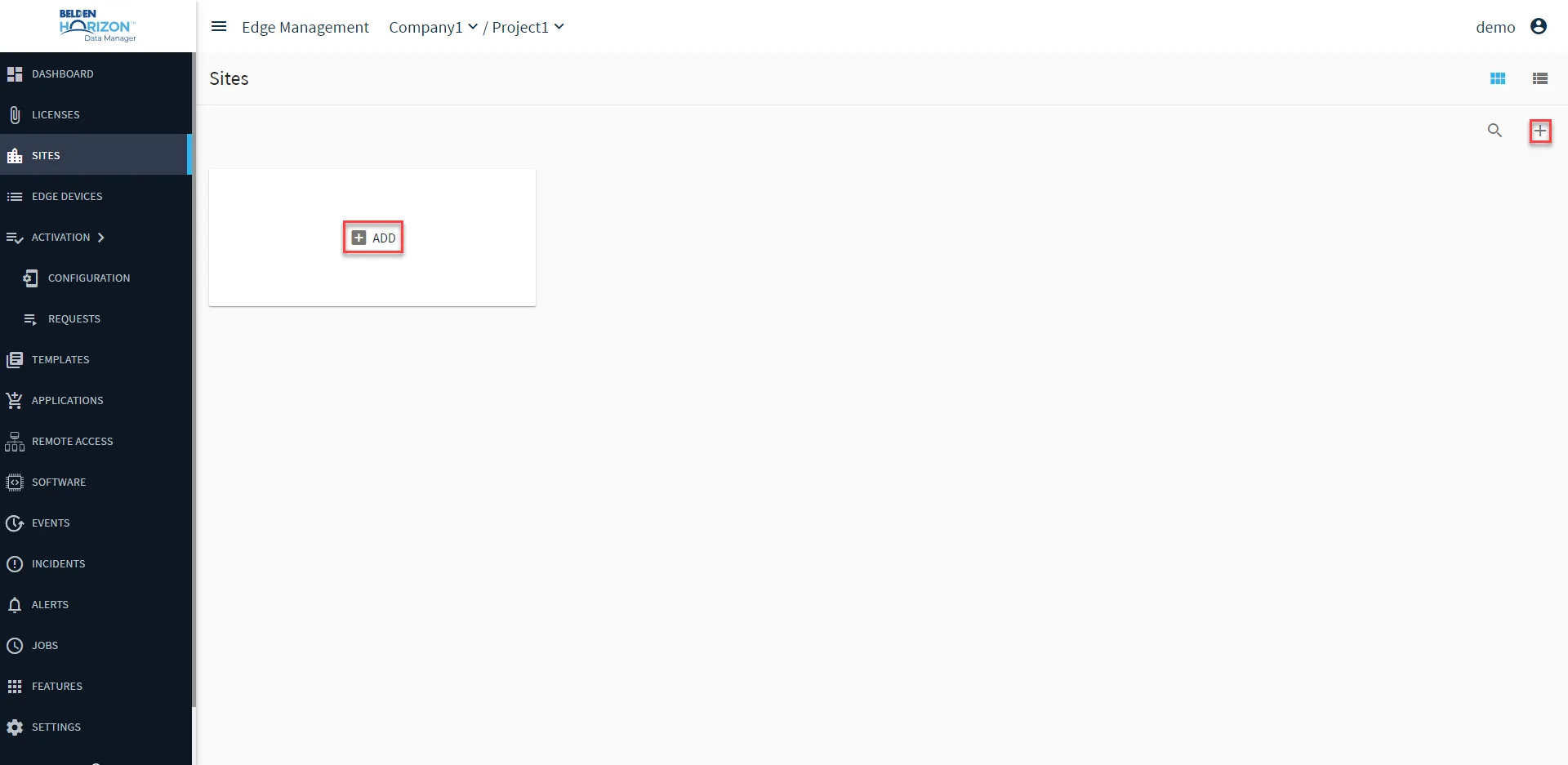
Belden Horizon Data Manager User UI: Sites: Add Licenses
2. From the New Site dialog box, enter the following details:
- Name
- Description: (Optional)
- Site Image: (Optional) Click the camera icon and navigate to an image of the site.
3. Click Save. The Site image appears on the Sites pane.