Log
0 min
Use the Log tab to review the activity for an edge device. For example, log entries show when an edge device was added or deleted. Updates to the edge device parameters are logged with relevant details.
From the Log tab, you can select a date range and filter the log.
Refer to the following actions you can take on the Belden Horizon Data Manager User UI's Edge Devices Details Log tab.
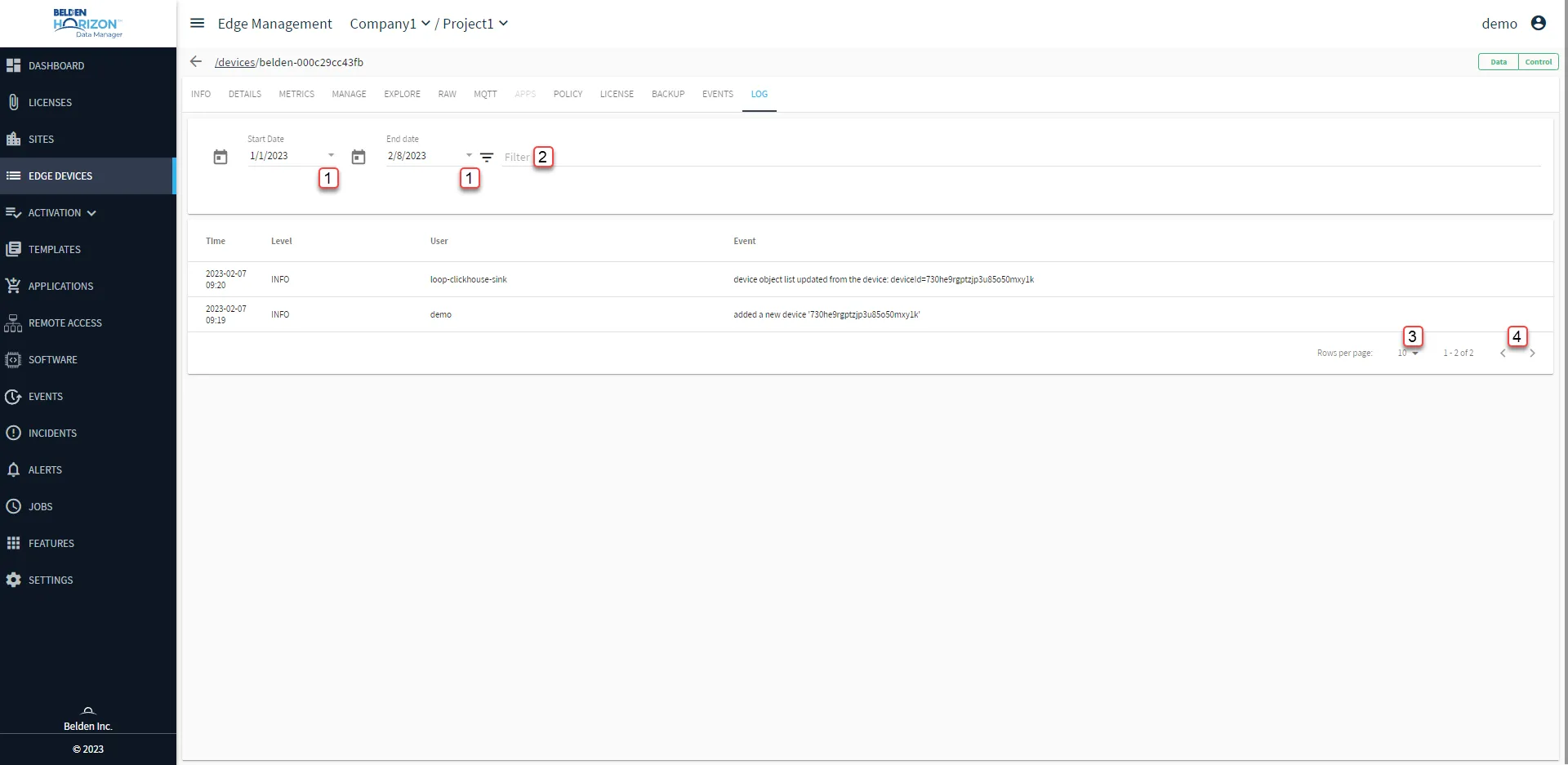
Belden Horizon Data Manager User UI : Edge Device Details : Log tab
[1] Select date range
[2] Filter: Search by Level, User or Event
[3] Select Rows per page: 10, 50, 100
[4] Forward/backward Log