View Log
2 min
When viewing a job log, you can select a link for a listed edge device ID, or select a link for the Command ID for a listed edge device.
- Selecting a link for a Device ID navigates you to the selected Info tab on the edge device details page.
- Selecting a link for a Command ID opens the Job Log dialog box where you can optionally select RAW Payload and update the command for the selected edge device.
Refer to the following actions you can take on the Belden Horizon Data Manager User UI Jobs' Job Log.
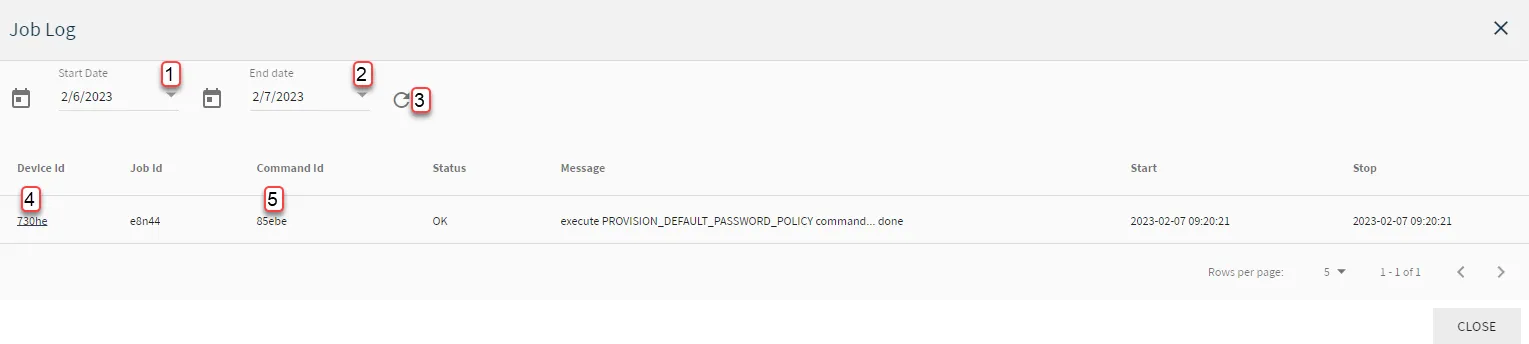
Belden Horizon Data Manager User UI : Jobs : Job Log
[1] Select Start Date
[2] Select End date
[3] Refresh table
[4] View Edge Device Details
[5] View/Edit Command
More on View/Edit Command
You can update a job command for an edge device job execution.
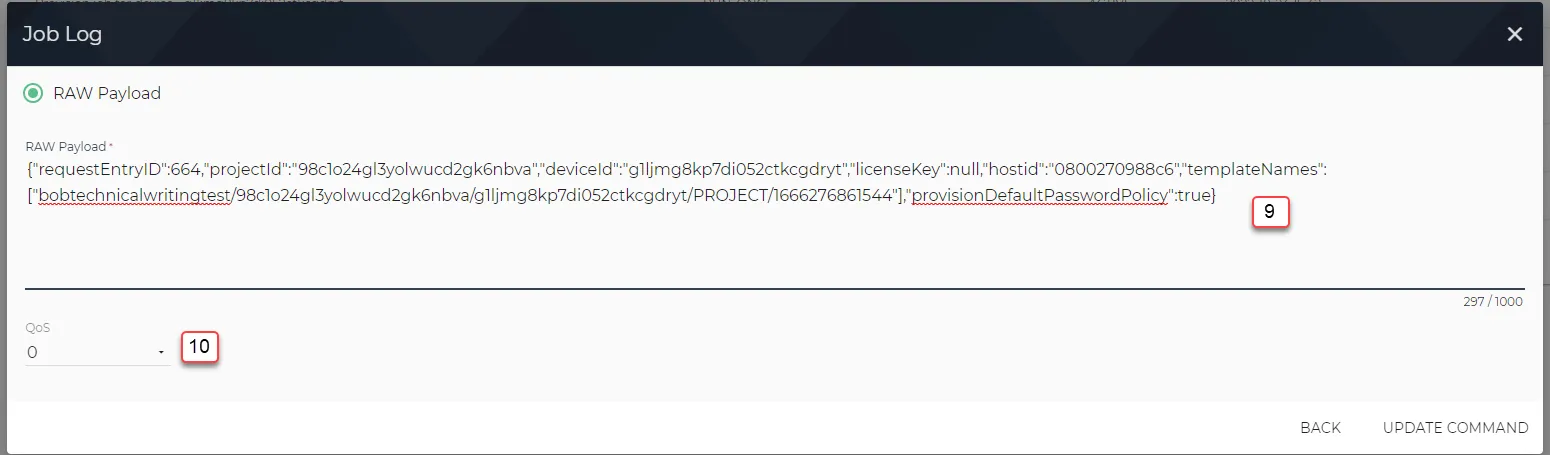
Job Log: Edit Command
[9] Edit Command RAW Payload
[10] Select QoS: More on QoS in About MQTT