Interfaces
Note: The Interfaces feature is available for Belden Horizon Data Manager version 2.8.0 and later.
You can configure the network settings by navigating to Settings > Network and clicking the Interfaces tab.
This feature enable you to configure Belden Horizon Data Manager so that it can be accessible from multiple IP addresses. The user interface below is for Belden Horizon Data Manager version 2.10.0 and later.
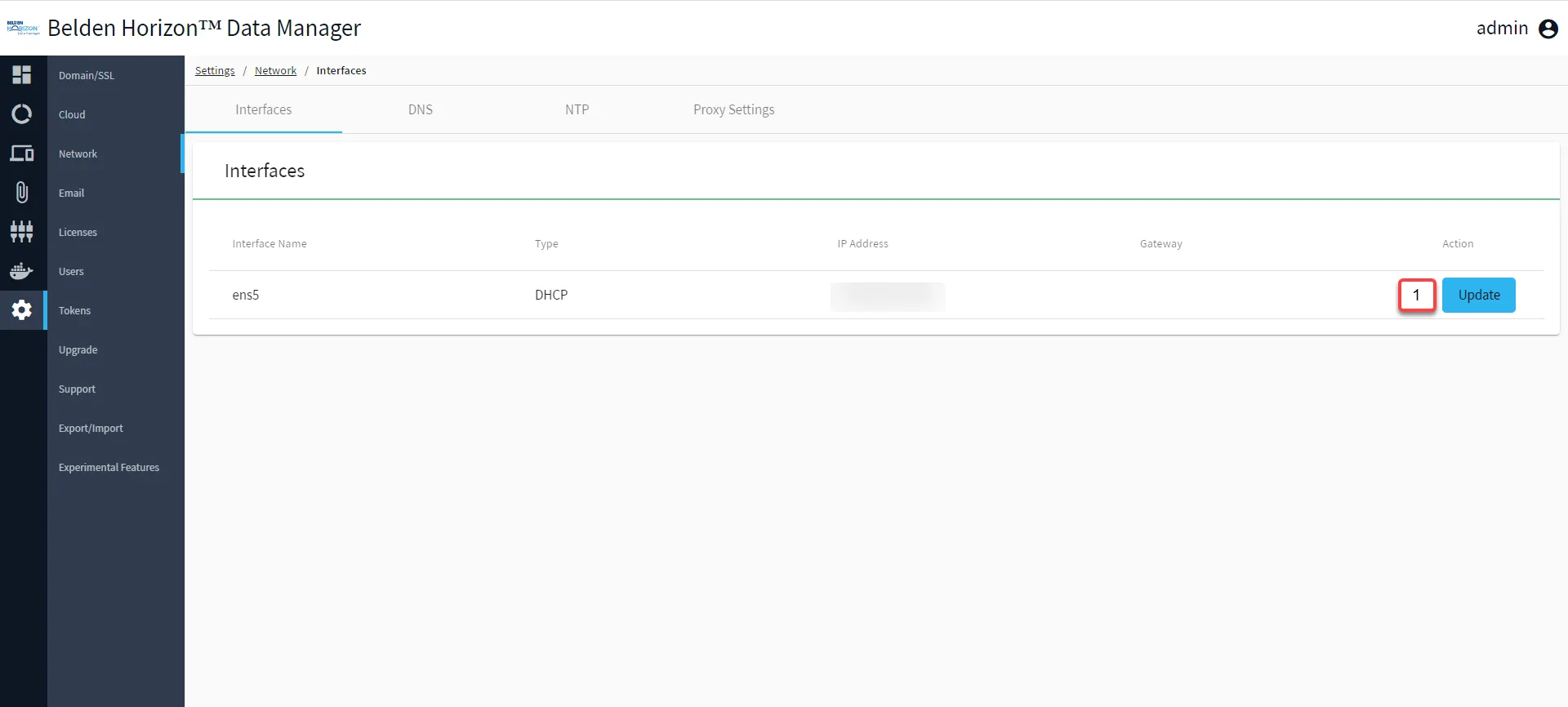
[1] Update Network Interface
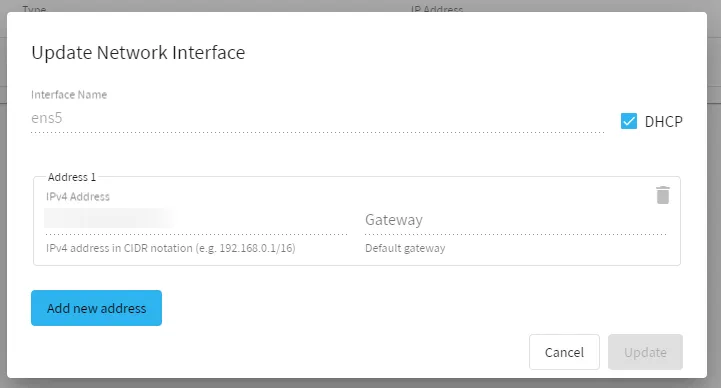
Update Network Interface
Adding a new address will enable you to access the Belden Horizon Data Manager from the new IP address. Contact your local network administrator for the addable IP addresses.
You can also enable/disable DHCP for the network interface as needed.
Note: As of Belden Horizon Data Manager version 2.10.0, if DHCP is disabled, you must have at least one IP address with a gateway.