Add/View a Remote Network
1 min
You can customize a remote network and configure its network peers.
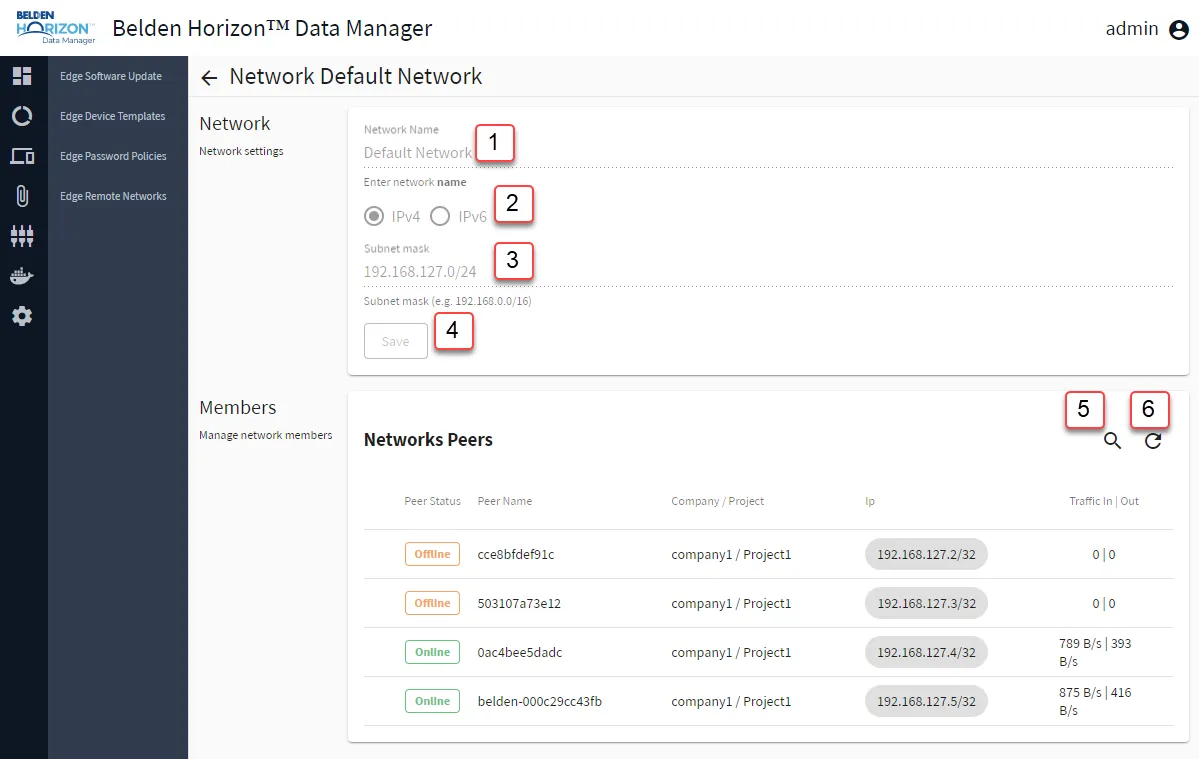
Network View
[1] Enter Network Name
[2] Select IPv4 or IPv6
[3] Enter Subnet mask:
Note: As of Belden Horizon Data Manager version 2.10.0, an IPv4 address in the format 0.xxx.xxx.xxx/8 is restricted by RFC standards.
- IPv4 Example: xxx.xxx.0.0/24
- IPv6 Example: fd97:531a:ce26:ab11::/64
[4] Save
[5] Search Network Peers
[6] Refresh