Add Tokens
2 min
Note: The Tokens feature is available for Belden Horizon Data Manager 2.7.0 and later.
You can create a token from the Settings > Tokens pane.
Important: After a token has been created, it can be viewed but no longer be modified.
To create a new token:
- Navigate to Settings > Tokens.
Click the Add New Token icon.
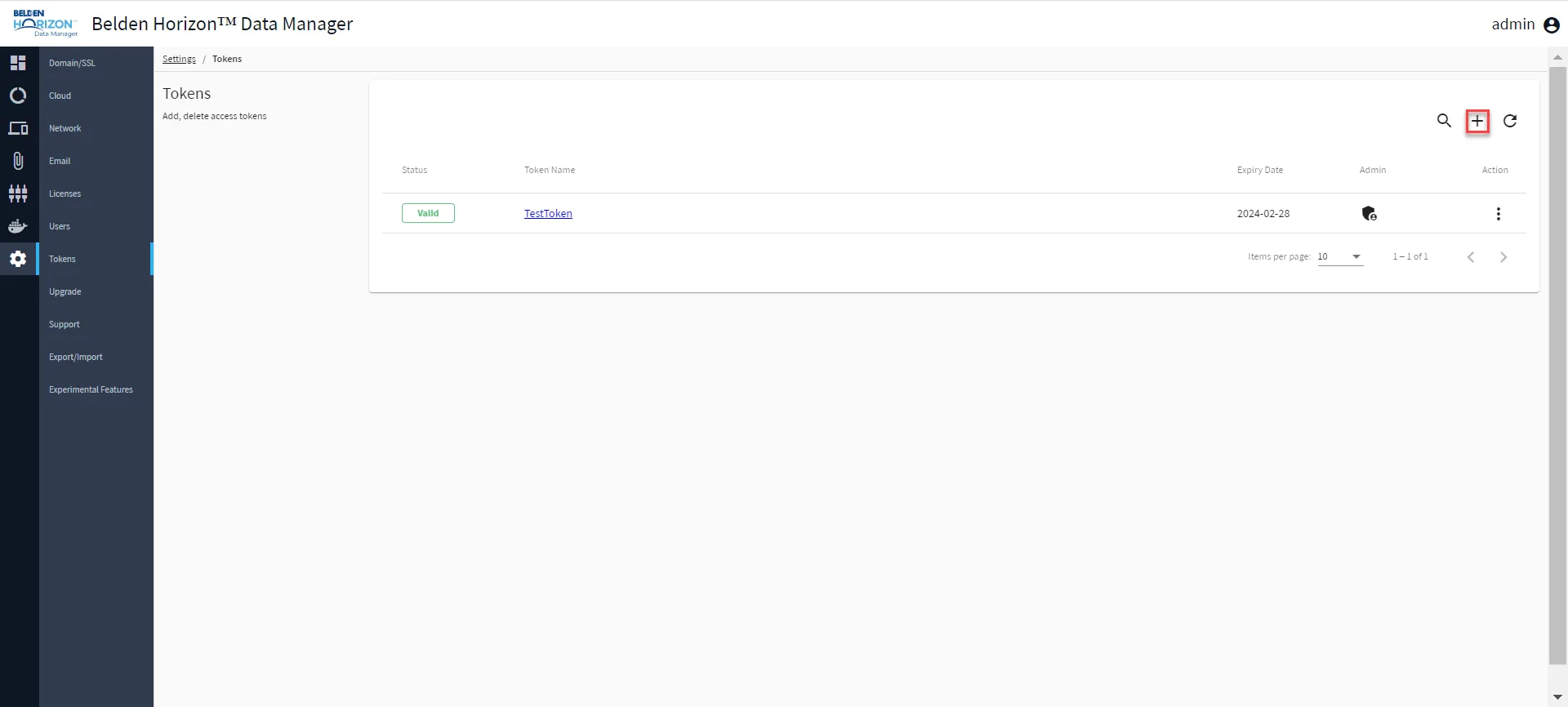 Add New Token icon
From the New Token interface, enter the following details:
Token Name: Enter a name for the token name. Token Expiration Date: Select an expiration date for the token.
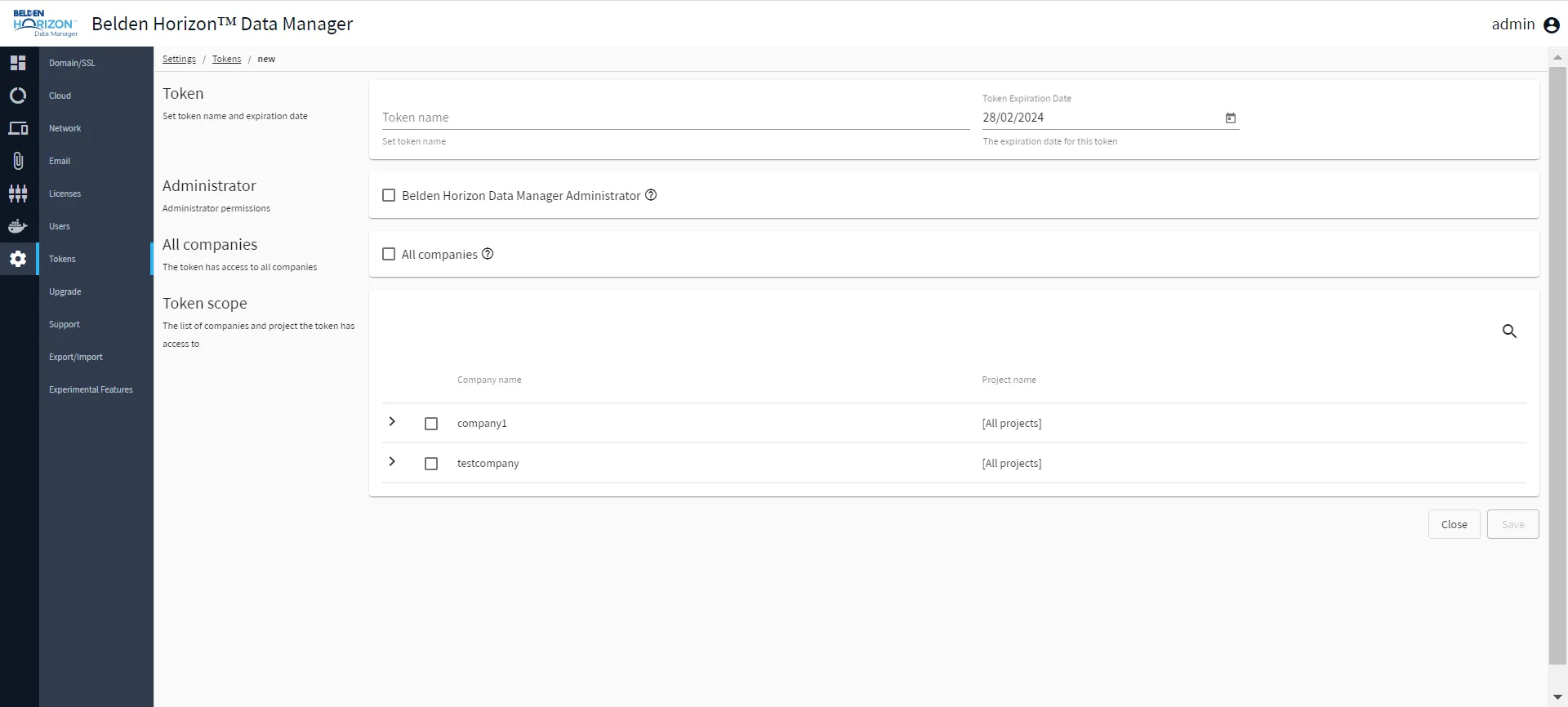 Add New Token interface
- Select one of the following token scopes:
- Administrator: Access to all company projects with administrator permissions.
- All Companies: Access to all company projects.
- Token Scope (Project-specific scope) : Access to at least one company's project.
- Scroll down and click Save. The New token created dialog box appears.
Click Copy token to clipboard to copy the generated token.
![New token created [blurred token]](https://cdn.images.archbee.com/SSUUxKZUk9bFTEPNn_6Zo/Czs2UE5zudsaPyKuPGg-r_new-token-created.png?format=webp "New token created [blurred token]") New token created [blurred token]
New token created [blurred token]- Click Close.
The new token appears in the Token pane.