Upgrade
The Upgrade module allows you to upgrade software versions of Belden Horizon Data Manager The Upgrade Components pane provides you with all the tools needed to manage updates and upgrades for the Belden Horizon Data Manager.
Upgrade Components has two sections:
- Current Version: View the current Belden Horizon Data Manager version, the date and time it was applied, and the modules available for the version.
- New Version: View uploaded Belden Horizon Data Manager versions, the date and time they were uploaded, the version size and encryption for the uploaded version. You can delete an uploaded version or use it to upgrade your current version.
- Upload: Upload a .upd file.
Current Version
You can view the details for the current version of Belden Horizon Data Manager from the Current Version section. In this section you can view the following:
- The version, date, and time of installation.
- Components and build.
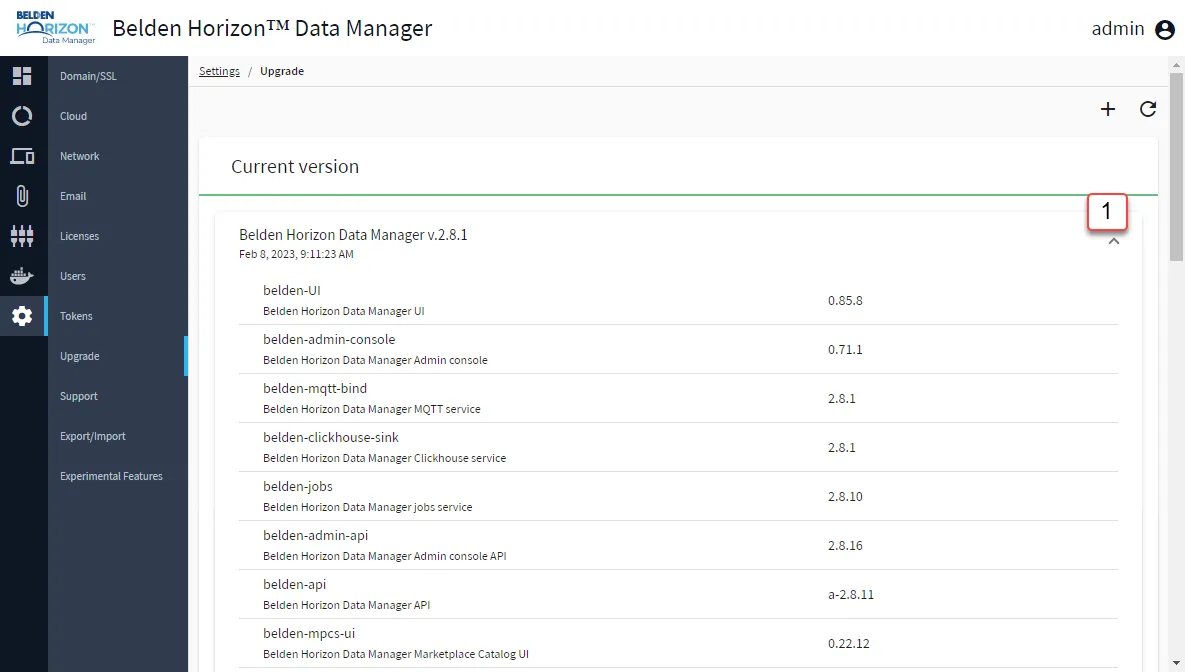
[1] Expand Current version info
New Versions
You can view the details for an uploaded new version of Belden Horizon Data Manager, including the new version's hashing (SHA256/<hash>), from the New Versions section in the Upgrade Components pane.
You can view:
- The version, date, and time of installation.
- Components and build.

[2] Delete New version
[3] Upgrade New version
- You can upgrade to a higher version.
- You cannot downgrade to the same or lower version.
- An upgrade to an internal pre-release version is possible, but contains a warning. Pre-release versions are not upgradeable.
- If during the upgrade, the connection is lost and regained, the upgrade would have to be restarted. It will not automatically continue once the connection is regained.
- The Upgrade Log button appears after the upgrade process has started.
[4] Expand New version info
Upload
You can upload an .upd file from your local machine or from a URL.

[5] Upload File: Upload a .upd file either from your local machine or a URL.