Set Up a Belden Horizon Data Operations API Token for an Application Release
Note: This setup feature is available for Belden Horizon Data Manager 2.10.0 and later.
When setting up an application release to be deployed to a Belden Horizon Data Operations instance, it is possible to pass an API token for the application release's respective Docker container.
Before You Begin
Create a Draft Application Release. See Create a Draft Application Release for details.
Step 1: Create an EGDE_API_TOKEN Variable
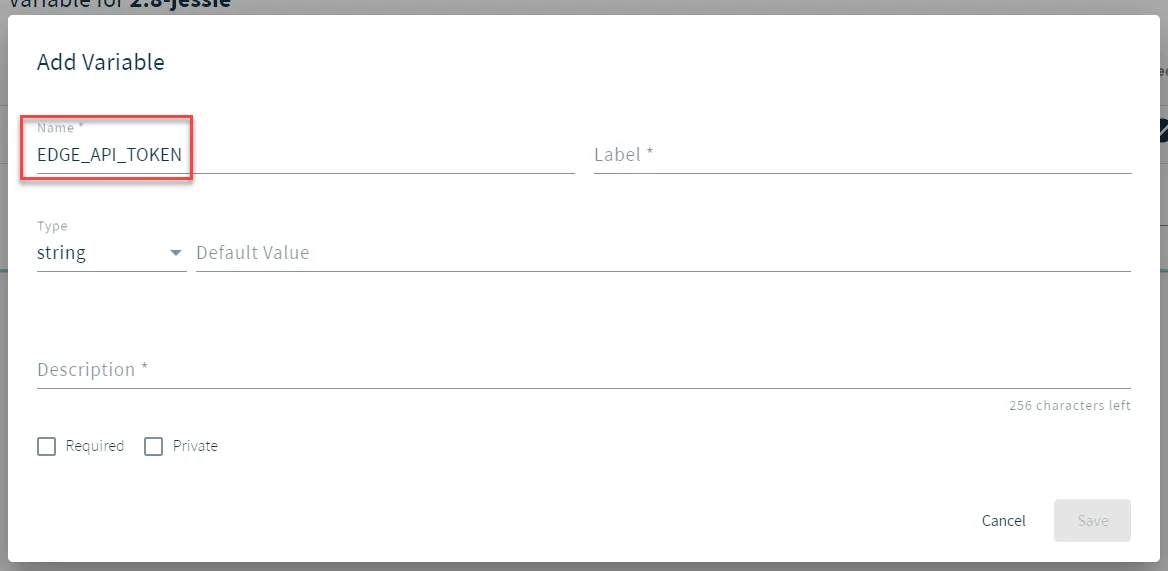
For an application release, create a variable named EDGE_API_TOKEN. Configure the remaining parameters and options to your preference.
Step 2: Complete and Deploy Application Release
See Step 3-Step 5 in Add a Draft Application Release.
Step 3: Verify API Key Token Creation
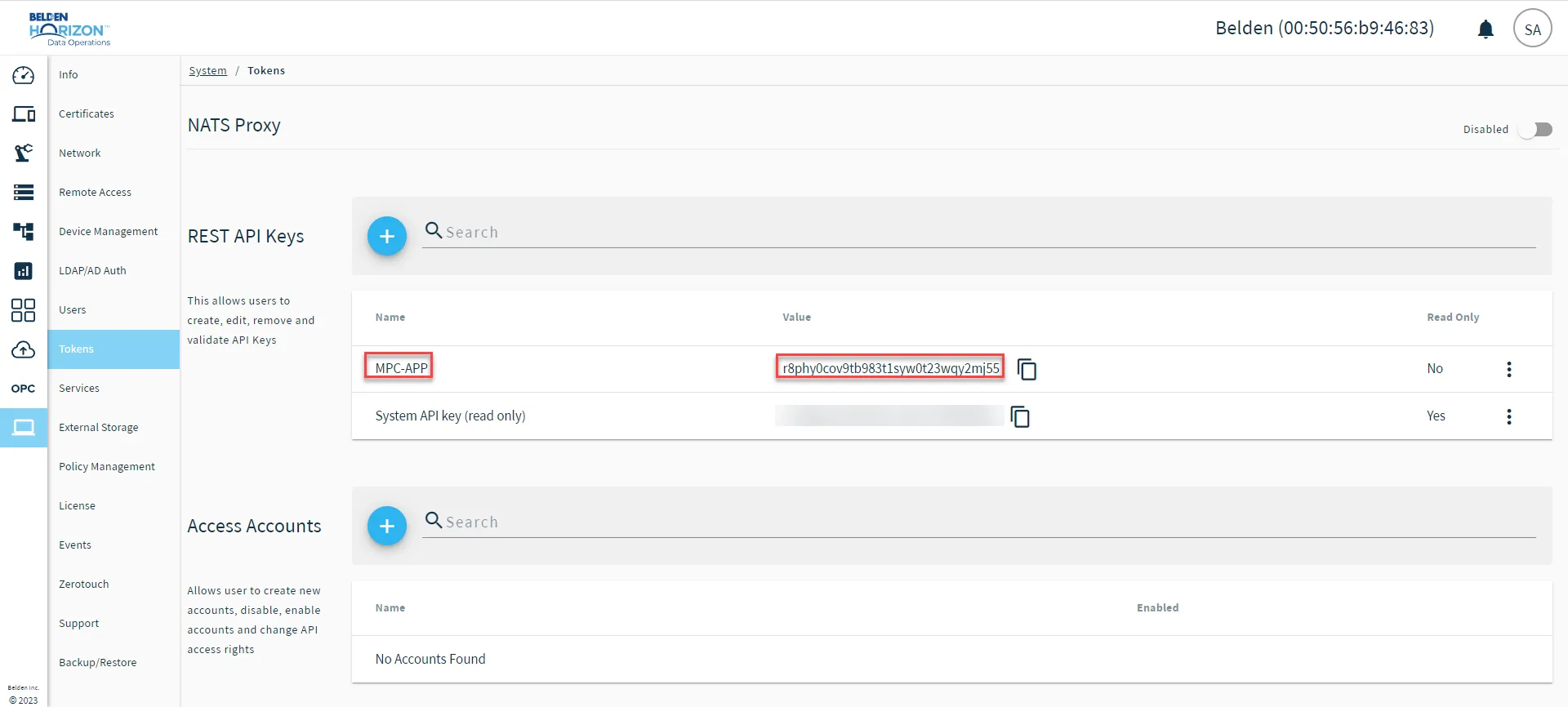
From Belden Horizon Data Operations, you will verify the creation of the MPC-APP token.
- In Belden Horizon Data Operations, navigate to System > Tokens. The NATS Proxy pane appears.
Step 4: Verify Passed API Token to Docker Container
From Belden Horizon Data Operations again, you will verify the API Token was also passed to the Docker Container.
- In Belden Horizon Data Operations, select Applications. The Dashboard pane appears.
- Click Containers. The Containers pane appears.
From the deployed application release's respective Docker Container, click Inspect.
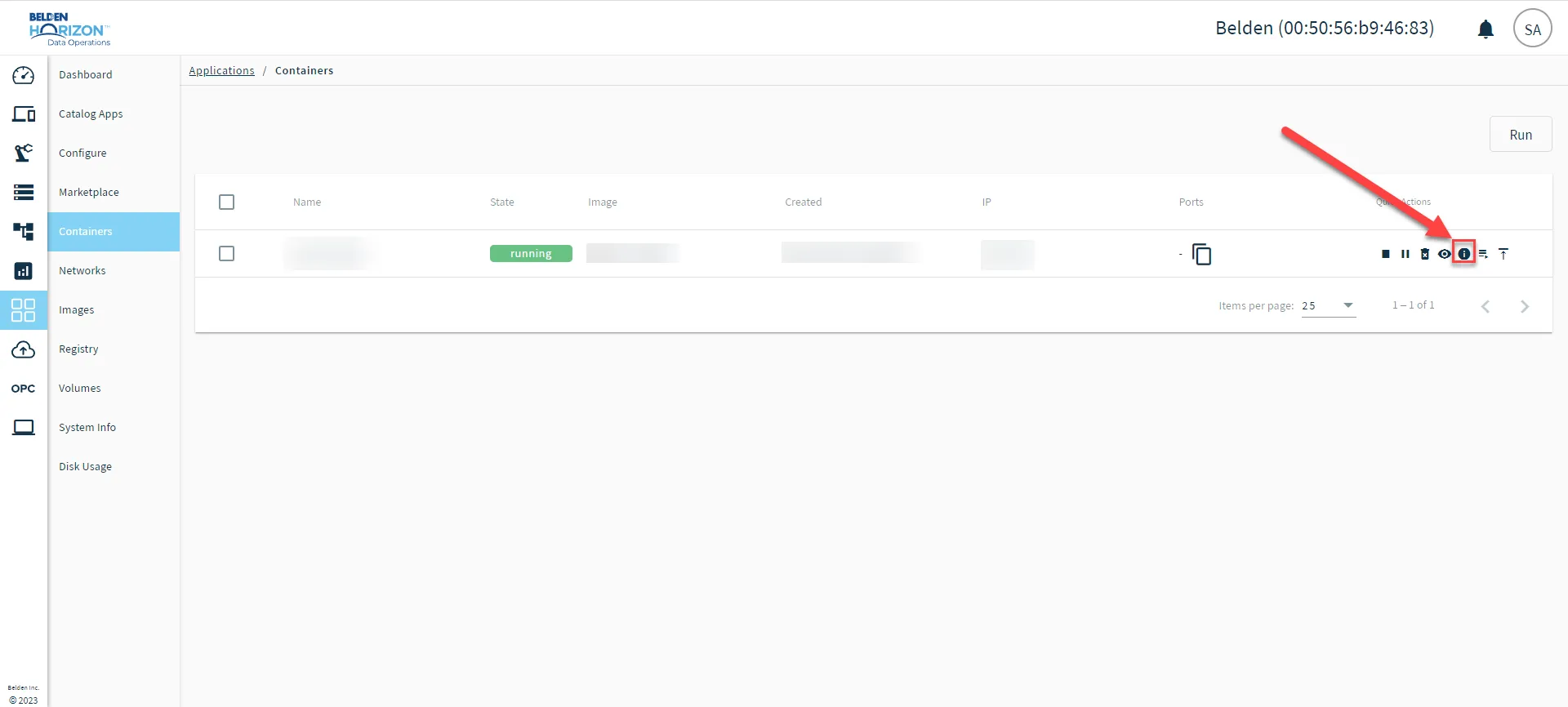 Belden Horizon Data Operations : Applications : Containers : Inspect
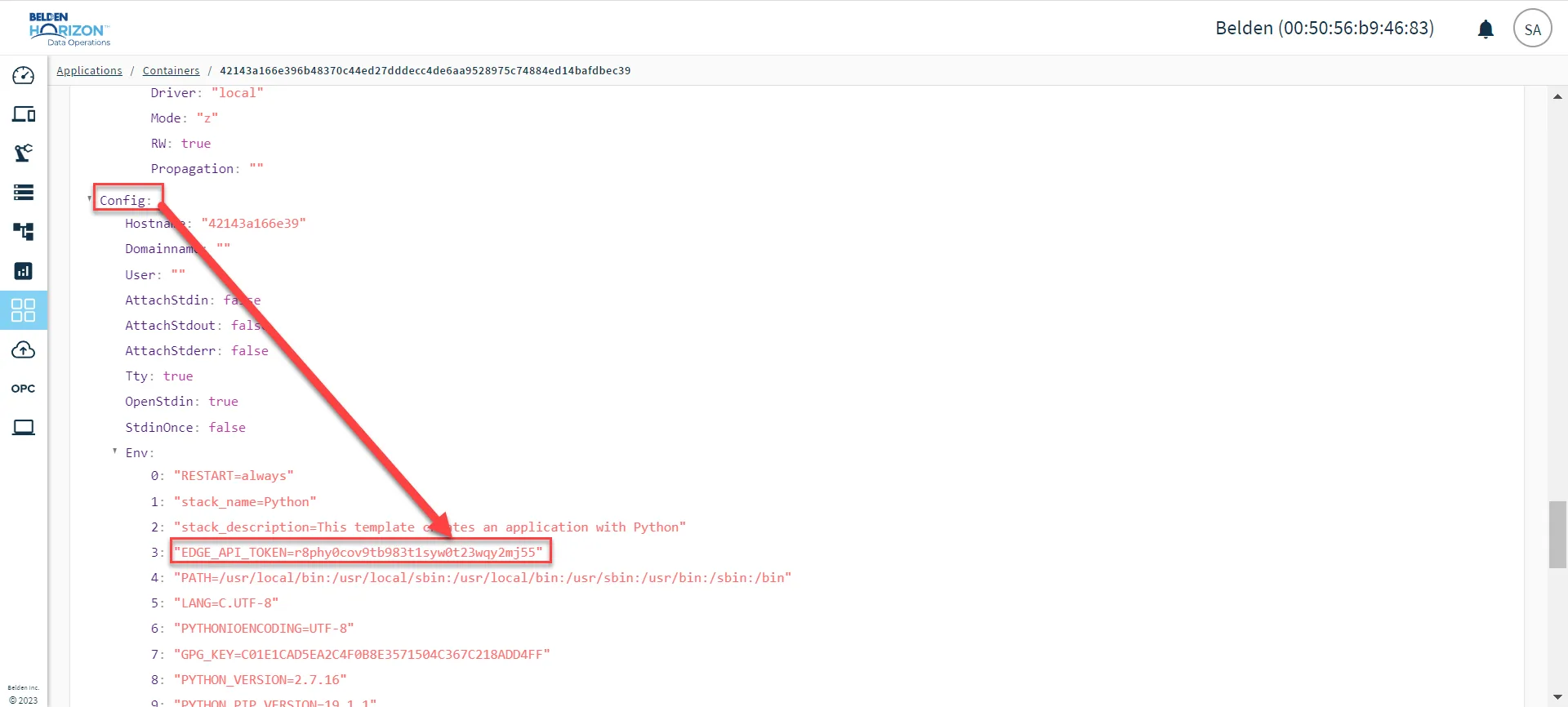
- Scroll down till you see Config. In the Env section, verify that EDGE_API_TOKEN contains the same value as MPC-APP does in Step 3: Verify API Token Creation.