Pull image from Docker registry
1 min
When Pull image from Docker Registry is clicked, the following fields can be entered. See below for more information on each field.
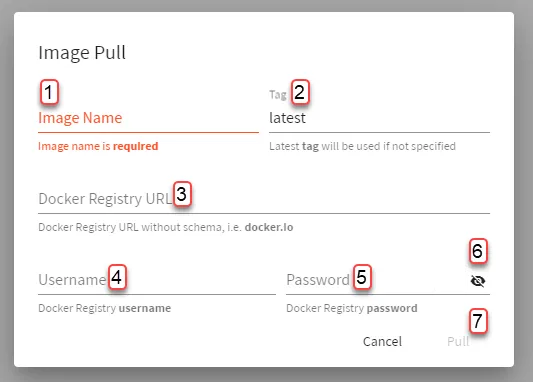
Belden Horizon Data Manager Admin Console : Docker Images : Image Pull
[1] Enter Image Name
[2] Enter Tag: The latest tag is used if this field is left blank.
[3] Enter Docker Registry URL:
- The URL can be left blank and if it's blank, the default Docker Registry (docker.io) is used.
- If you have your own Registry, you can use its URL, username, and password to pull images.
[4] Enter Username
[5] Enter Password
[6] View Password
[7] Pull