MQTT
1 min
The MQTT tab displays the Data Topic for an edge device to which you can subscribe. See About MQTT for more info about MQTT.
Notes:
- The Connected state in the MQTT tab indicates that the browser is connected to the Belden Horizon Data Manager MQTT server with your edge device's configuration settings (username, password, mqtt host), and that you have the correct edge device settings configured.
- The connection status of the physical device can be found in the Devices list.
Refer to the following actions you can take on the Belden Horizon Data Manager User UI's Edge Devices Details MQTT tab.
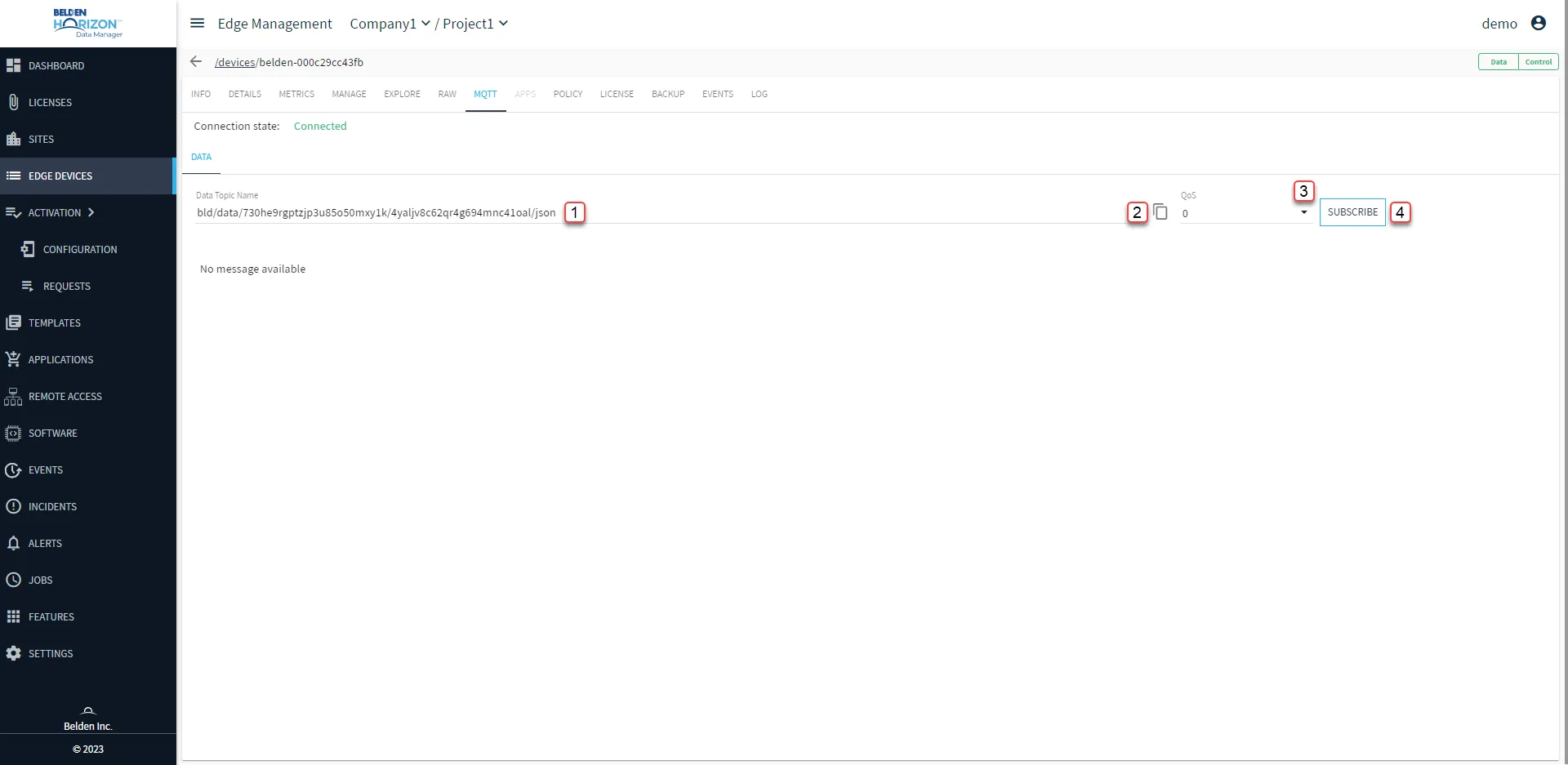
Belden Horizon Data Manager User UI : Edge Device Details : MQTT tab
[1] Modify Data Topic Name
[2] Copy Data Topic Name
[3] Select Quality of service (QoS): 0, 1, 2
[4] Subscribe/Unsubscribe: Messages are no longer available when you navigate away from the MQTT tab.