Modify a User Profile
Each User Profile includes the following sections:
- Edit User: Change the First Name, Last Name and Email address for the user. You can lock the user account from this section. You cannot change the User Name.
- Change Password: Change the user password.
- Company Level Teams: Add, modify, and remove company teams. You can add or remove team members by clicking on an existing team name. You can filter the company teams list.
- Project Level Teams: Add, modify, and remove project teams. You can add or remove team members by clicking on an existing team name. You can filter the project teams list.
- Marketplace Roles: Select or deselect marketplace roles for the selected user.
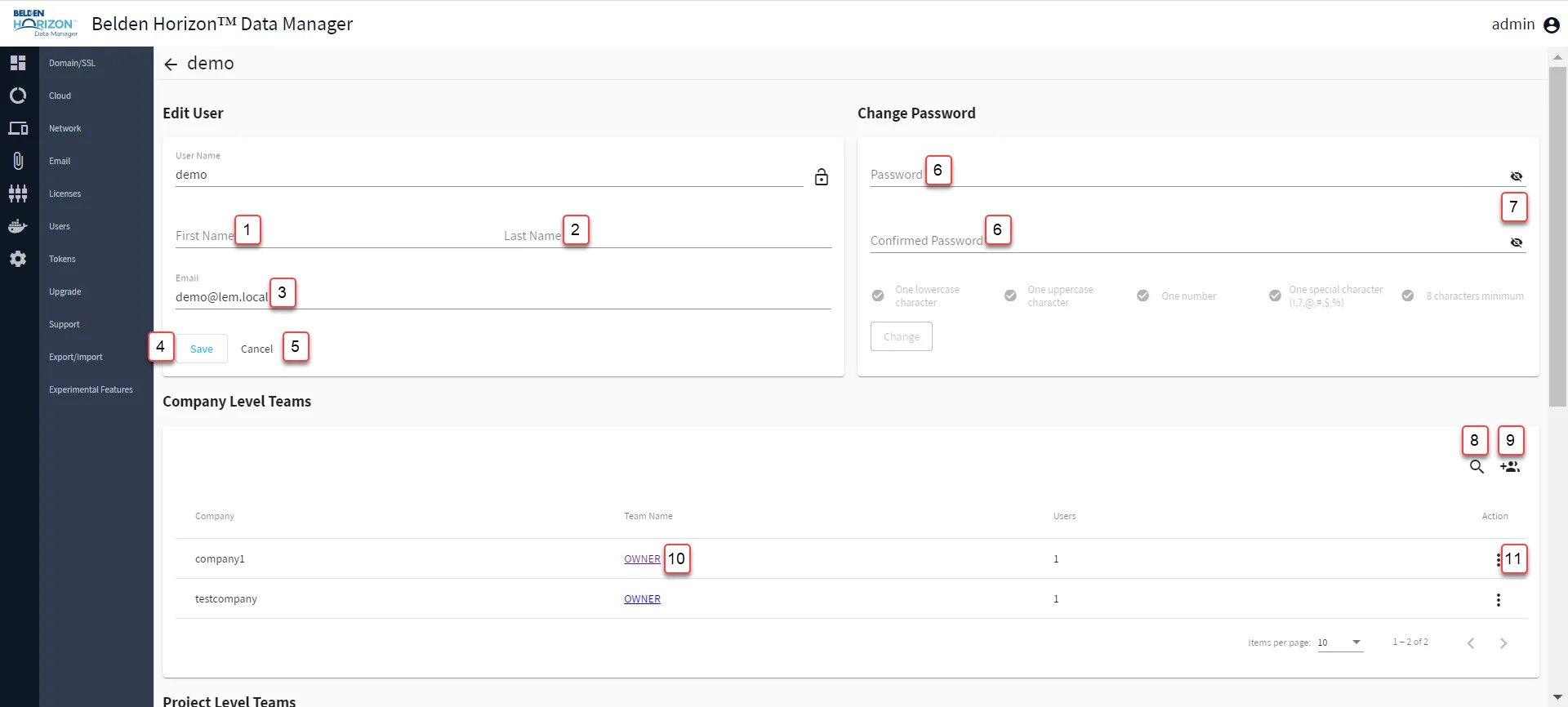
[1] Enter First Name
[2] Enter Last Name
[3] Edit Email
[4] Save User Details
[5] Cancel: Refresh values of [2]-[4]
[6] Enter Password
[7] View Password
[8] Show filter / Hide filter: Search by Company, Team Name, and Users
[9] Add Member
[10] View Team Name: Modify a Company Team
[11] Action Menu:
- Remove
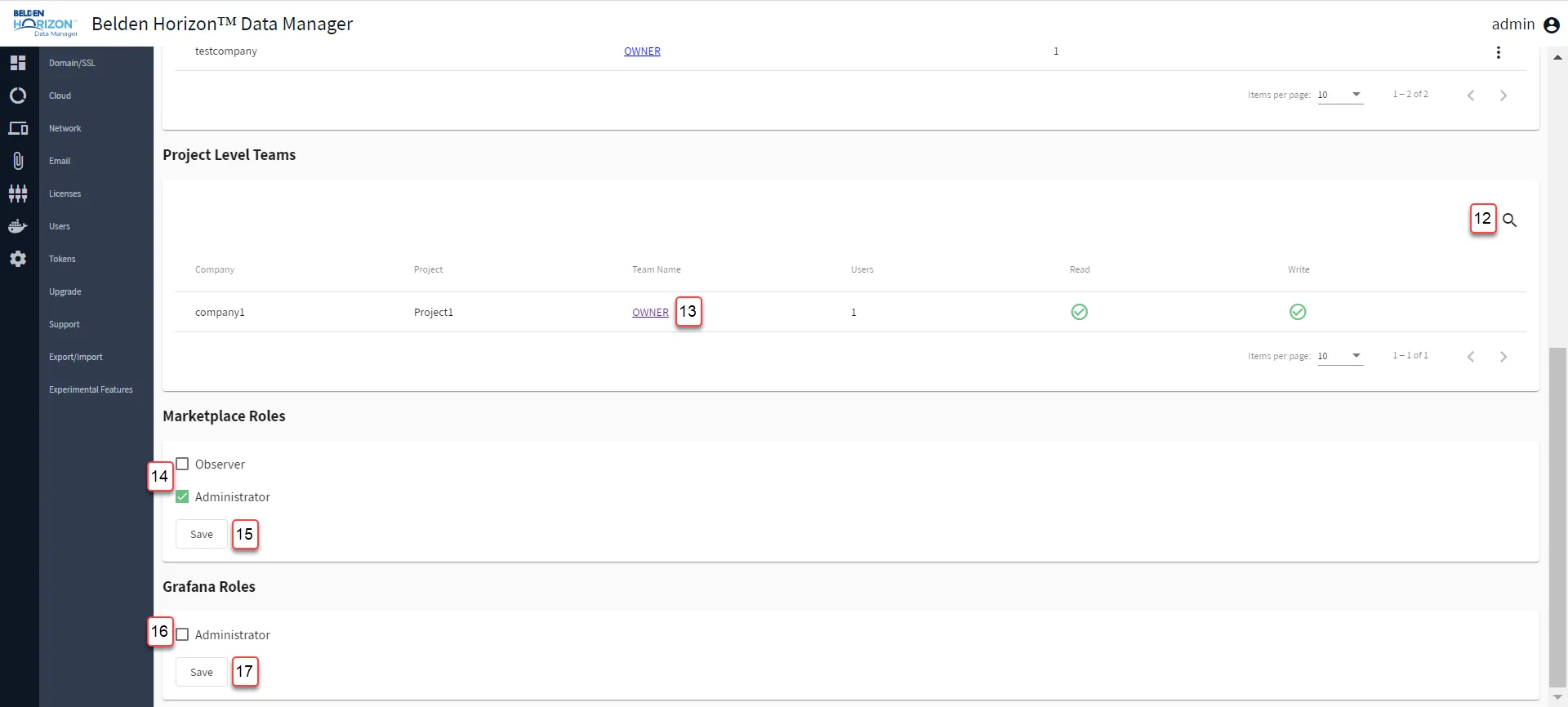
[12] Show filter / Hide filter: Search by Company, Project, Team Name, or Users
[13] View Team Name: Modify a Company Team
[14] Toggle Observer/Administrator role for Marketplace
[15] Save Marketplace role selection
[16] Toggle Administrator role for Grafana: When enabled, the user will receive the Admin role for the Grafana Dashboard. When disabled, the user will lose the Admin role and be set as an Editor or Viewer. See Grafana Dashboards and Visualize Child Device Data Using Grafana for details.
[17] Save Grafana role selection