Management
3 min
The Management module allows you to download archived data files and purge the archived data files from this sub-module.
The types of archived data files you can download are:
- Events: Belden Horizon Data Operations event data.
- Incidents: Incident history data generated by alerts.
- OMA: Belden Horizon Data Operations data in OMA format.
- Raw: Belden Horizon Data Operations data in raw format.
When you purge an archive, all the data for the selected project is removed.
The Management module includes the Data Archive list.
Access Management UI
To access the management UI:
- Log in to Belden Horizon Data Manager Admin Console.
- From the Navigation panel, select Data Lifecycle. Data Lifecycle's Statistics pane by default appears.
- From Data Lifecycle's navigation sub-panel, select Management. Data Lifecycle's Management pane appears.
Refer to the following actions you can take on the Data Lifecycle > Management pane. The user interface below is for Belden Horizon Data Manager version 2.10.0 and later.
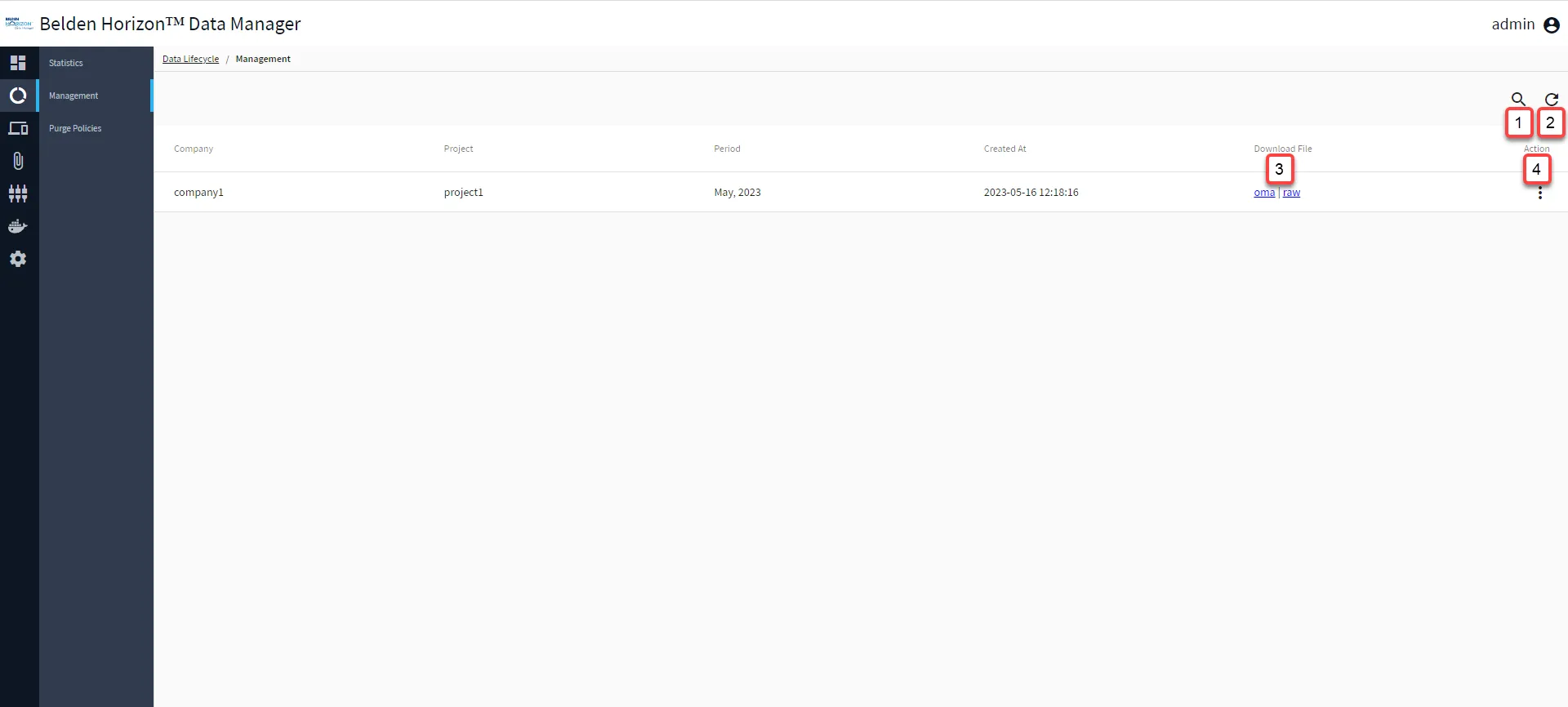
Belden Horizon Data Manager Admin Console : Data Lifecycle : Management
[1] Show filter / Hide filter
[2] Refresh
[3] Download File: Files that can be available to download are:
- events
- incidents
- oma
- raw
[4] Action:
- Purge: This will delete the archived data from the Belden Horizon Data Manager Admin Console. Purging a data archive cannot be undone.