Manage Device Requests
The Activation Request List includes all the activation codes for your edge devices. You can approve, reject or remove an activation code, view the activation and provision status, and copy the activation code from here.
When you select an Activation code link from the Activation Request List, The Activation Config List appears. See Configuration for more information about what the Activation Config List includes.
Refer to the following actions you can take on the Belden Horizon Data Manager User UI's Activation Request List tab.
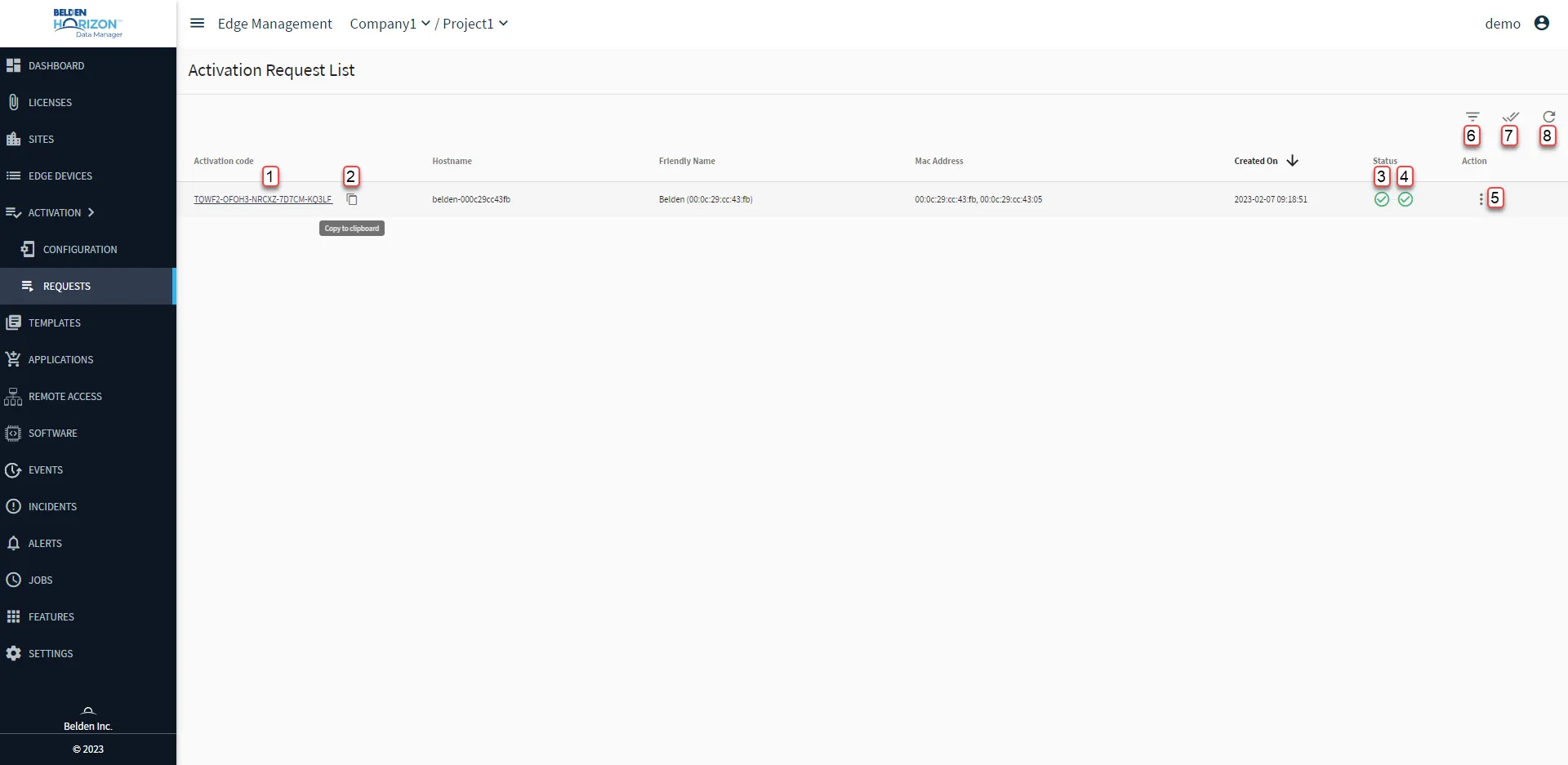
[1] View Activation code
[2] Copy to clipboard
[3] View Stage: Activation Status: Activation Request Stage
[4] View Stage: Provision Status: Activation Request Stage
[5] Action menu:
- Approve: Cannot accept an activation request that's already been rejected.
- Reject: Cannot reject an activation request that's already been rejected. Cannot reject the following activation status : ACTIVIATED / DEACTIVIATED
- Retry Failed
- Delete: An activation request must be approved or rejected before it can be deleted.
[6] Hide Activated / Show all
[7] Multiple Select
[8] Refresh
Re-attempt of Activation Code after Rejected Activation Request
If an activation request sent by a Belden Horizon Data Operations instance is rejected by a Belden Horizon Data Manager, you must first delete the rejected activation request in Belden Horizon Data Manager before the same Belden Horizon Data Operations instance can re-attempt the activation code.