Manage Applications
1 min
From the Applications pane, you can select a catalog to view, deploy (launch) an application for your connected edge devices, and view an application's details where you can view the edge devices for which the application has been deployed.
Refer to the following actions you can take on the Belden Horizon Data Manager User UI's Applications pane.
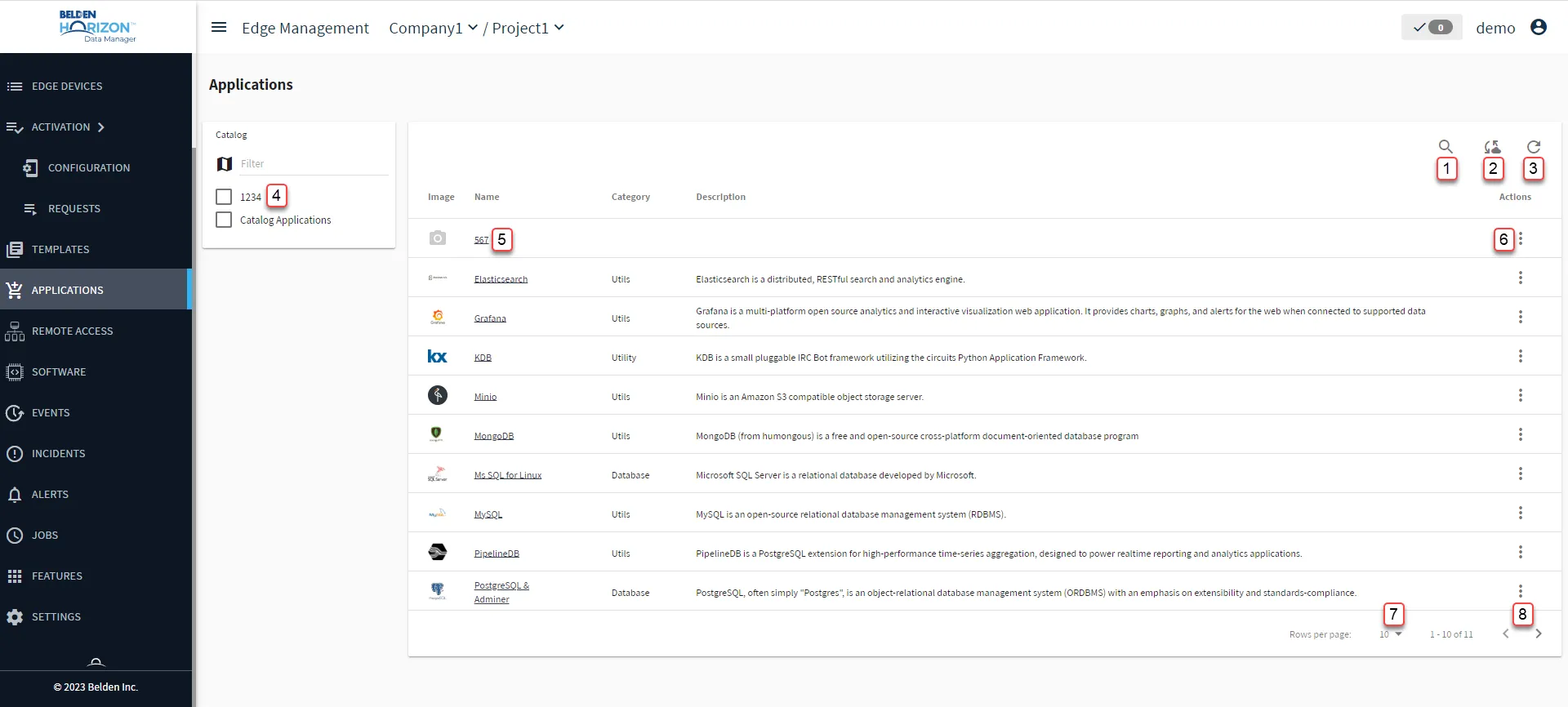
Belden Horizon Data Manager User UI : Applications
[1] Show filter / Clear and close Filter: Search by Name or Description after entering at least 3 characters.
[2] Push Marketplace catalogs to Edge devices
[3] Refresh
[4] Select Catalog:
- Filter
- Show all
[5] View Application Details
[6] Action menu:
[7] Select Rows per page: 10, 50, 100
[8] Forward/backward Applications