Manage a Site and Site Points
1 min
You can hover over a map site point to view the name, status and type of the edge device.
Refer to the following actions you can take on the Belden Horizon Data Manager User UI's Sites' Show Site Points pane.
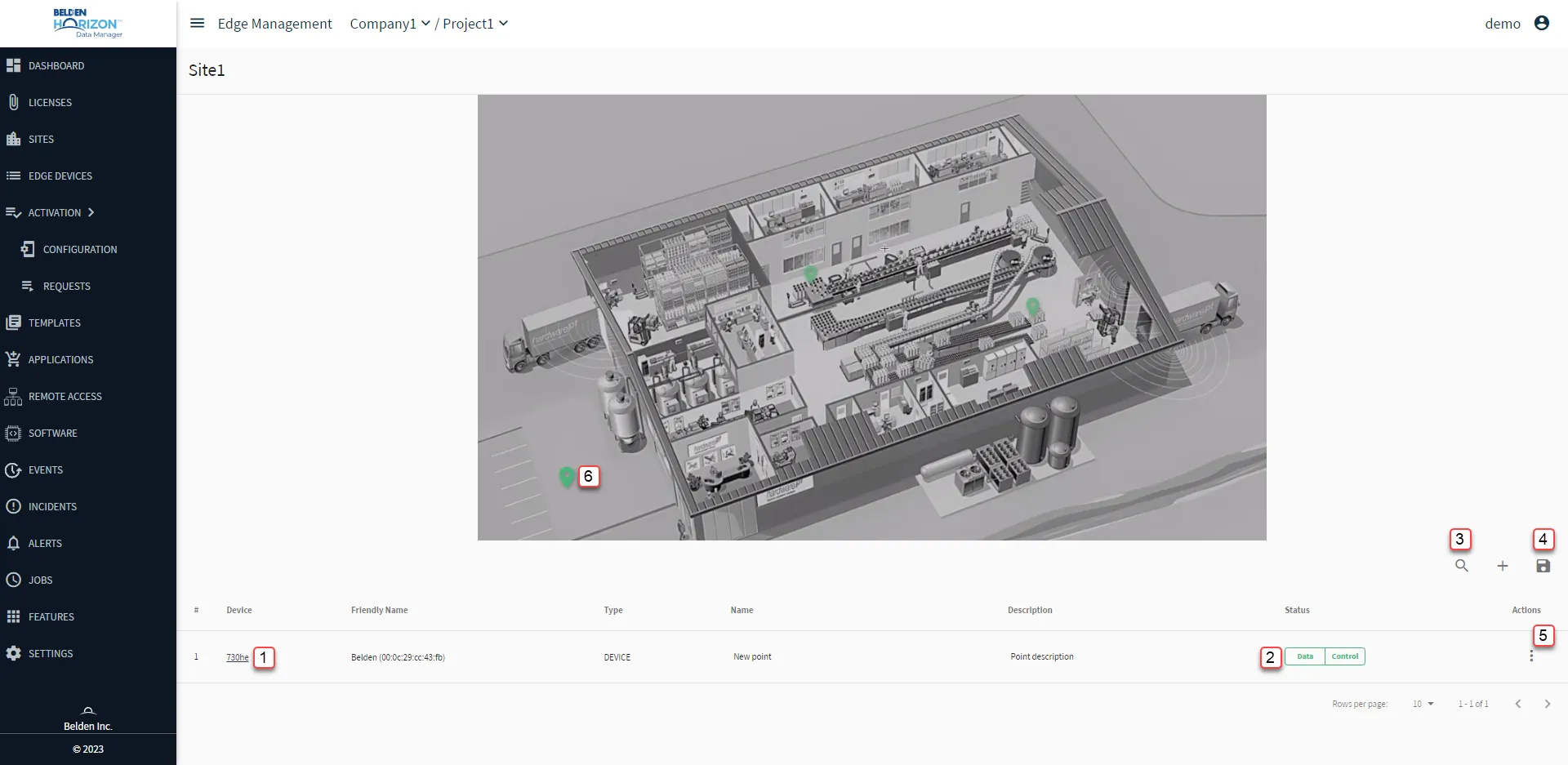
Belden Horizon Data Manager User UI : Site : Site Management
[1] Edge Device Details
[2] View Data | Control Status
[3] Show filter / Hide filter: Search by Name
[4] Save
[5] Action menu:
- Remove: The selected edge device must be online.
[6] Site Point : Hover over the mapping point to more information. Click and drag to change the site point location on the site map.