Company Settings
Companies are the main organizational unit that you can define. Companies contain company teams that define company-wide access privileges. Companies also contain company projects, which can represent individual plants that a company operates.
Company
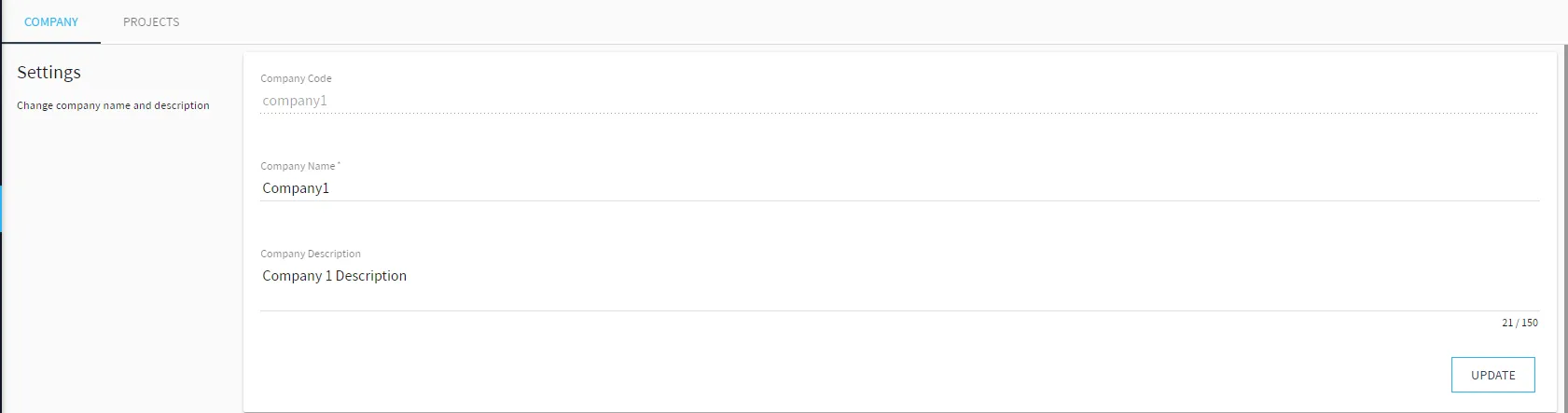
The Company tab includes the Settings, Company Teams, Team Members, and Remove Company sections.
Settings
Modify the company name, and add or modify the company description.
Company Teams
Add, modify, and delete a company team. You cannot modify or delete the company team called OWNER.

Make sure you have added at least one company. Members of the OWNER Team have permission for all features and options.
Team Members
Add and remove members for a selected company team added in the Company Teams section.

When adding a new company team member user, the new user will be in one of two states:
- PENDING: The user has not responded to the invitation email.
- ONBOARD: The user has responded to the invitation email. When the user confirms the invitation, they are directed to an open instance of the company in a new tab on their browser.
Note: The invitation email will not be sent to the new user if SMTP is disabled, see Email to enable.
Remove Company
Remove the selected company. Before you can remove a company, you must remove all the associated projects. Removing a company cannot be undone.

Prior to removal, all projects within a company must be deleted first (see Remove Project for details) to remove a project. This operation will delete all related resources and they cannot be restored. After deleting a company, you cannot reuse the company name.
Projects
The Projects tab includes the Project List and Project Teams sections.
Project List
Add, modify and remove a project associated with the selected company.

Notes:
- The project name must be alphanumeric and cannot include spaces or special characters.
- Removing a project removes all related resources and they cannot be restored.
Project Teams
Add and remove a team with a selected role for a selected project that is associated with the selected company.

When adding a project team, make sure you have added a project first.