Add a Draft Application Release
You can add a draft release for a Docker application. A release is a new version of a Docker application.
Before You Begin
Ensure you have the following:
- A marketplace catalog for your application. You may wish to create a new catalog. See the Add Catalog option in Marketplace: Catalogs and Applications for details.
- An application to create a new release for. You may choose to create a new application for its first application release (See the Add or Import an application option in Marketplace: Catalogs and Applications for details) or create a new application release for an existing application.
Step 1: Create a Draft Application Release
To create a draft application release:
- (Optional) Click Containers Advanced or Compose. By default, the tab is Containers.
Click the Add release button.
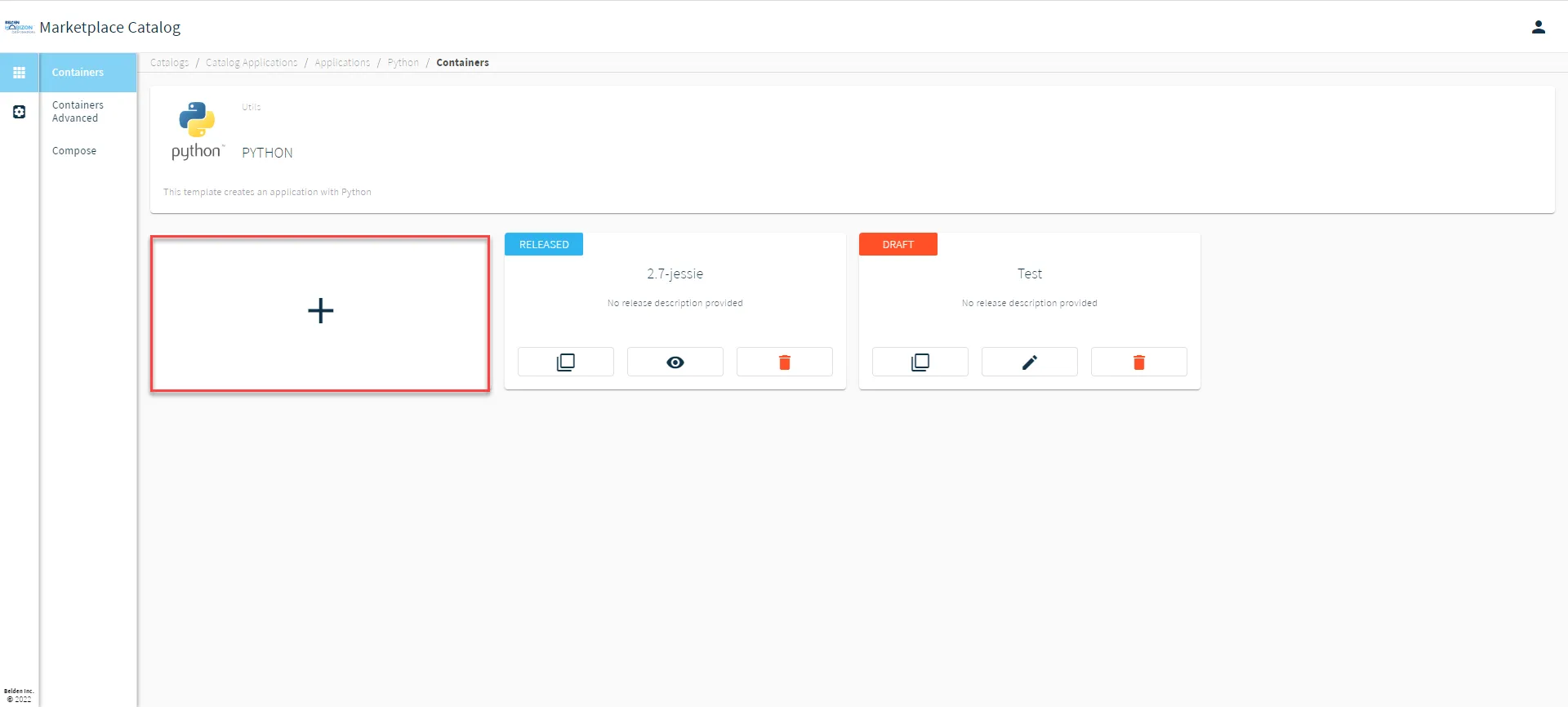 Add release button
From the Add Release dialog box, enter the following details: Release Name: Enter a release name (unique in the context of the application). A release version number is also recommended for certain applications. Description (Optional): Enter a release description specific to only this release. Readme (Optional): Enter plain text or Markdown content. The readme will provide important details such as what the application can/will do, and how to use the application.
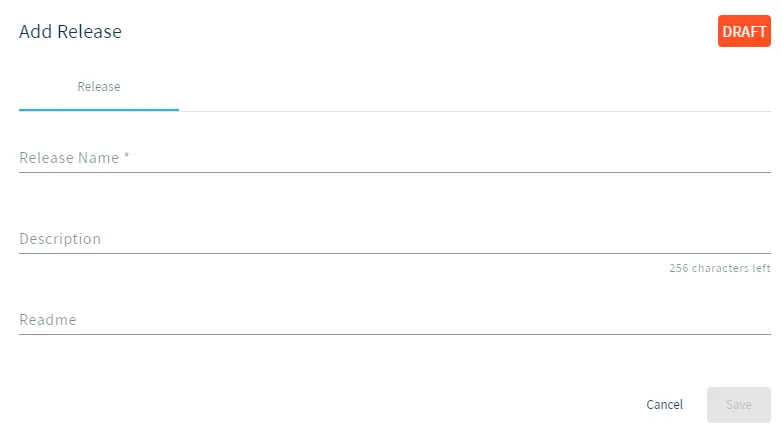 Add Release Dialog Box
Click on the newly created draft application release's tile. (When hovering a tile, it will display View more details about this release.)
![Newly created application release tile [2.8-jessie is example]](https://cdn.images.archbee.com/SSUUxKZUk9bFTEPNn_6Zo/gzbPFDjryeBzXzPNLBMiQ_application-releases.png?format=webp "Newly created application release tile [2.8-jessie is example]") Newly created application release tile [2.8-jessie is example]
Newly created application release tile [2.8-jessie is example]
Step 2: (Optional) Add Launch Variables to the Draft Application Release
See Set Up Variables for an Application Release for details.
Step 3: Add a Docker container configuration to the Draft Application Release
See Set Up Docker Container Configurations for an Application Release for details.
Step 4: Submit the Draft Application Release
You will need to go to the Draft Application Release tile, click the Edit Release icon, and select Submit Release. See Manage Applications for details.
Once a Draft Application Release has been submitted, you can no longer modify it. You would need to create a new release or clone the submitted release, and then modify the clone (while it is still in the Draft status).
Step 5: Deploy the Submitted Application Release
After submitting the Draft Application Release, you can deploy it to multiple Belden Horizon Data Operations instances. See Deploy an Application to Edge Devices for details.