Troubleshooting - Time Synchronization
Time synchronization is required for precise time resolution for time-stamping collected measurements. Also, Belden Horizon Data Operations uses the current time for license activation. Therefore, if the time is substantially off, the trial license may be considered invalid and cause the trial to end prematurely.
NTP (Network Time Protocol) servers offer the easiest, most reliable, and accurate time-synchronization method.
Important: If you are installing Belden Horizon Data Operations:
- Adjust the system clock through the BIOS before installing Belden Horizon Data Operations. Otherwise the 15-day trial period may be rejected and invalidated by the license server.
- In the event that your license becomes invalidated, contact your Belden representative.
Synchronize Using Public NTP Servers
Belden Horizon Data Operations comes pre-configured with servers in the public NTP pool. This requires internet access. See The NTP Pool Project to learn more.
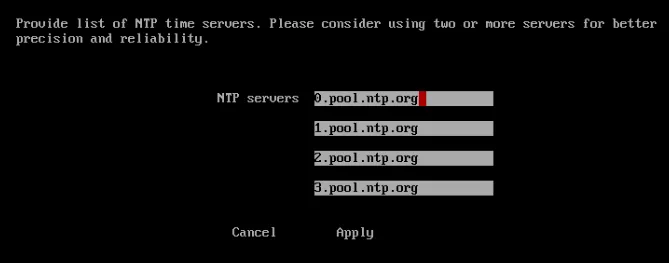
If Belden Horizon Data Operations is in an environment without internet access or if you want to specify your own NTP servers, you can do it using the Web UI or the Terminal User Interface (TUI), as shown below. See the Configure Time section in Access the Terminal User Interface.
Configure NTP Time Servers using the TUI
Refer to the Configure Time section. See Access the Terminal User Interface.
Configure NTP Time Servers through the Web Interface
See the NTP Servers section in Configure DNS/NTP Servers.