Integration
6 min
The Integration module enables you to configure connectors to third-party cloud services in Belden Horizon Data Operations. This allows you to:
- Publish data (outbound topics) from the edge directly to a cloud service provider or a database.
- Subscribe to data (inbound topics) from a cloud service provider or a database.
Cloud Service Providers
Belden Horizon Data Operations lets you add Connectors to enable integration with the following cloud service providers:
- AMQP SSL
- AMQP TCP
- Azure Event Hubs
- Edge Access
- Google Cloud Pub/Sub
- Kafka SSL
- Kafka TCP
- MQTT - Amazon AWS IoT Core over SSL
- MQTT - Azure IoT Hub using Device Certificates
- MQTT - Azure IoT Hub using SAS Key
- MQTT - Generic
- MQTT - Generic over SSL
- MQTT - Google IoT Core over SSL
- MQTT - IBM Watson over SSL
- MQTT - System Protobuf SSL
- MQTT - System Protobuf TCP
- Mindsphere PSK
- REST API (Belden Horizon Data Operations version 3.5.2 and later)
- Splunk
Databases
You can integrate Belden Horizon Data Operations with databases. You can enable database apps in the Applications Marketplace. Database connections allow table names in mixed case.
The following databases are currently supported:
- Loopback Connector
- DB - InfluxDB SSL
- DB - InfluxDB TCP
- DB - Microsoft SQL Server
- DB - Microsoft Server SSL
- DB - MongoDB
- DB - MongoDB v4+(Belden Horizon Data Operations version 3.5.2 and later)
- DB - MySQL
- DB - MySQL SSL
- DB - Oracle (deprecated for Belden Horizon Data Operations version 3.5.2 and later)
- DB - PostgreSQL
- DB - PostgreSQL SSL
Integration Use Cases
Review entire workflows for setting up integrations in Integration Use Cases.
Access Integration UI
To access the Integration pane:
- Log in to Belden Horizon Data Operations.
- From the Navigation panel, select Integration. The Integration pane appears.
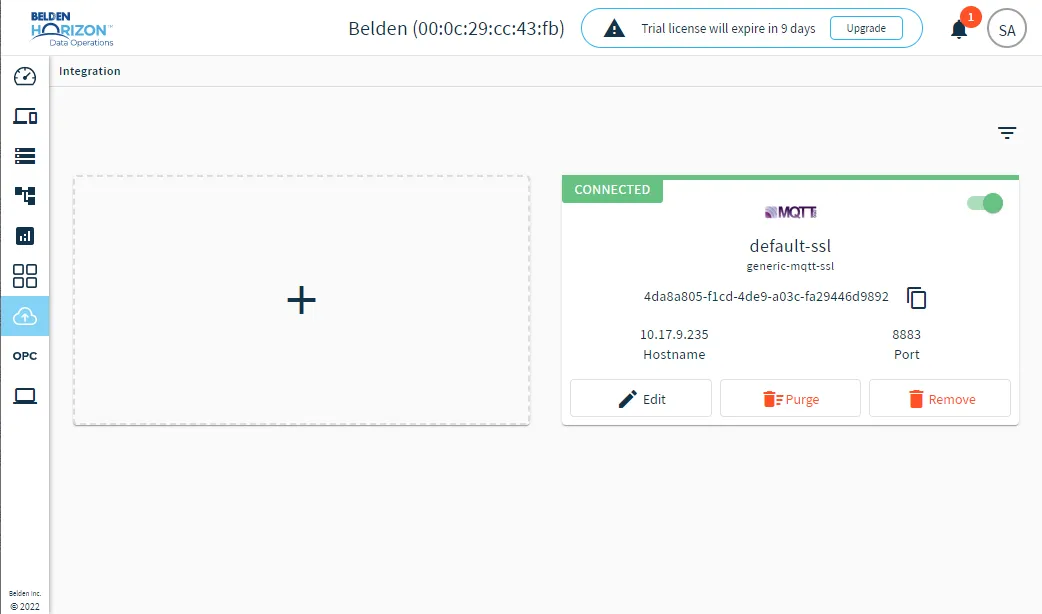
Integration pane