Digital Twins
Note: The Digital Twins feature is available for Belden Horizon Data Operations version 3.5.2 and later.
Digital Twins are virtual representations of industrial assets. These industrial assets can be anything associated with the production of industrial products, such as an industrial machine, an industrial site, or a programmable logic controller (PLC) device.
Digital Twins can combine physical asset data from different sources, so that you can use it for monitoring and maintenance activities such as insights, alerts, and feedback loop.
Digital Twins Models
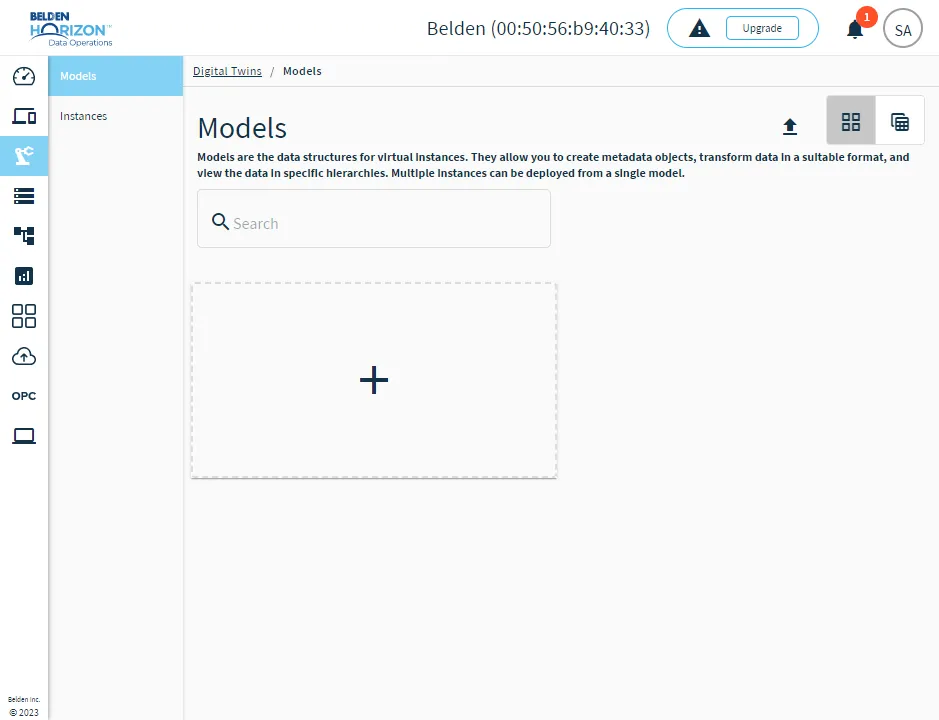
Models are the data structures for Digital Twin Instances. You can configure the following parameters in a model.
- Attributes: Models store the dynamic and static attributes that will be used by instances for identification and data collection.
- Dynamic attributes: Variable data for the model. For example, Temperature, Vibration, and Downtime.
- Static attributes: Metadata of the model. For example, Device ID, Serial, and Model.
- Transformations: You can transform the data collected in instances by converting raw JSON data to a desired format by defining the JSON-based schema.
- Hierarchy: Provides a logical representation of dynamic and static attributes. You can drag and drop attributes into the hierarchy as needed and add folders to create a custom data structure.
Digital Twins Instances
Instances are the physical objects that contain static and dynamic data from different sources. Every instance has to be associated with a model. The attributes that are configured in the model determines the data that will be collected by the instance.
Every instance generates a new data topic that is published to the internal message broker. This data topic can be leveraged within Belden Horizon Data Operations.
You can configure instances by doing the following:
- Modify the values of static attributes in the instance.
- Map one-to-one relationships with data topics and dynamic attributes by modifying topic values for dynamic attributes in the instance.
- Use the Data Access tab to view real-time data.
- Send instance data to northbound integrations by referring to the Data Access topic name.
Digital Twins Use Case
Refer to the following use case for creating and managing a Digital Twins Model.
Use Case Model
Create an energy-monitoring model to collect and track data related to energy consumption.
Use Case Instances
Create the following Instances that will be associated with the model.
- Runtime daily: Tracks the time each day the industrial asset runs.
- KWH usage daily: Tracks the daily energy consumption.
- Energy anomalies: Tracks any anomalies with energy consumption.
- Energy cost prediction: Tracks energy costs and makes predictions on future costs.
Access Digital Twins UI
To access Digital Twins:
- Log in to Belden Horizon Data Operations.
- From the Navigation panel, select Digital Twins. The Models pane appears.