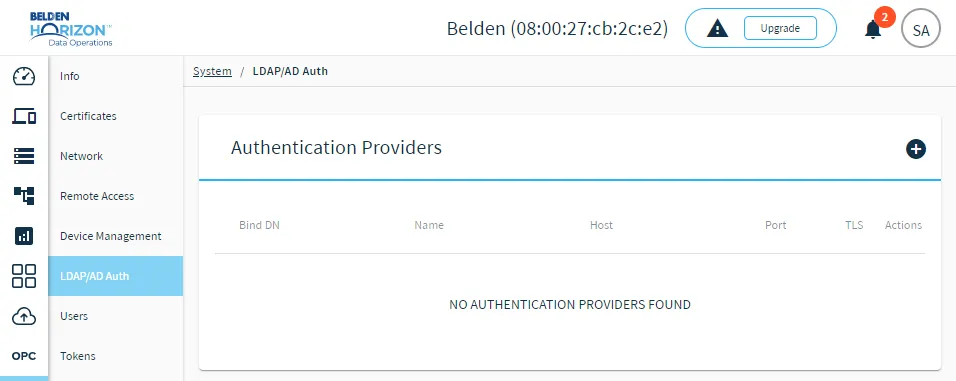
LDAP/AD Auth
The LDAP/AD Auth pane allows you to add and manage LDAP and AD authentication providers.
LDAP (Lightweight Directory Access Protocol) provides centralized services for login authentication and storage of / access to usernames and passwords within a network directory. LDAP uses group mechanisms to facilitate user authentication management.
The AD (Active Directory) service authenticates users and devices in a Windows or UNIX-based domain network, and verifies permissions to determine the user access level at login.
Each Belden Horizon Data Operations instance contains a default user registry for authentication and authorization. LDAP and AD settings allow you to integrate the Belden Horizon Data Operations login system with an external authentication registry. For example, this external registry might be the username and password combinations for your company network. You can add multiple LDAP Authentications.
Belden Horizon Data Operations supports:
- Active Directory (AD)
- LDAP directories using the RFC2307/2307bis schema
- Other LDAP directories through direct attribute mapping
Access LDAP/AD UI
To access the LDAP/AD pane:
- Log in to Belden Horizon Data Operations.
- From the Navigation panel, navigate to System > LDAP/AD Auth. The Authentication Providers pane appears.