Manage Edge Devices
3 min
You can manage edge devices by navigating to System > Device Management.
Deactivate a Device
To deactivate a device, locate the device in the Cloud Activation section, and then click Deactivate for the device.
Important: A system reboot is required after device deactivation.
Manage Edge Devices
Management options for edge devices are available from the Manage section of the Device Management pane.
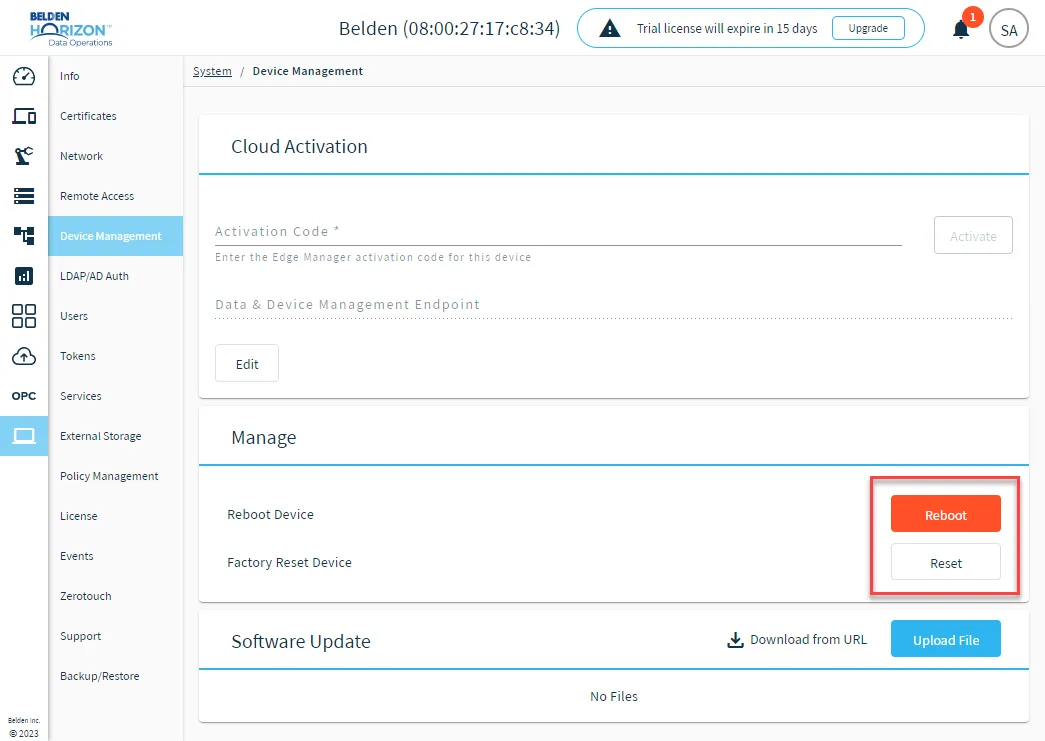
Management options for edge devices
- Reboot: You can reboot the Belden Horizon Data Operations device.
- Reset: Revert the edge device to its factory settings. All edge device configurations are removed and Belden Horizon Data Operations returns to its original state before any configurations were created.
Software Update
The Software Update section allows you to upgrade by either uploading an update file or downloading the update file. See Software Updates to learn more.

Software Update section