Manage Instances
Note: The Digital Twins feature is available for Belden Horizon Data Operations version 3.5.2 and later.
After you create instances, you can navigate to Digital Twins > Instances to manage them.
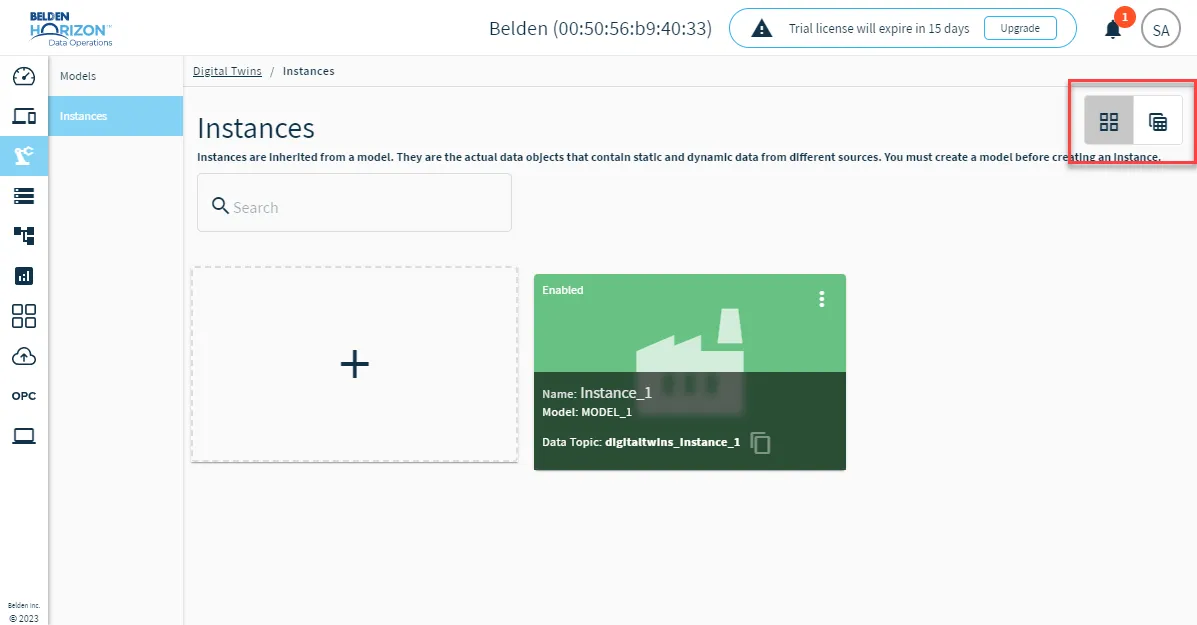
Change Instance View
Click the icons for Show devices grid or Show devices table to change how you view your instances.
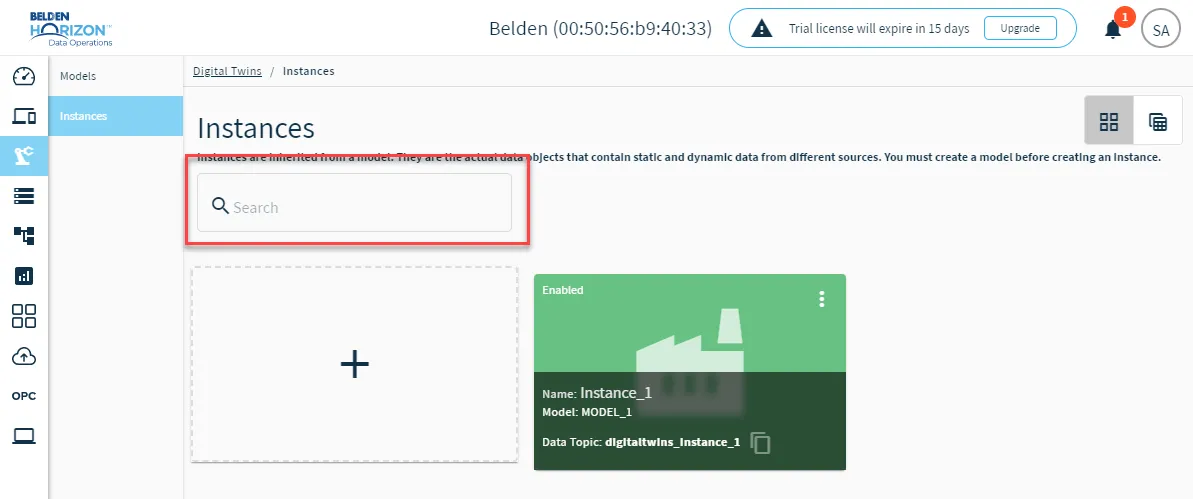
Filter and Search Instances
Use the search bar to search by instance name.
Manage Individual Instances
From the Show devices grid view, you can use instance tiles to access management options. Refer to the image and callouts below.
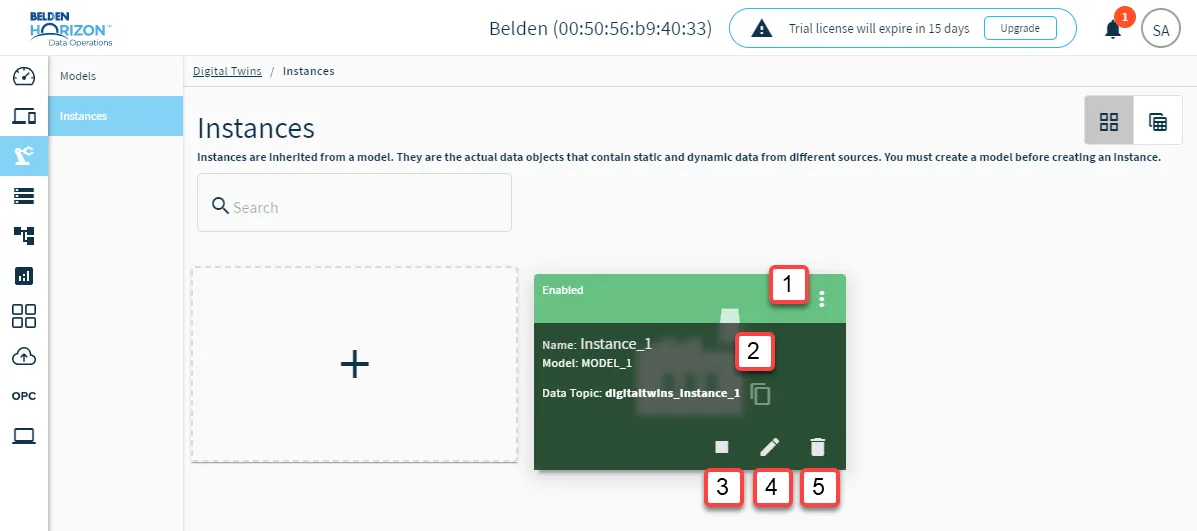
[1] Action menu: The action menu displays the following options.
- Disconnect/Connect
- Edit
- Delete
[2] Copy Instance Topic
[3] Disconnect/Connect Instance
[4] Edit: Update the associated model, instance name, interval, and select/unselect the Flatten Hierarchy check box.
Note: When Flatten Hierarchy is selected, it will take a nested JSON object and convert it into a JSON object with one layer using dot notation. This is useful when sending JSON objects to Influxdb, because Influxdb does not accept nested JSON objects.
[5] Delete
Manage Instance Parameters
You can click the Instance tile (grid view) or Instance name (table view) to view the instance details. See the Step 2: Configure Instance section from Add an Instance for details on updating the parameters.