Manage FTP and System Services
You can manage FTP and System Services by navigating to System > Services.
Manage FTP Service
From the Services pane, you can manage the FTP Service.
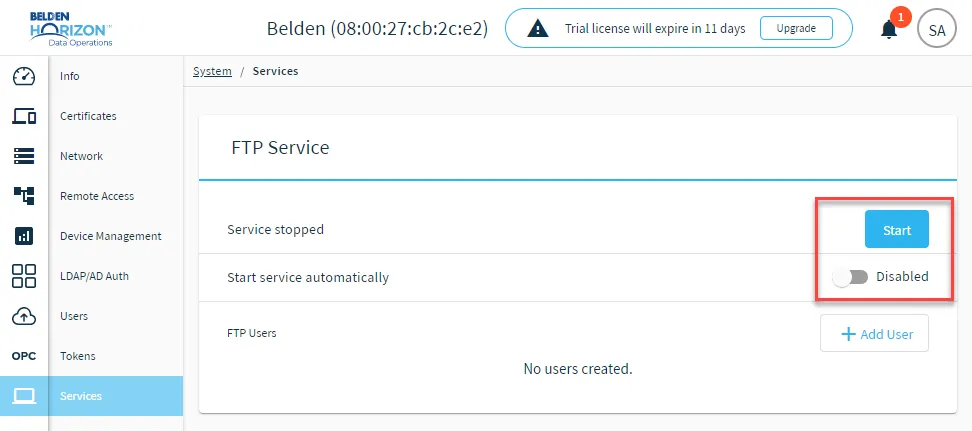
Start and Stop FTP Service
You can start and stop the FTP Service manually by clicking the Start or Stop button. The FTP Service is stopped and disabled by default.
Note: If the FTP service has no added FTP users and then a system reboot operation is performed, the FTP service will be automatically stopped. The FTP service must be added with at least one FTP user to maintain its state after a system reboot.
Start Service Automatically
You can click the toggle for Start service automatically to enable or disable the FTP service automatically starting when you log in.
Manage System Services
From the Services pane, you can manage system services.
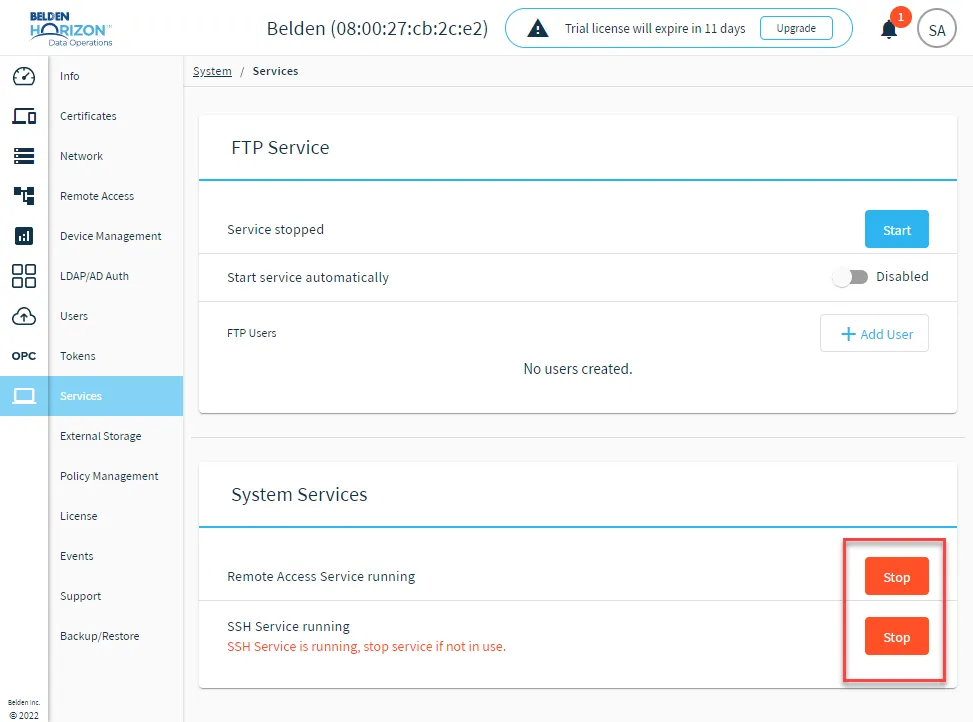
Start and Stop Remote Access Service
You can start and stop the Remote Access Service manually by clicking the Start or Stop button. The service is running by default. If you stop the service, you will not be able to access any remote access service.
Start and Stop SSH Service
You can start and stop the SSH Service manually by clicking the Start or Stop button. The service is running by default. If you stop the service, no one can log in remotely.