ESXi
5 min
You can use VMware ESXi to install Belden Horizon Data Operations.
Before You Begin
- Adjust the system clock for the host environment prior to installing Belden Horizon Data Operations. The 15-day trial period may be rejected and invalidated by the license server if the system clock is not adjusted. If this happens, contact your Belden representative.
- Obtain a valid file in the OVA (Open Virtualization Alliance) format from Belden.
To use ESXi to install Belden Horizon Data Operations, you will need to do the following.
- Step 1: Create a Virtual Machine
- Step 2: Log in to Belden Horizon Data Operations
To jump to a specific section, refer to the Table of Contents on the right side and click the corresponding step.
Step 1: Create Virtual Machine
You will first need to create the virtual machine that will run Belden Horizon Data Operations.
To create the virtual machine:
Log in to VMware ESXi and click Create a new virtual machine.
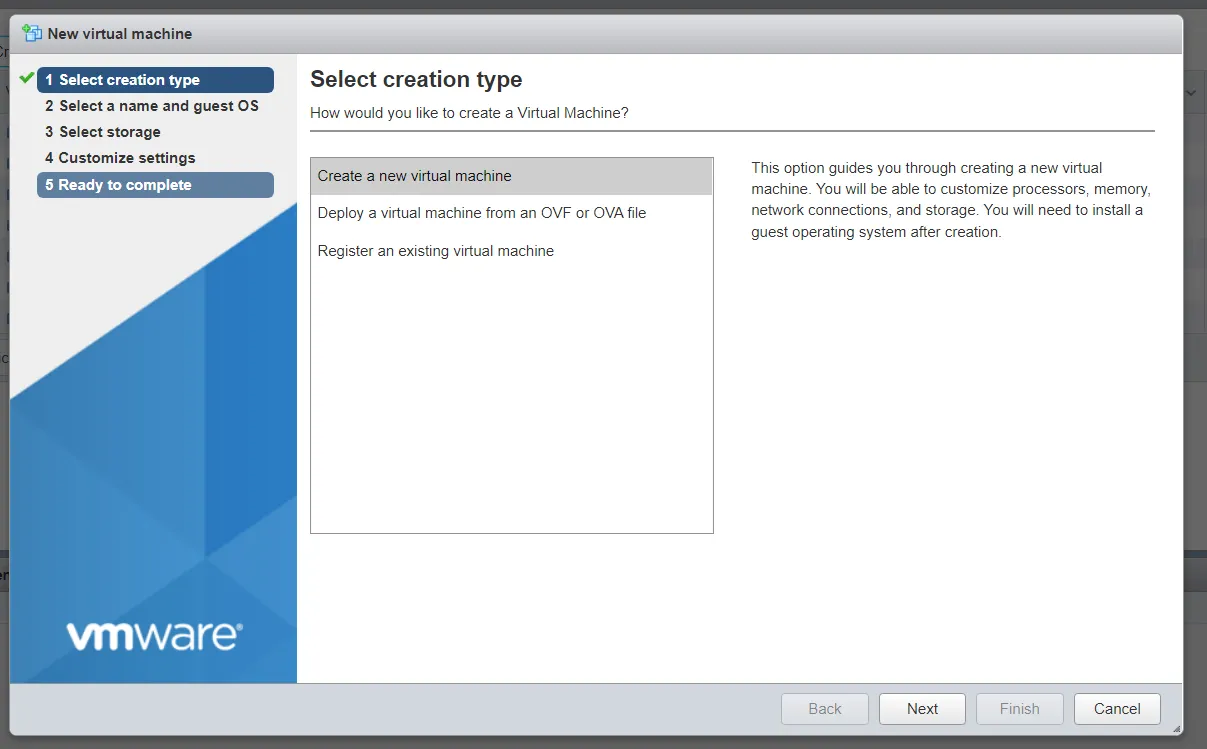 Select creation type screen
- Enter a name for the virtual machine in the field, select the OVA file, and then click Next.
- Apply storage settings, and then click Next.
- Agree to license, and the click Next.
- Apply deployment settings, and then click Next.
- Apply network settings, and then click Next.
- Review your settings, and then click Finish.
Known Issue:
When importing ESXi image using vSphere client (Windows). Refer to the solution from VMware Customer Connect.
Step 2: Log in to Belden Horizon Data Operations
- See Access the Terminal User Interface for instructions on how to navigate and log in for the first time.