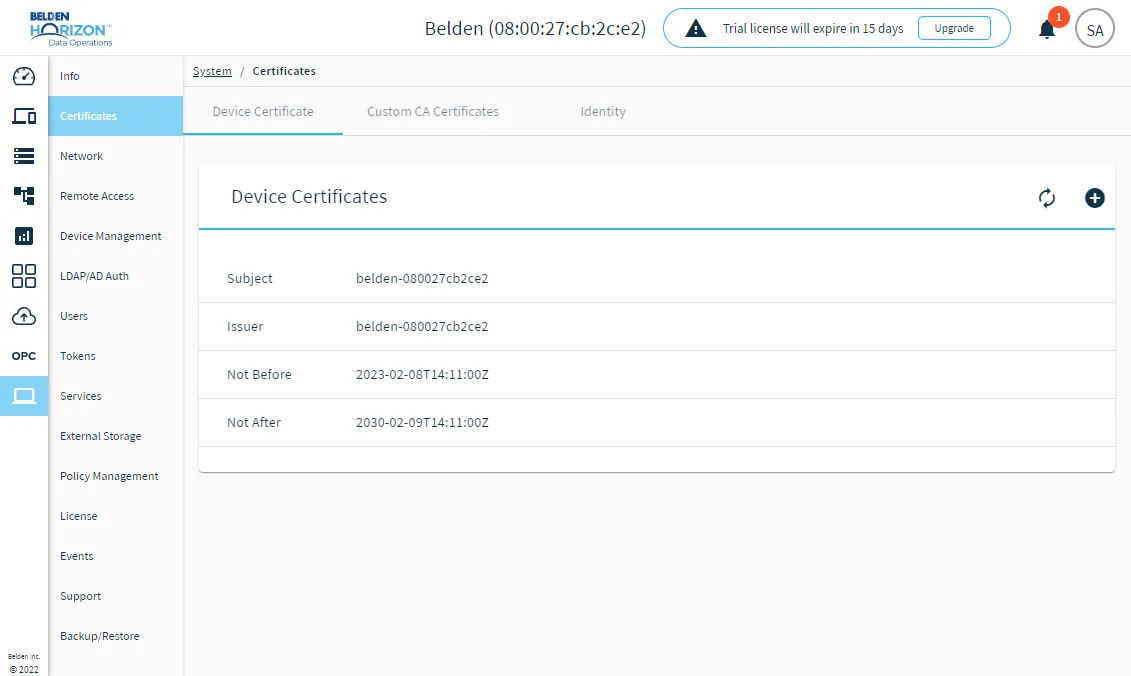
Certificates
The Certificates pane is used to store certificates locally in Belden Horizon Data Operations.
Self-Signed Certificates
When your instance of Belden Horizon Data Operations boots up for the first time, a self-signed certificate is automatically created. Because the certificate generated by Belden Horizon Data Operations is self-signed, web browsers detect that the certificate is not formally approved by a certificate authority. That is why you will get browser warnings that the connection is not private/secure. See Browser Access Restrictions for more information.
Despite these warnings, all communication through Belden Horizon Data Operations and Belden Horizon Data Manager is done through https, which means it's encrypted end-to-end and the connection is always secure.
Belden Horizon Data Operations gives you the option to upload certificates and copy device public keys as required by your organization.
Device Certificates
A device certificate (or SSL certificate) is a digital certificate that provides proof of the device's identity (Belden Horizon Data Operations instance). If required by your organization, you can replace the self-signed certificate generated by Belden Horizon Data Operations with your own device certificate. When you upload a device certificate, the connection to the device is validated as a secure connection.
For details on uploading a device certificate, see Add a Device Certificate.
Device Certificate Use Cases
You are not required to upload a device certificate for your instance of Belden Horizon Data Operations, but your organization may decide to upload one for the following use cases.
- Your organization's IT policies require proper signed certificates for your Belden Horizon Data Operations instance.
- Your organization requires a domain name and any respective certificates to be attached to your Belden Horizon Data Operations instance.
Device Certificate Requirements
The certificate you upload must be an Nginx certificate.
When uploading a device certificate, you will need to provide the following parameters.
- SSL certificate: The public key certificate associated with the device certificate.
- CA Chain: The certificate authority's chain of certificates that validates the device certificate's public and private keys. When validating this parameter, make sure it includes all intermediate certificate authorities.
- Private RSA key: The private key certificate associated with the device certificate.
Reset Device Certificates
You have the option of using the Reset to self-signed device certificate function for device certificates. This replaces the existing certificate with the automatically generated self-signed one and creates a new expiry date for the certificate.
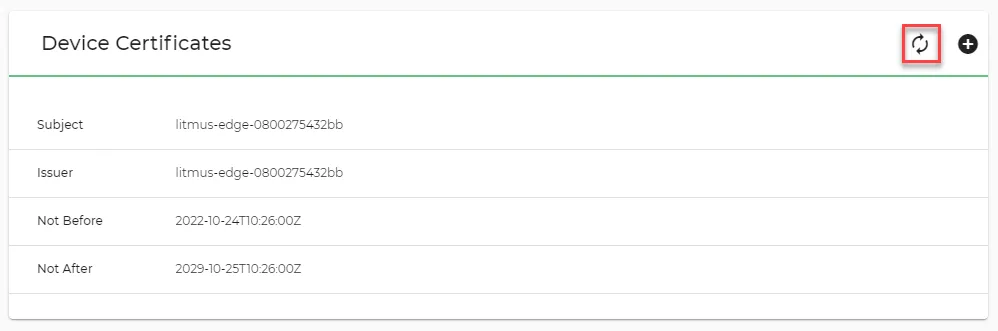
Before you reset the certificate, verify that any system communicating with Belden Horizon Data Operations will not be negatively affected, as this invalidates all active UI sessions and the receiving of data from external sources.
Custom CA Certificates
A CA certificate is a digital certificate issued by a certificate authority (CA). The CA certificate allows valid and secure connections between Belden Horizon Data Operations and other systems. Learn more about certificate authorities from Wikipedia.
To create a valid and secure connection between Belden Horizon Data Operations and Belden Horizon Data Manager, a custom CA certificate needs to be generated. To complete this specific task, see Activate an Edge Device for details.
To upload a custom CA certificate not related to validating communication between Belden Horizon Data Operations and Belden Horizon Data Manager, see Add a Custom CA Certificate.
Important: When uploading a custom CA certificate, make sure the file is in CRT format and that X509 encoding is used.
Custom CA Certificate Use Cases
You can upload custom CA certificates for the following use cases:
- Enable a valid connection between Belden Horizon Data Operations and Belden Horizon Data Manger by providing the Belden Horizon Data Manager URL as the endpoint. For this specific use case, see Activate an Edge Device for details.
- Depending on the specific requirements of your organization, upload any required certificates provided by private CAs.
- If you are using integrations to connect to cloud services, some of these services may use custom certificate authorities that are not available from the trusted CA store in the Belden Horizon Data Operations instance. In this scenario, you would need to add these CA certificates to the list of trusted custom CA certificates.
- If you have a private Docker registry, the Applications Marketplace refuses to connect to the registry because it is unable to validate the certificate. You would then need to manually update the custom CA certificates.
Device Public Keys
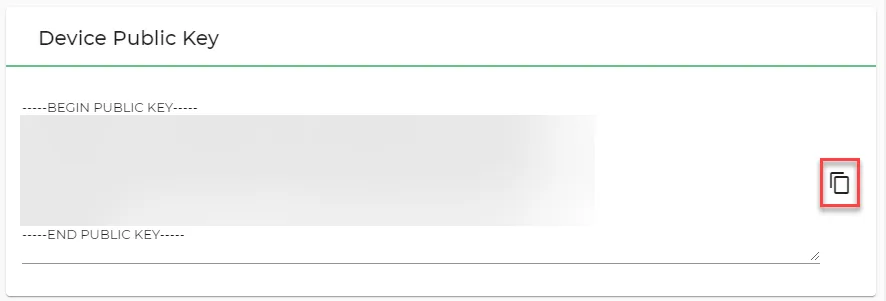
The device public key is the Belden Horizon Data Operations system's identity/device footprint. It is not related to certificates. If your organization requires public keys to be accepted, you can copy it from the Identity tab.
Identity Certificates
Identity certificates are required when a connection between a device (Belden Horizon Data Operations instance) and another service needs to be authenticated. For example, when a connection is set up between Belden Horizon Data Operations and Belden Horizon Data Manager, an identity certificate is created that can be viewed in Belden Horizon Data Operations. Belden Horizon Data Operations can have multiple identity certificates signed by different authorities.
When you create a connection between Belden Horizon Data Operations and Belden Horizon Data Manager, an identity certificate is automatically created that can't be deleted from Belden Horizon Data Operations.
Certificate Signing Requests
A certificate signing request (CSR) is used to apply for an SSL/TLS certificate. The CSR contains information that the certificate authority will use to create the certificate, such as common name, organization, and country. It also contains the public key that will be included in your certificate and is signed with the corresponding private key.
You can copy/download the certificate signing request in Belden Horizon Data Operations and send it to a certificate authority for authorization. The certificate authority can then send back a signed identity certificate. You can then install this identity certificate in Belden Horizon Data Operations. See Install an Identity Certificate and Manage Certificate Signing Requests for more details.
Access System Certificates UI
To access the System Certificates pane:
- Log in to Belden Horizon Data Operations.
- From the Navigation panel, navigate to System > Certificates. The Certificates pane appears.