Test REST API using Postman or Curl
This set of instructions explains how to access the Belden Horizon Data Operations (BHDO) APIs using an external tool: curl command or Postman.
API tokens are unique authentication credentials assigned to individual users. You can create API tokens to use the Belden Horizon Data Operations REST APIs.
The back-end APIs communicate with the front-end interface through HTTP REST.
If you want to use a custom interface or some other custom application to access the underlying APIs, the Belden Horizon Data Operations API Keys Management allows you to create an API token.
When accessing an exposed API, you can use the same API token for any of the exposed APIs.
To access API documentation, contact your account executive.
For the example below, we will test the DeviceHub version of your Belden Horizon Data Operations instance.
Before You Begin
- Copy the API token (click the Copy icon next to the API token value). See Manage API Tokens to learn more.
Option 1: Access REST APIs with Postman
You can manually test a REST API with the Postman application.
You will need to install and open Postman.
To use Postman to view the component version:
- Open Postman or access the web version of Postman.
Make sure that GET is selected from Action drop-down list.
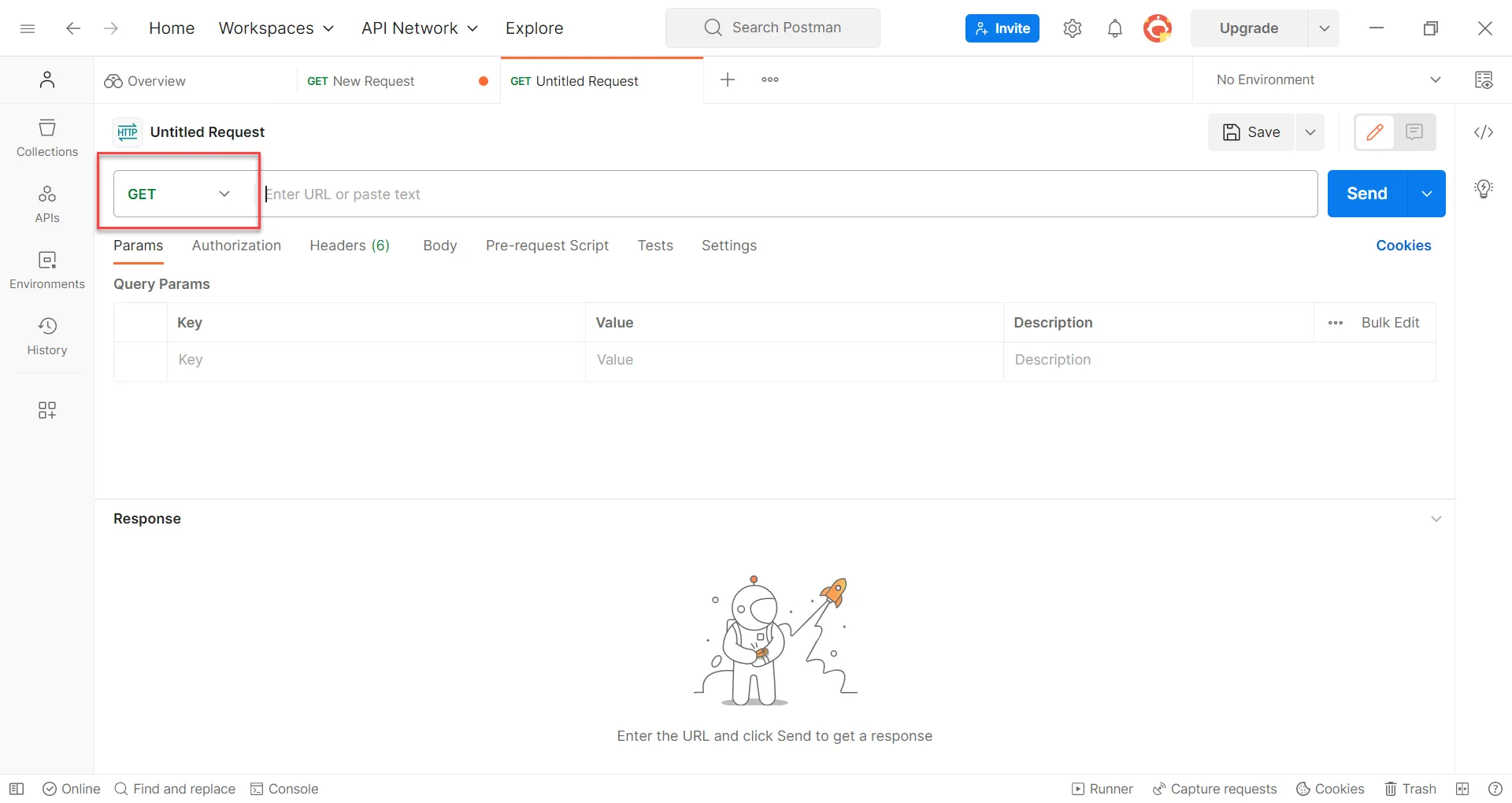 The GET command
- Enter the API endpoint to verify the component version: [BHDO IP address]/[component name]/version. For example, https://192.168.0.148/devicehub/version.
Click the Authorization tab.
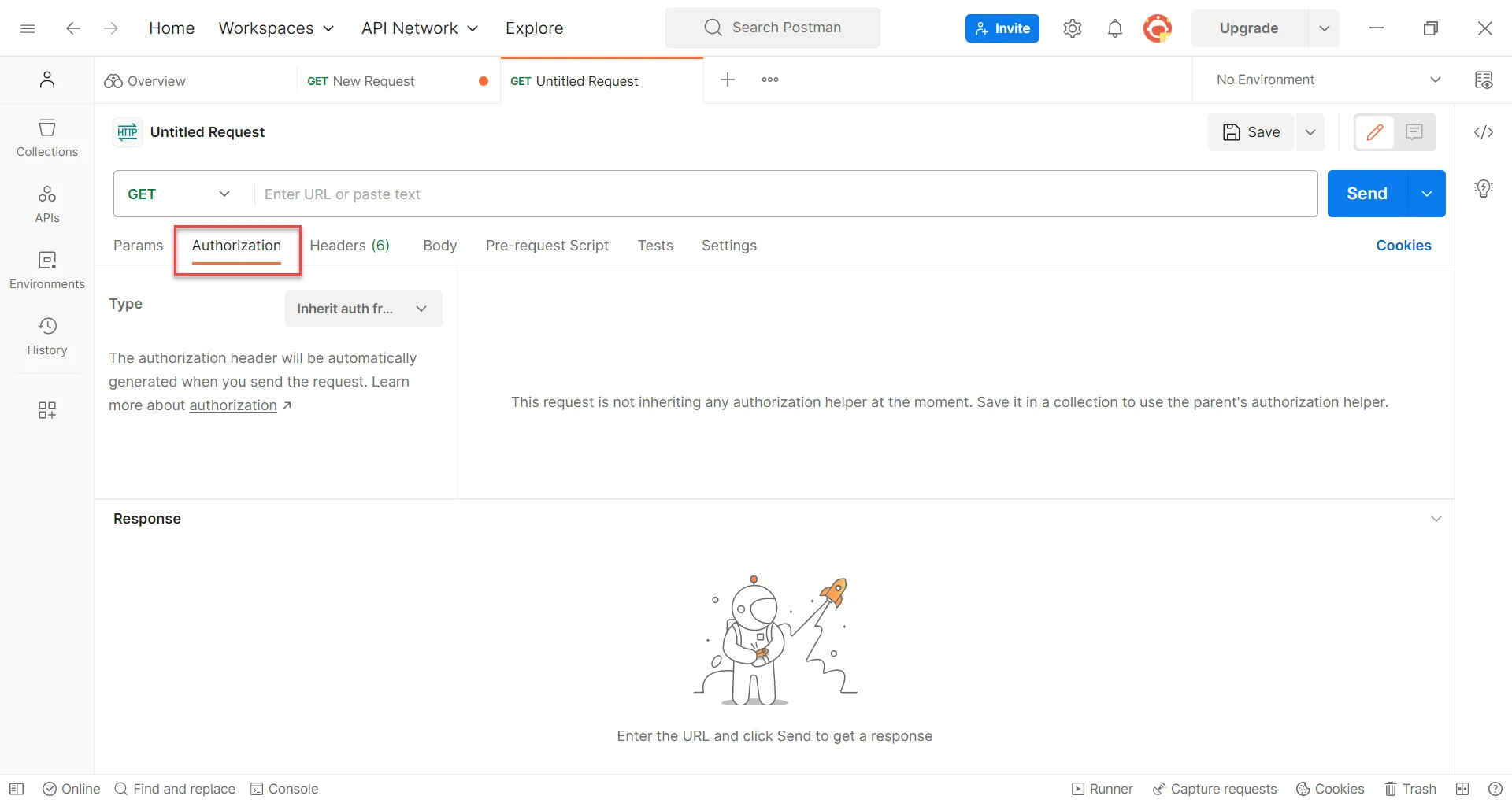 Authorization tab
From the Type drop-down list, select Basic Auth.
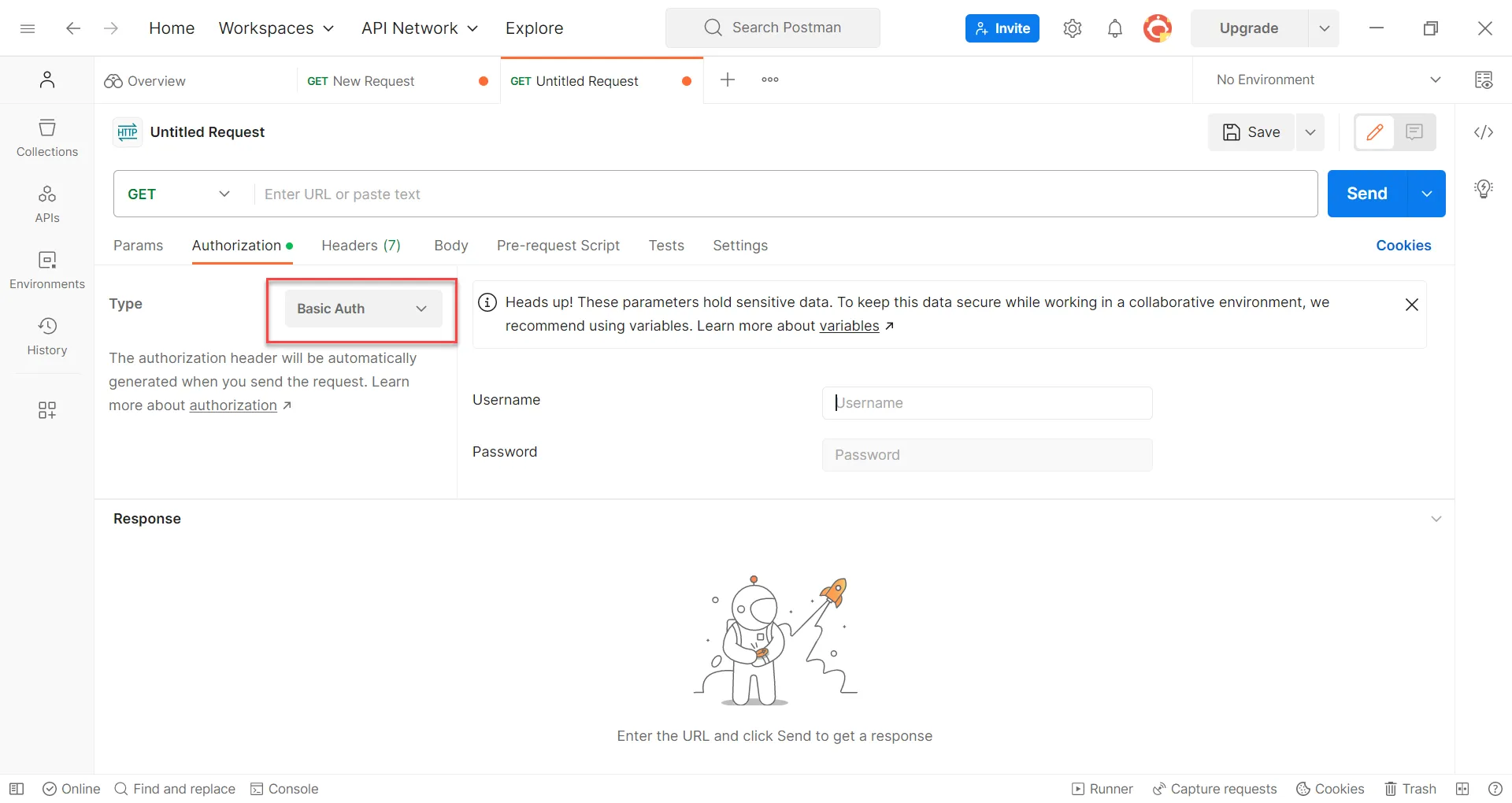 Basic Auth option
- Paste the Belden Horizon Data Operations API token in the Username field. Leave the Password field blank.
- Click Send.
Review the version number in the response.
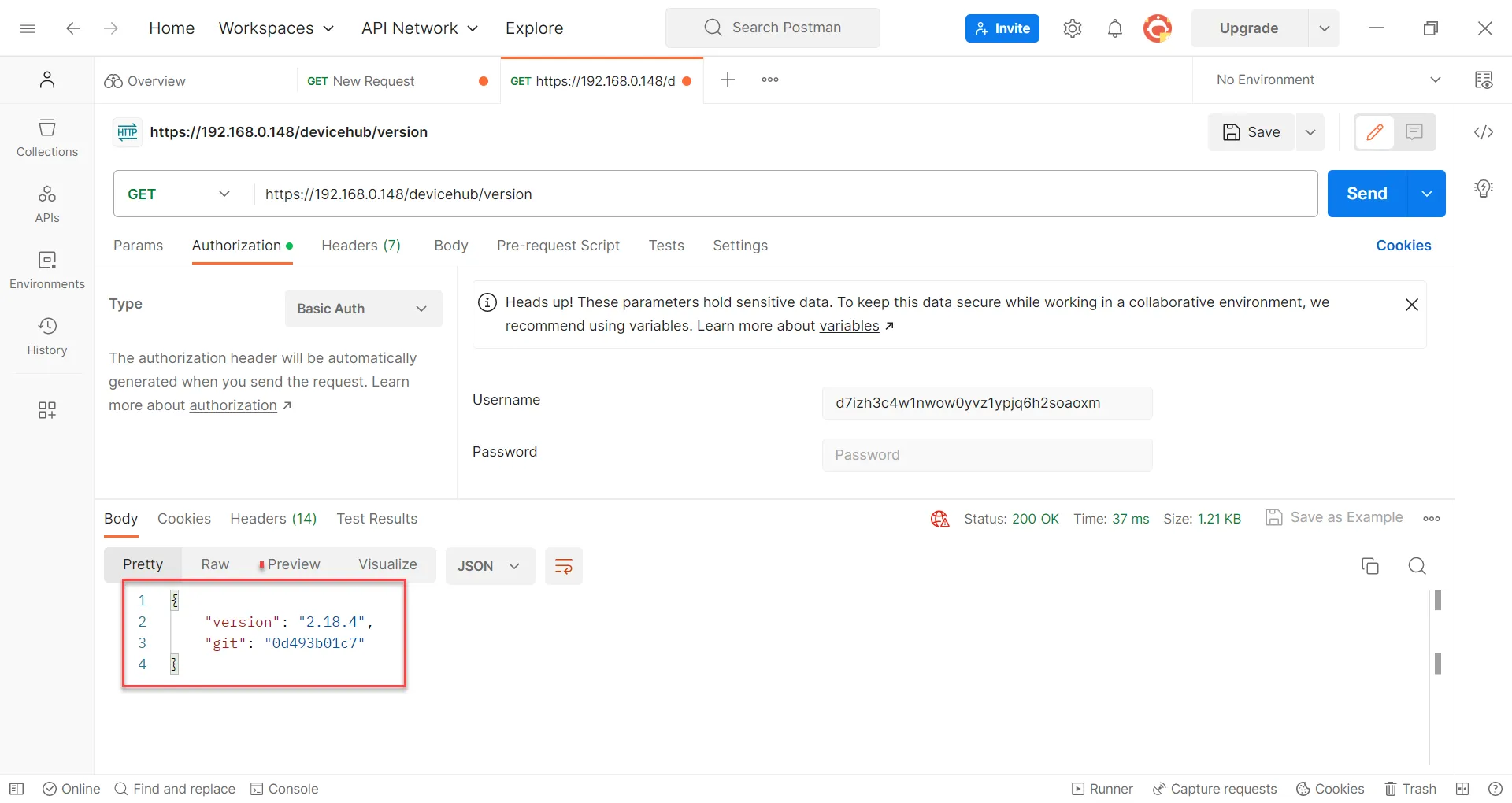 API response
See the Verify Response section below to cross-reference the component version in Belden Horizon Data Operations.
Option 2: Access REST APIs with Curl Command
You can use a command prompt window to manually test a REST API.
In a command prompt window, enter the following command.
curl -k -u d7izh3c4w1nwow0yvz1ypjq6h2soaoxm: --request GET https://192.168.0,147/devicehub/versionIn the command above:
- Replace d7izh3c4w1nwow0yvz1ypjq6h2soaoxm: with your own BHDO API token. The format username:password is used, but because we aren't entering a password, no characters are needed after the colon (:).
- Replace 192.168.0.147 with your own BHDO IP address.
- The -k parameter allows you to use basic authorization to access the API.
- The -u parameter defines the user for the command, which is the BHDO API token.
The response should display something like the following.
{"version":"2.18.4","git":"0d44345d94e9"}
Complete the steps below to cross-reference the component version in Belden Horizon Data Operations.
Verify the Response
To verify the response:
- Copy the version number in the API response from the previous step.
In Belden Horizon Data Operations, navigate to System > Support and refer to the Status section.
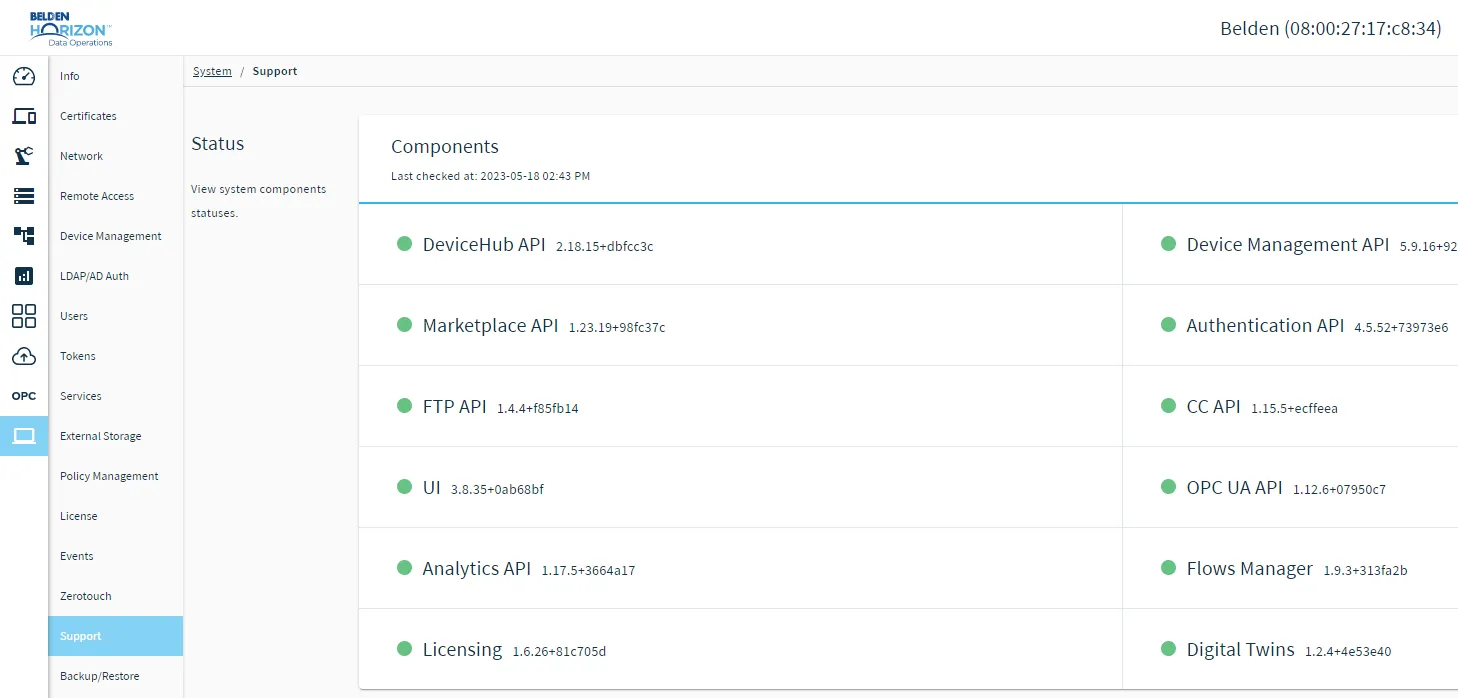 Status section
Cross-reference the version number from the API response and the version number for DeviceHub API. The version numbers should match.
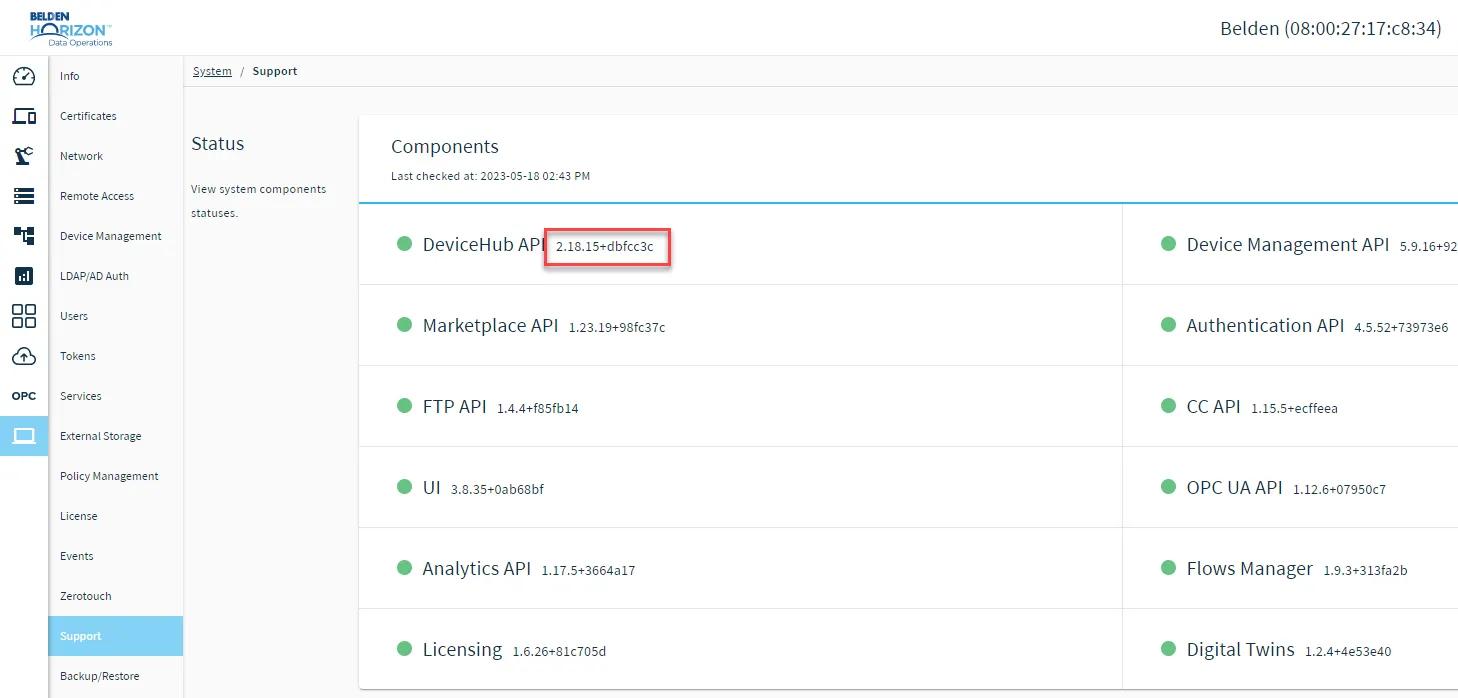 Component version number