Configure the Timeseries DB
Depending on the version of Belden Horizon Data Operations you have, refer to the appropriate section to configure the timeseries DB.
Belden Horizon Data Operations Version 3.3.2 and Earlier
You can configure the Timeseries DB by navigating to DataHub > Configuration.
DataHub's Configuration module offers the following functionalities:
- Toggle the Timeseries DB
- Select and Customize Timeseries DB Source type
- Test Timeseries DB
Toggle the Timeseries DB
You can enable or disable the Timeseries DB by using the Timeseries DB disabled or Timeseries DB enabled toggle.
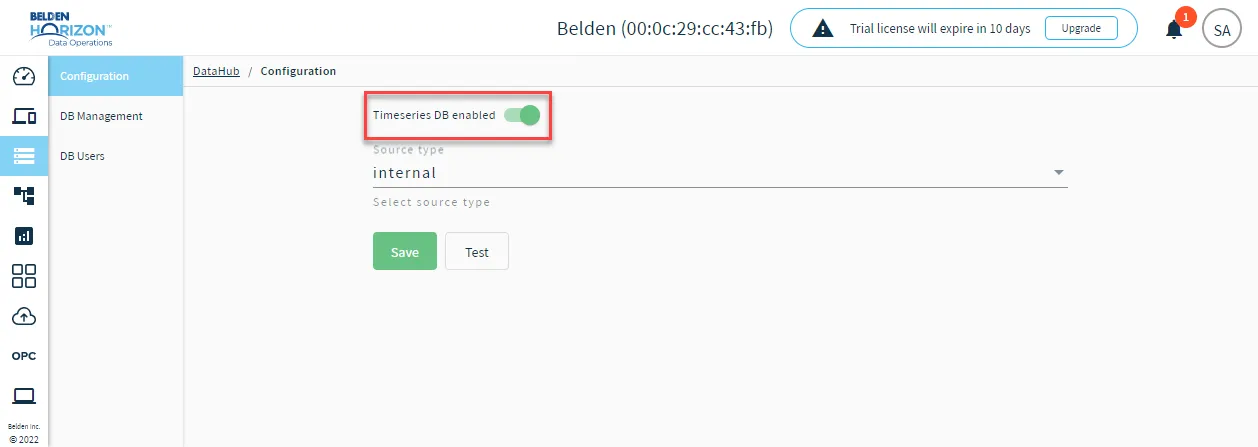
Select and Customize Timeseries DB Source Type
You can change the Timeseries DB source type by using the Source type drop-down list and selecting internal or external.
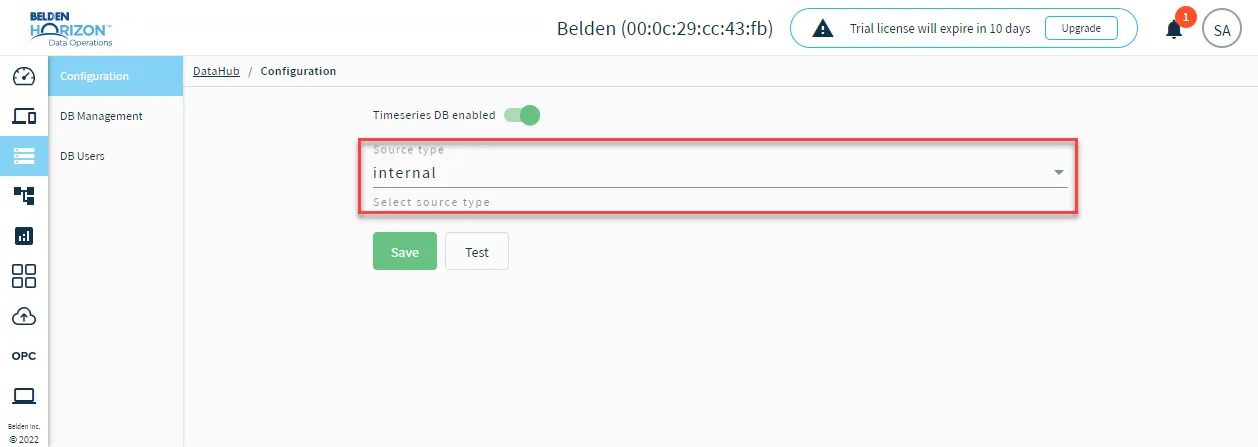
If you select external enter the following details:
- DB uri: The IP address and port of the externally deployed influxdb database.
- DB username (Optional): The username login credential of the externally deployed influxdb.
- DB password (Optional): The password login credential of the externally deployed influxdb.
- DB vendor: The available vendors are
- influxdb v1.x
- influxdb v2.x
- Description (Optional): A description for the externally deployed influxdb
- Name: The configuration name of the externally deployed influxdb
Test the Timeseries DB
You can test the connectivity of the Timeseries DB by clicking Test.
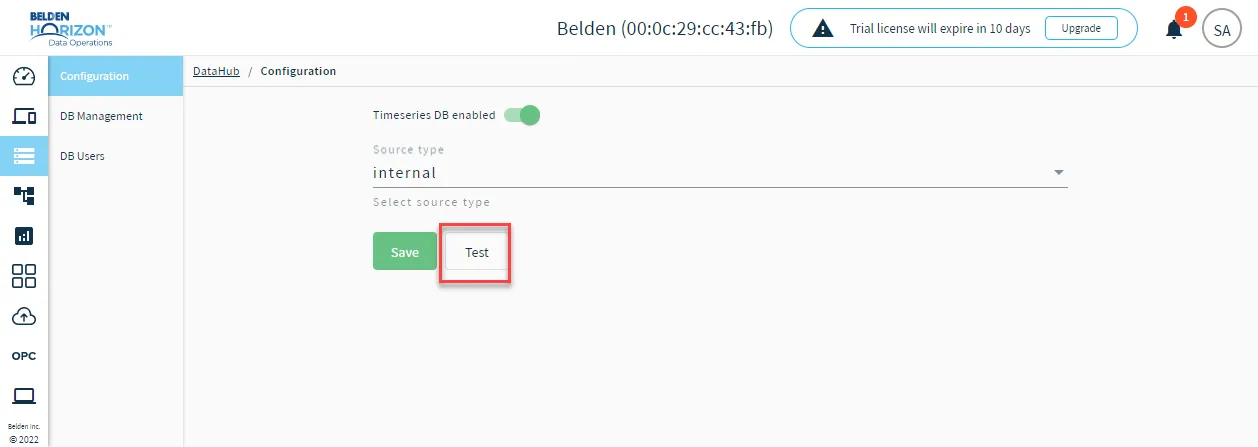
The connected status and response message displays.
Belden Horizon Data Operations Version 3.5.2 and Later
Important: The DataHub (Legacy) configuration page will be removed in a future release. You will need to create new configurations and migrate existing DataHub (Legacy) configurations to the new DataHub page.
You can configure the Timeseries DB by navigating to DataHub > DataHub.
You can only configure an external InfluxDB timeseries database.
DataHub's Configuration module offers the following functionalities:
- Toggle the Timeseries DB
- Select and Customize Timeseries DB Source type
- Test Timeseries DB
Toggle the Timeseries DB
You can enable or disable the Timeseries DB by using the Timeseries DB disabled or Timeseries DB enabled toggle.
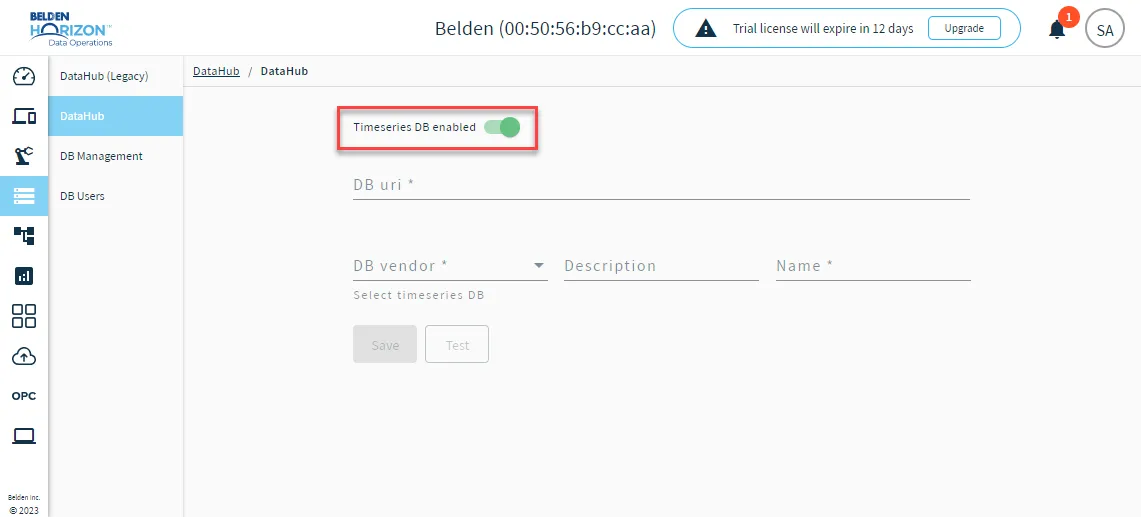
Configure the Timeseries DB
After enabling the Timeseries DB toggle, configure the parameters for the database.
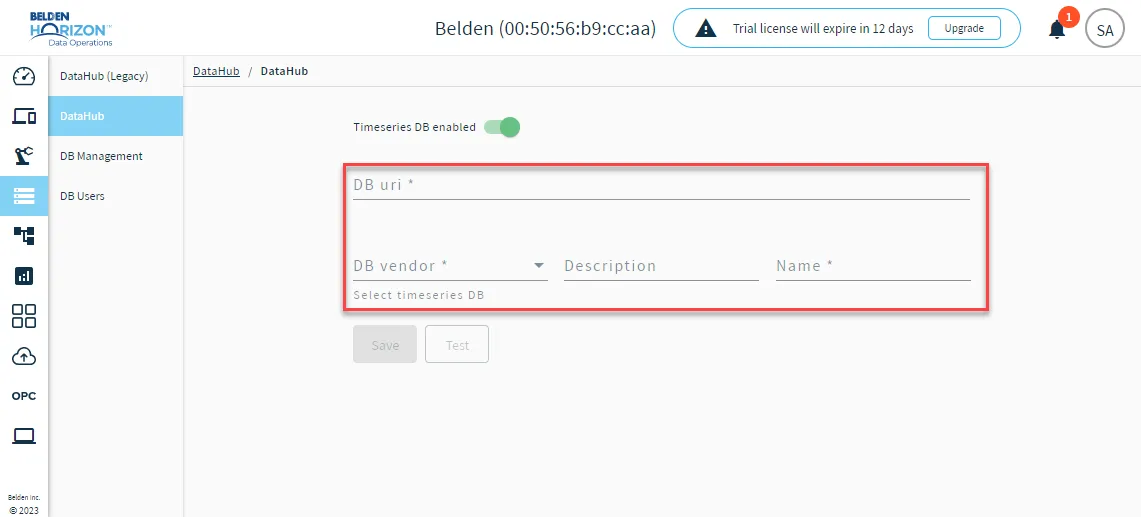
- DB uri: The IP address and port of the externally deployed influxdb database.
- DB vendor: Select InfluxDB v2.x or InfluxDB v1.x.
- Description (Optional): A description for the externally deployed influxdb.
- Name: The configuration name of the externally deployed influxdb.
Click Test to test the connectivity of the database. When done, click Save.