Browse Tags
2 min
The Browse Tags functionality allows you to search, select, and download selected tags available for a device.
Devices that support tag browsing are denoted with an "eye" icon in the top-right corner of the device card:
Note: When browsing for tags with the BacnetIP driver, only tags with the property of Present_Value will be identified.
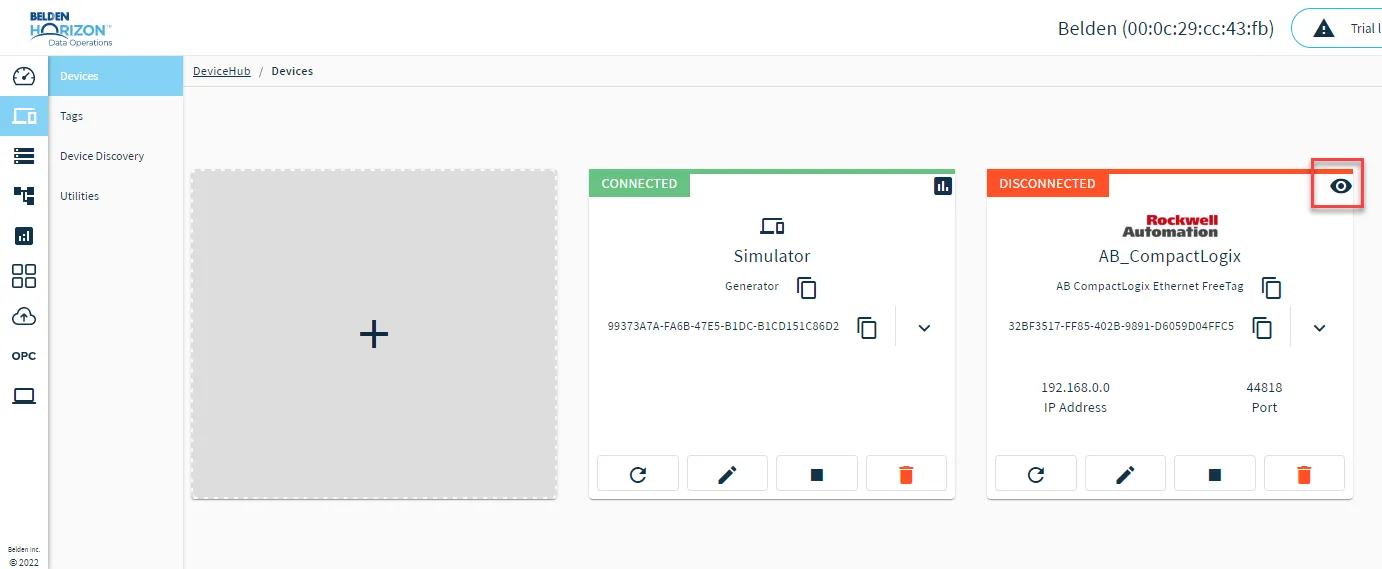
The Browse tag icon
To browse tags:
From the Tags pane, click the Add icon, and then select Browse Tags.
The Browse Tags dialog box appears.
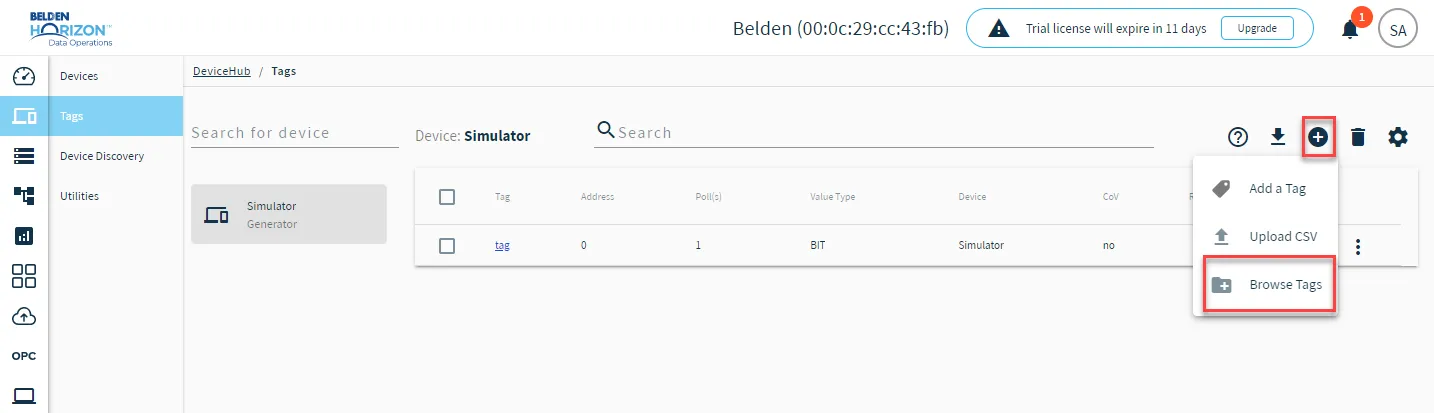 Browse tags option
- Select a device from the Select Device drop-down list, and then click Add.The Tags List drops down in the Browse Tags dialog box.
Refer to the following tasks you can complete from the Browse Tags dialog box.
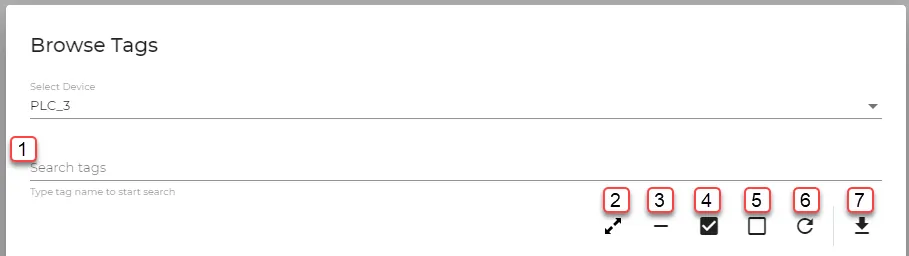
Browse Tags dialog box
[1] Search tags
[2] Expand all
[3] Collapse all
[4] Select all
[5] Clear selection
[6] Reload device tags
[7] Download tags as CSV