Network
4 min
On the Network pane, you can view and configure network settings.
Access System Network UI
To access the System Network pane:
- Log in to Belden Horizon Data Operations.
- From the Navigation panel, select System > Network. The Network pane appears.
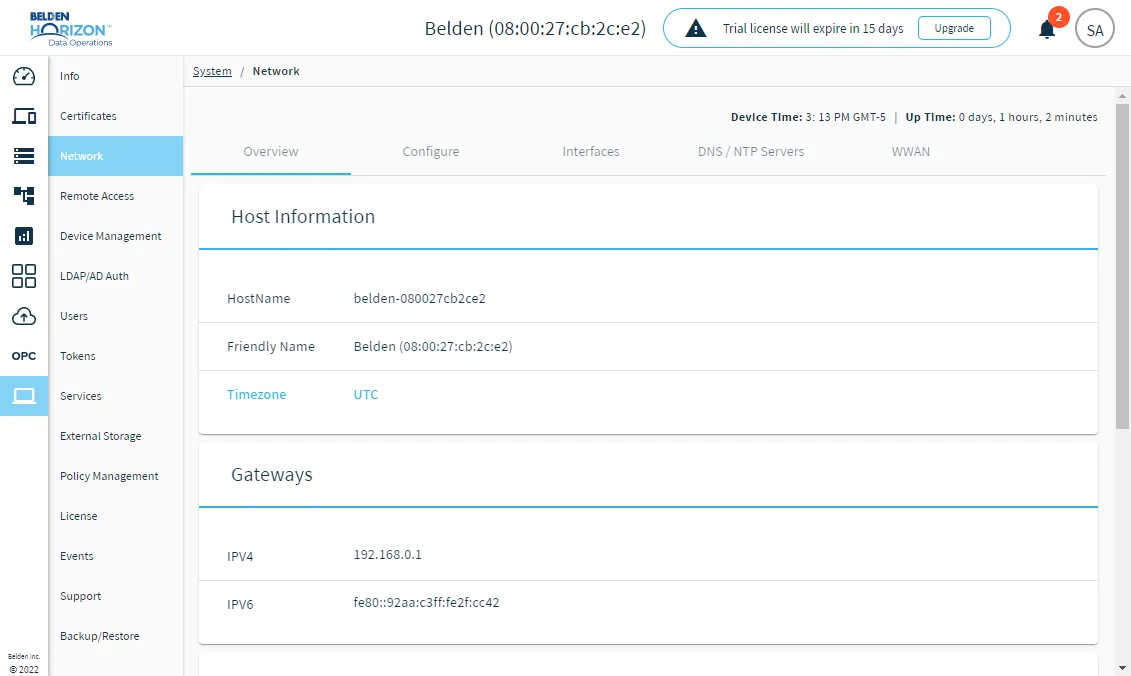
The System Network pane
The pane includes the following tabs.
- Overview: Includes the Host Information, Gateways, Interfaces List, Modem Interfaces, and Docker Interface sections where you can view information.
- Configure: Includes the Host Information, Timezone, and Docker Interface sections where you can perform changes to the Friendly Name, Country and Docker Binding IP address.
- Interfaces: Includes the Interfaces section, where you can update the eth0 network and eth1 private network interfaces.
- DNS/NTP Servers: Includes the Fallback DNS Resolvers, NTP Servers, and Host file sections, where you can add, modify or delete DNS Resolvers, NTP Servers, and the Host File.
- WWAN: Includes the Modem Configuration section, where you can modify the modem configuration, if available.
Belden Horizon Data Operations includes two Ethernet interfaces:
- eth0 is always connected to the Internet. It is located in the DMZ (demilitarized zone), a separate network that has restricted access to a company's internal network.
- eth1 is connected to a private network with a DHCP server.
There are two optional Wireless Network interfaces:
- wlan0 represents a Wi-Fi network connection. If your device supports Wi-Fi, the interface appears on the Wi-Fi pane in the System module, where you can establish a connection.
- wwan0 represents a connection to an LTE mobile network. You must set up an LTE modem for this type of connection. If your device supports LTE, after you configure the associated APN, you can view its information in the Info pane in the System module under the Modem Interfaces section.
Important for Cloud Deployment: Before activating the license, ensure all hardware / VM configuration steps that can modify the MAC address (add/replace a Network Interface Controller (NIC) card) are finalized.
The license Host ID depends on the Media Access Control (MAC) address for the device. The MAC address identifies the devices on a network. Changing the MAC address will invalidate the license.