Manage the Password Policy
2 min
You can manage the password policy by navigating to System > Policy Management.
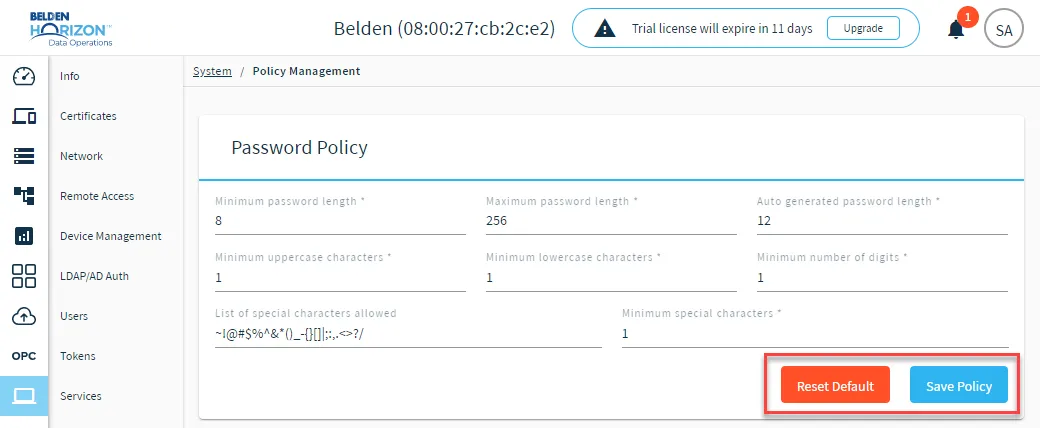
Password Policy management options
Before You Begin
You must be an administrator to view the Policy Management pane and make changes to the password policy.
Modify Password Policy
You can make changes to the existing password policy parameters and click Save Policy. Modifying a password policy in Belden Horizon Data Operations takes precedence over the default password policy added in the Belden Horizon Data Manager Admin Console > Policies pane.
Reset Password Policy
You can reset the password policy to its default settings by clicking Reset Default.