Manage Templates
You can upload and download device configuration templates by navigating to System > Backup/Restore from the Templates tab.
Template Configurations
The following component categories are available for selection. If you haven't installed a component (for example, not installed connectors), the component will not be included in the list of template items.
- Auth: This includes configurations of LDAP/AD Authentication Providers. This doesn't include roles, groups, and users created in Manufacturing Connect Edge.
- Connectors: Installed connectors and configurations. The default connector that connects Belden Horizon Data Operations and Belden Horizon Data Manager is not included.
- Country configured for the instance.
- Devices: Connected devices, tags, and configurations.
- DNS: Saved Fallback DNS Resolvers.
- Docker: Contains the IP address and netmask to use for Docker’s default bridge using standard CIDR notation.
Example: "bip":"10.30.50.1/24"
- Digital Twins: Saved models and instances.
- Flows: Saved Flows.
Note: When you upload a template, the existing flows in the instance are replaced with the flows in the template configuration. If you would like to ensure existing flows are maintained after uploading a template, confirm that any flows you want to keep are part of the template configuration.
- Analytics Groups: Saved Analytics Flows and Processors within each group.
- Marketplace: Installed catalogs and registries. Only applications deployed using a catalog can be part of a template. For example, If you deployed an application from the catalog, it is part of a template file. If you use the docker run command to deploy an application, it is not part of a template file.
- NTP: Saved Network Time Protocol (NTP) servers.
- OPC UA: Saved configurations.
- Timezone configured for the instance.
Download a Template
You can download multiple device configuration templates, selecting different configurations from a single Belden Horizon Data Operations device.
These device configuration files are then available on your hard drive for upload to other Belden Horizon Data Operations devices.
You can customize the template prior to downloading by selecting components individually or by category. Individual components running on the edge device are available within the categories.
Before You Begin
Make sure you have obtained a license for backup and restore.
How to Download a Template
To download a template:
- In Belden Horizon Data Operations, navigate to System > Backup/Restore. The Backup/Restore pane appears.
Select the Template tab.
The Template pane appears.
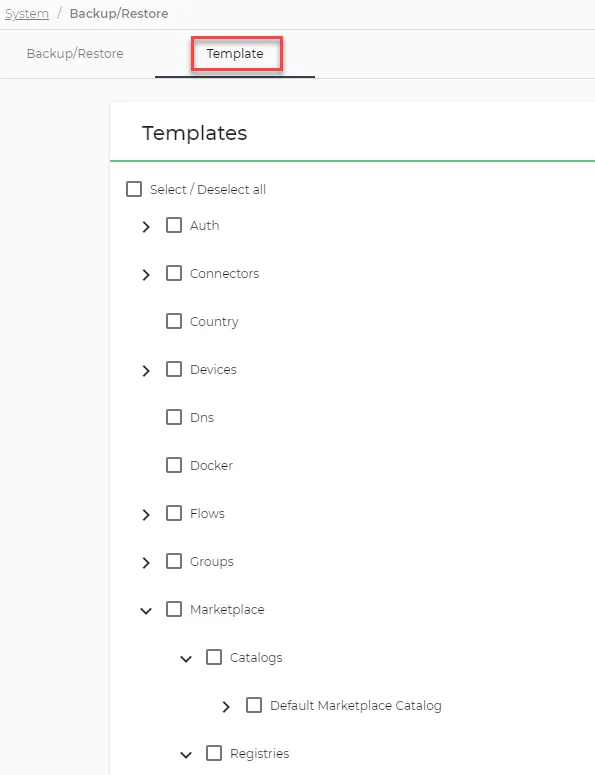
- From the Templates section, select the check boxes for the configurations you want to include in the device configuration template or select the Select All check box.
Click Download Template. A <date>-template.json file downloads to your hard drive.
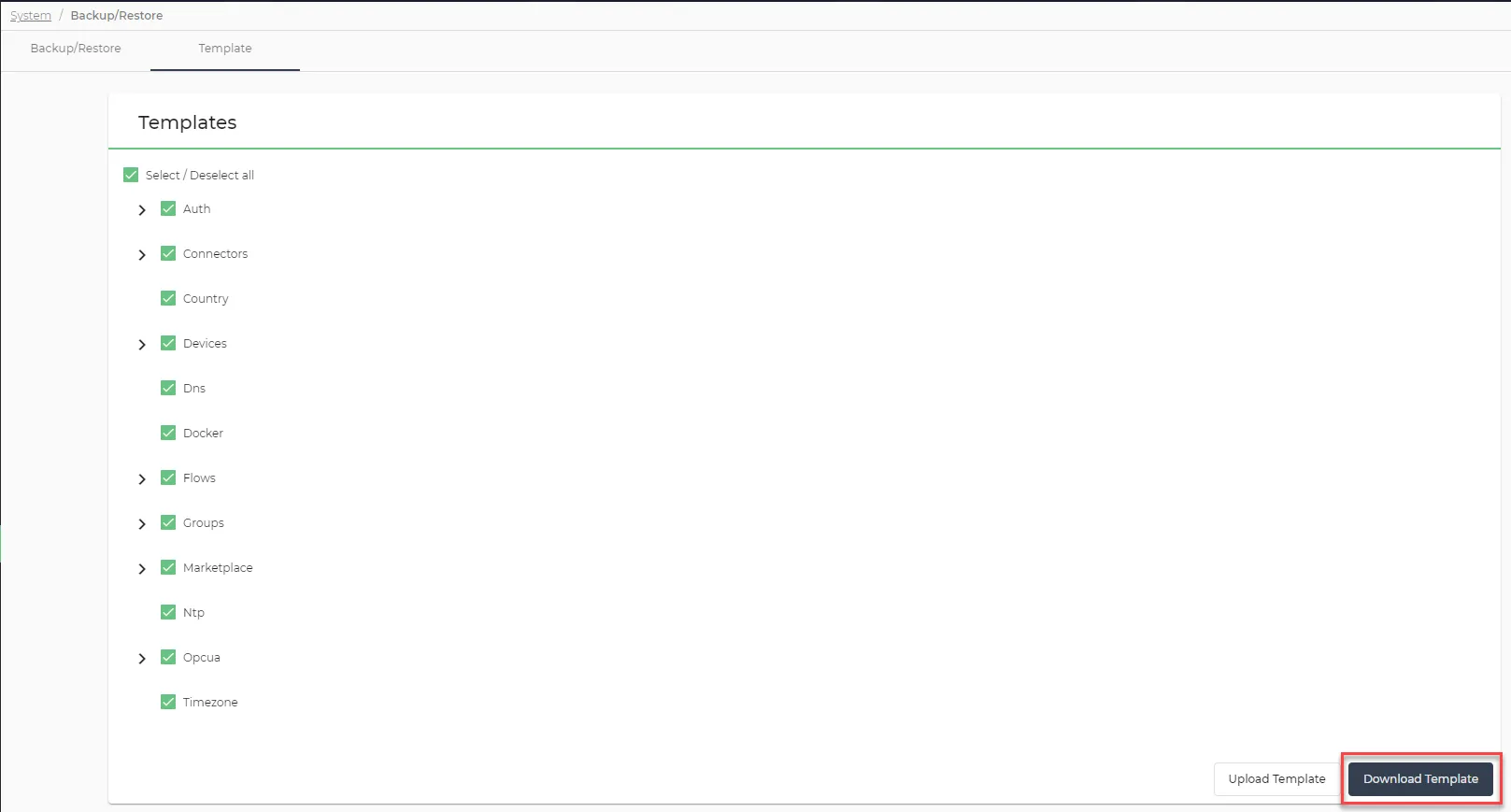 The Download Template button
Upload a Template
You can upload a device configuration template by navigating to System > Backup from the Templates tab.
When you upload a device configuration template, it applies the configuration in the file to the Belden Horizon Data Operations device.
You can also apply templates to Belden Horizon Data Operations devices using Belden Horizon Data Manager, potentially changing the configurations for hundreds of Belden Horizon Data Operations devices.
Before You Begin
Before you complete the steps below, make sure you do the following:
- Obtain a license for backup and restore.
- Download a device configuration template. See the Download a Template section.
- Within the downloaded device configuration template .json file, ensure its file contents consists of a device name that is different from the Belden Horizon Data Operations device’s name you’re about to upload to.
How to Upload a Template
To upload a template:
- In Belden Horizon Data Operations, navigate to System > Backup/Restore. The Backup/Restore pane appears.
Select the Template tab.
The Template pane appears.
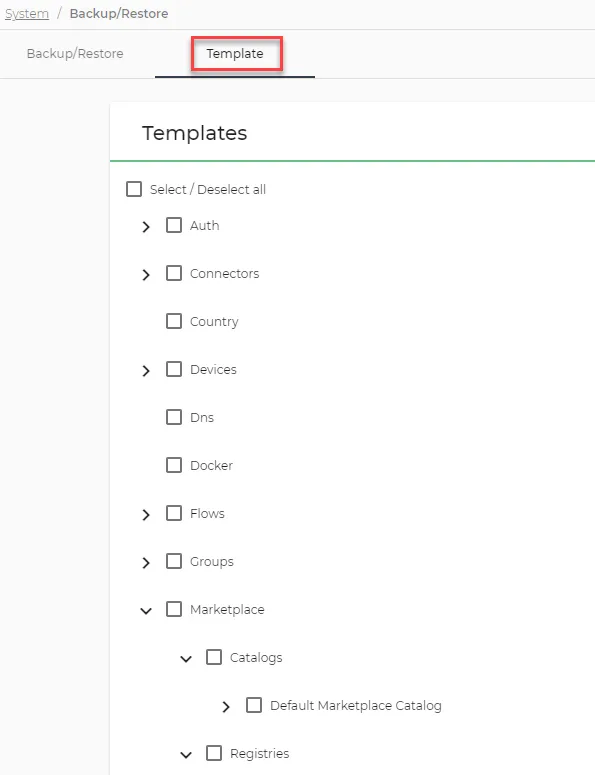
Click Upload Template.
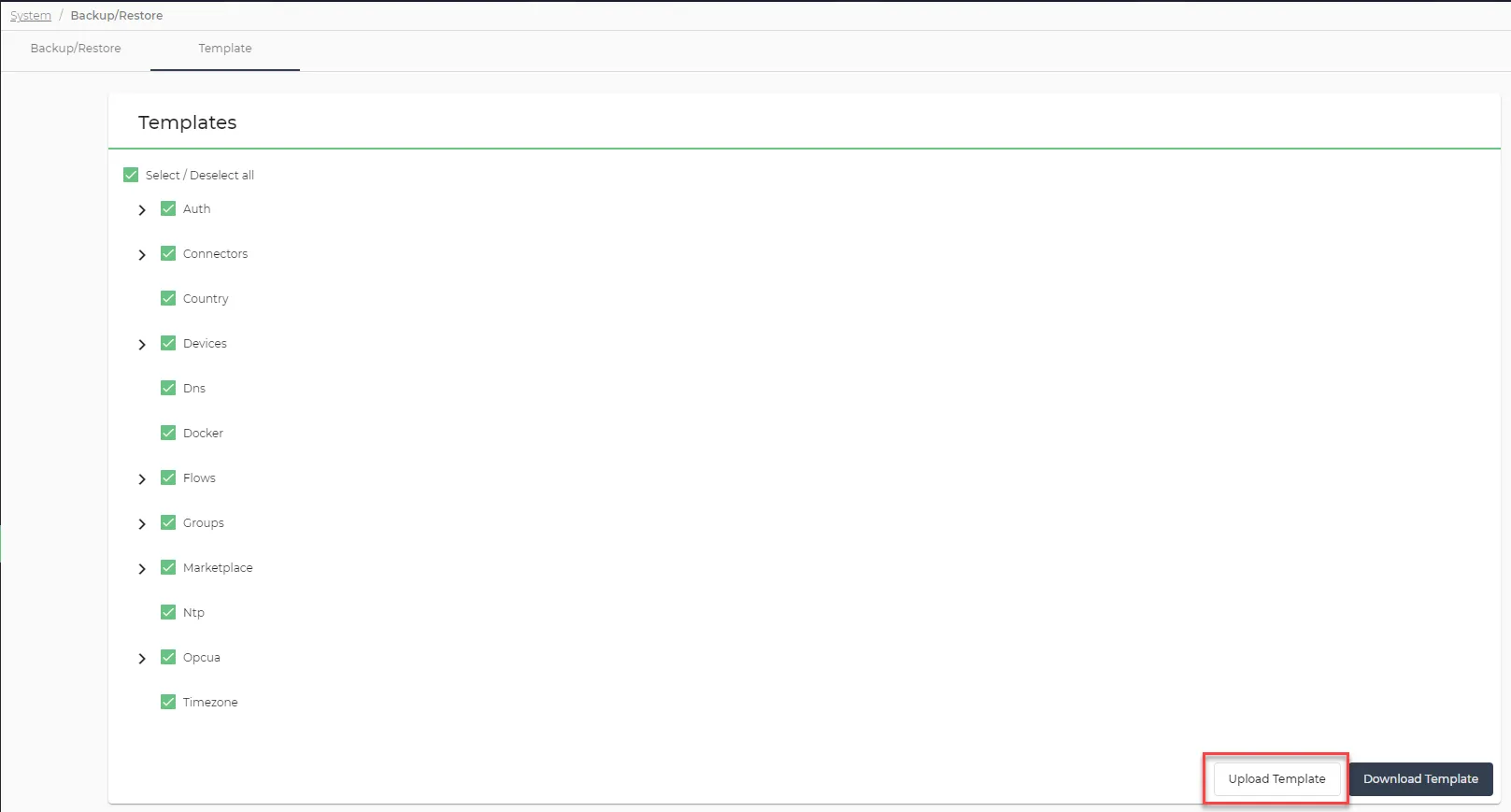 Upload Template button
- Navigate to a <date>-template.json file saved on your hard drive, and then click Open. The selected template successfully updates in the Templates section and applies the configurations to the Belden Horizon Data Operations device.
Note: If the upload fails, the error message can only inform failure has occurred. It cannot inform which specific template component failed.