Manage Networks
2 min
You can manage your networks by navigating to Applications > Networks.
View Networks
Refer to the image and callouts below for viewing options of your networks.
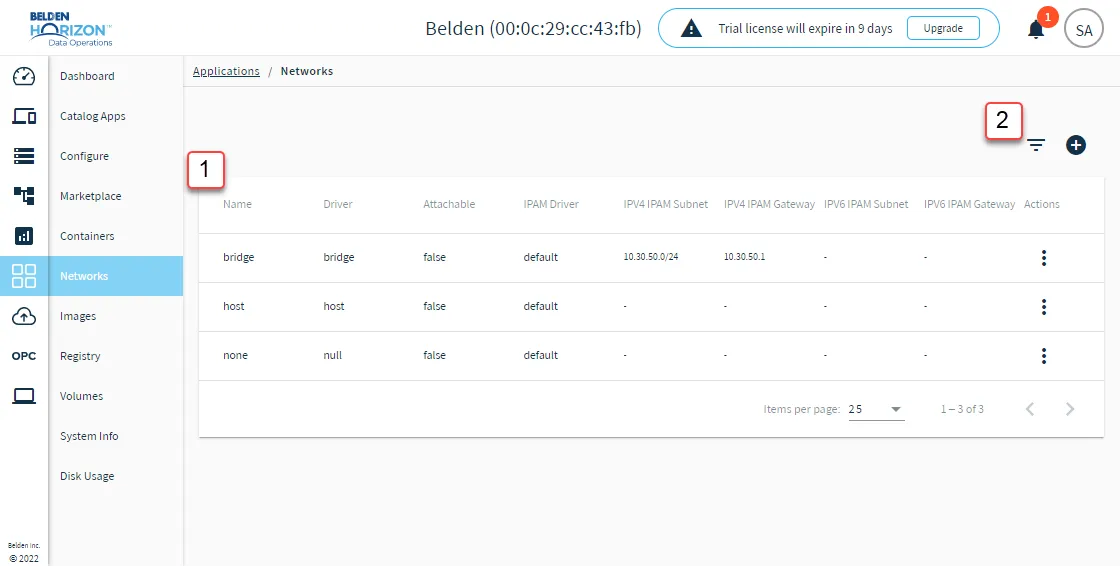
Network viewing options
[1] Name column: Click the Name column to sort network names in ascending and descending order.
[2] Show filter: Open the search bar to search by network name.
Manage Individual Networks
You can use the Action menu for a network to view management options.
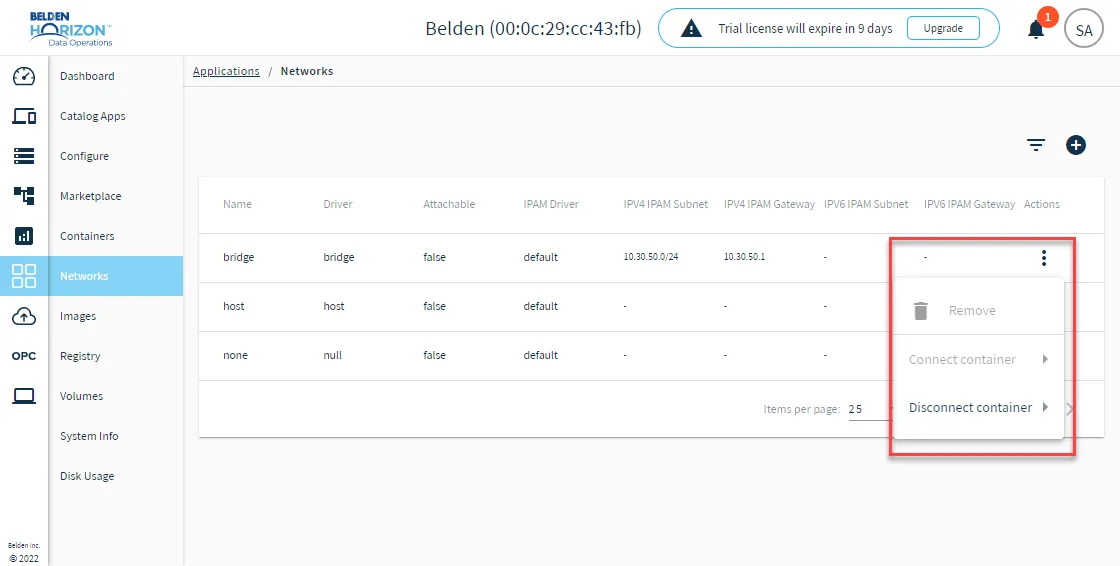
Network action menu options
- Remove: Remove the network from the Networks pane.
- Connect/Disconnect container: After selecting to connect or disconnect the container from the network, select the appropriate container.