Manage Devices
After you connect devices to Belden Horizon Data Operations, you can navigate to DeviceHub > Devices to manage them.
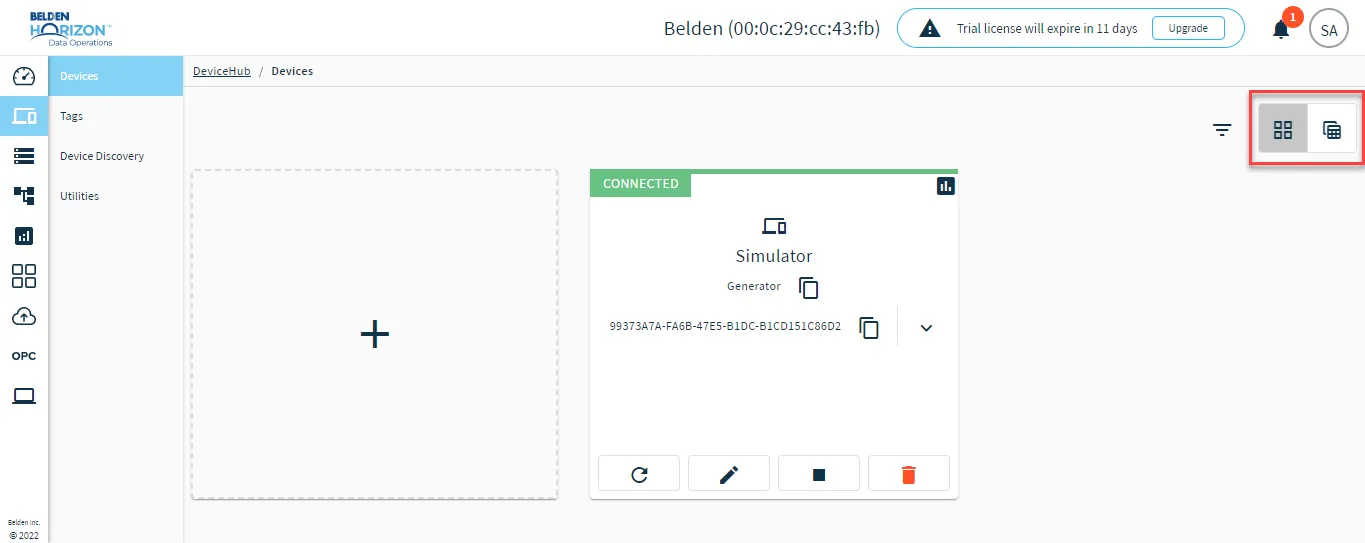
Change Device View
Click the icons for Show devices grid or Show devices table to change how you view your devices.
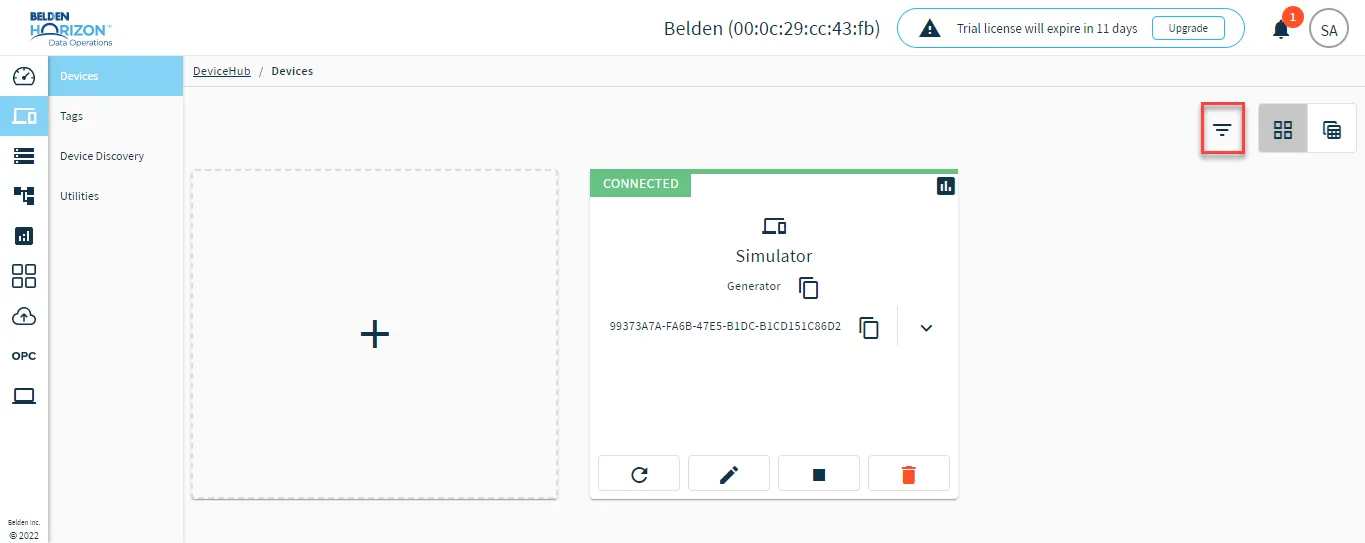
Filter and Search Devices
Click the Toggle Device Filter icon to search by device name.
Manage Individual Devices
From the Show devices grid view, you can use device tiles to access management options. Refer to the image and callouts below.
Note: The refresh icon is not available for Belden Horizon Data Operations version 3.5.2 and later.
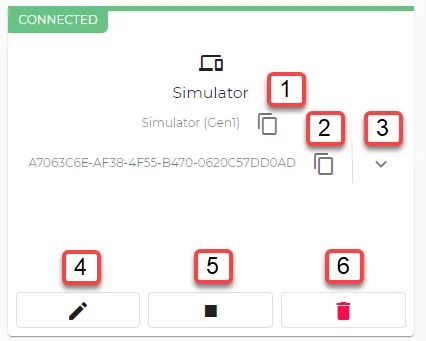
[1] Copy Driver Name
[2] Copy Device ID
[3] Copy Default Topics: Copy one of the following default topics.
- devicehub.plcstatus.<topicID>
- devicehub.manage.<topicID>
- devicehub.raw.<topicID>
[4] Edit Device: Update the device configuration.
You can also edit the device by clicking the tile and making changes from the Configuration tab.
[5] Stop/Start Device
[6] Remove Device
Access Device Information
You can access device information and edit options by doing one of the following:
- In the Show devices grid view, click the device tile.
- In the Show device table view, click the device name.
View Device Data
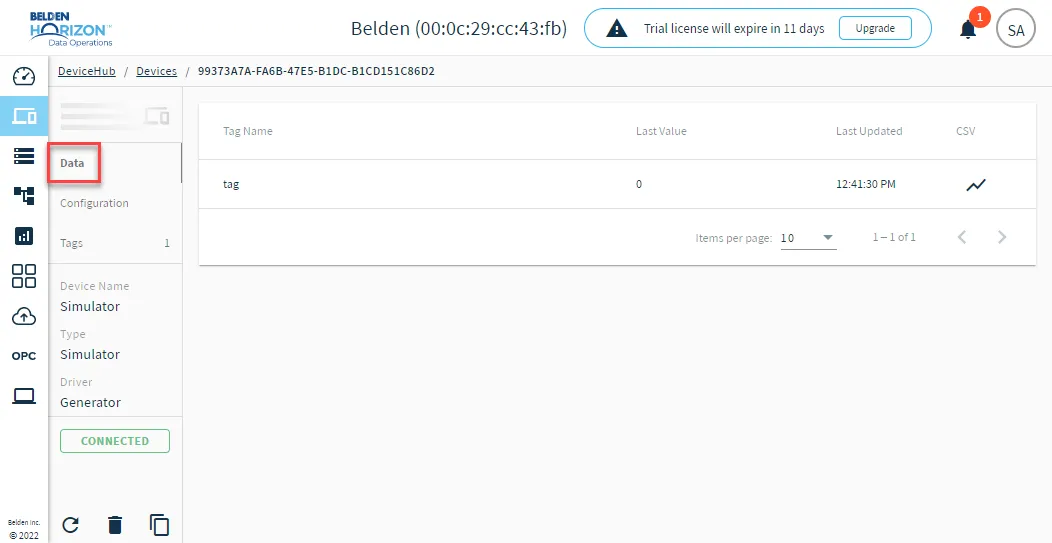
By clicking the Data tab, you can view dynamic information (data for the device).
Note: To access the Data tab, you must select the Enable Data Store option for the device.
The Data tab displays the following values:
- Last value
- Last Updated time of the tag
You can also download a CSV file with tag data for the last 24 hours.
View Device Configuration
By clicking the Configuration tab, you can view and edit parameters for the device.
View Device Tags
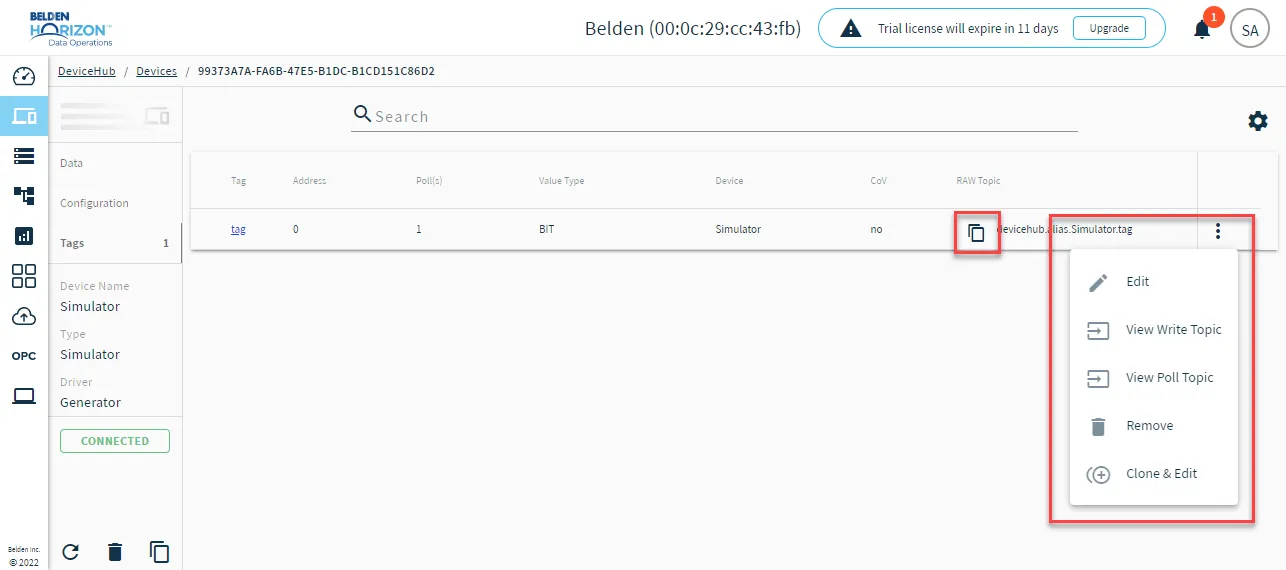
By clicking the Tags tab, you can view tag information and manage them.
For each tag, you can click the Action menu icon and do the following:
- Edit the tag
- View and copy a Write Topic
- View and copy a Poll Topic
- Remove the tag
- Clone & Edit the tag
You can also click the Copy icon to copy the raw topic.
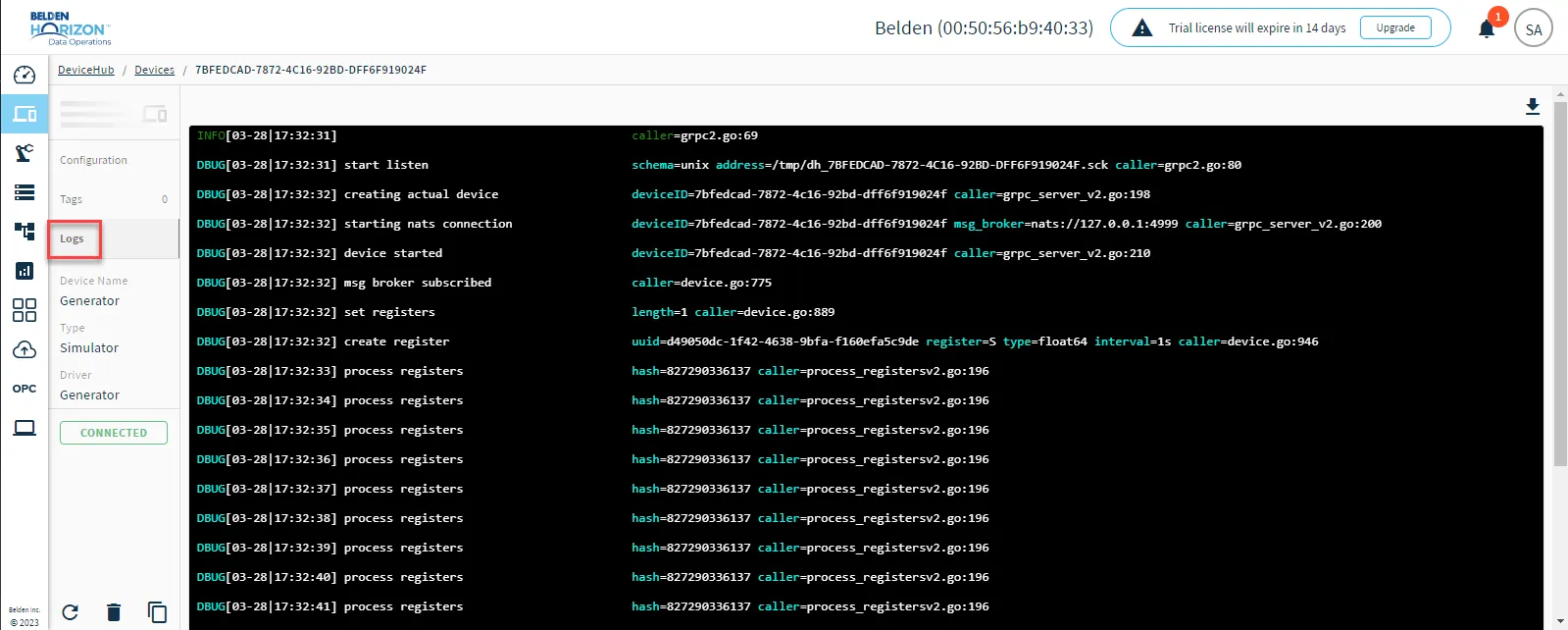
View and Download Logs
Note:
- The Logs feature is available for Belden Horizon Data Operations version 3.5.2 and later.
- If you view or download a log file, it will only display a maximum of the 50 most recent log entries.
Click the Logs tab (only available for Gen 2 drivers) to view log information for the device. You need to select the Enable Logging check box in the device configuration to view this tab.