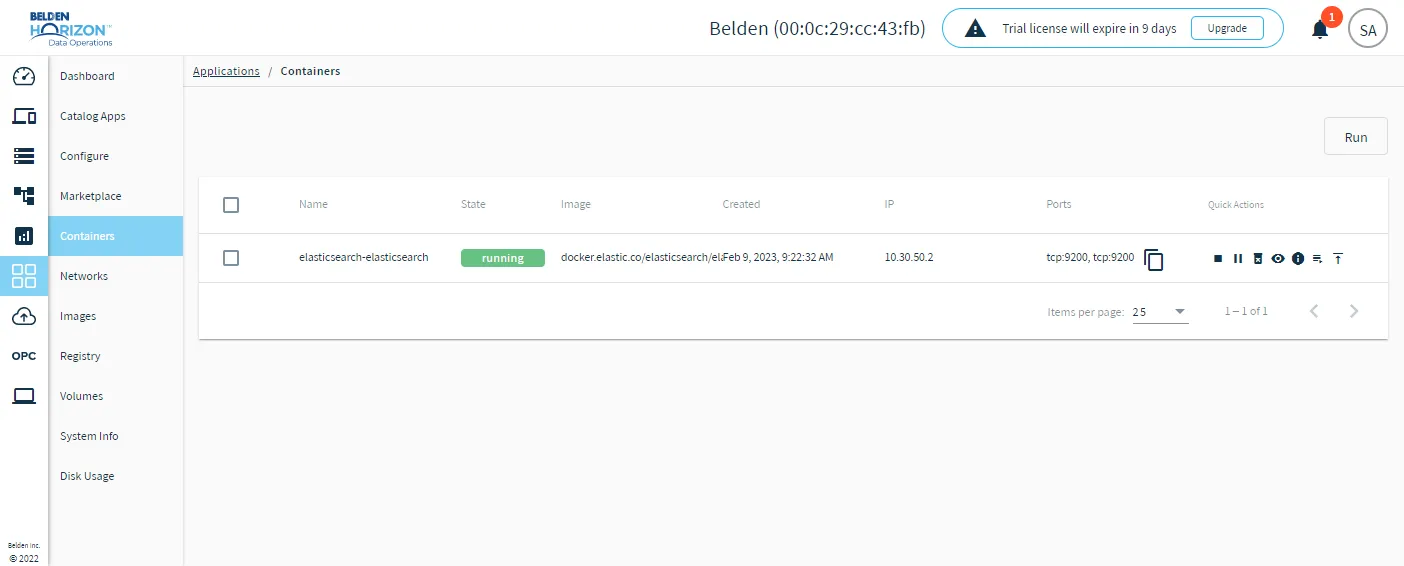
Containers
The Containers pane of the Applications module enables you to manage Docker containers for applications in your marketplaces.
A container is a standardized unit of software. When you install an application from a marketplace, at least one container for the installed application appears on the Containers pane.
All applications in marketplaces run within Docker containers. Each application runs its own dedicated container to ensure isolation.
A Docker container is a portable image that is lightweight, standalone, and executable. It includes everything needed to run an application (code, runtime, system tools, system libraries, and settings).
Each installed application runs at least one container, and can run multiple containers depending on the configuration.
On the Container pane, each container's state is color-coded. A running container displays green, a paused container displays orange, and an exited container displays black.
You need to have a Docker registry to add an application to a marketplace or to create a new marketplace. The Docker registry and credential information are available through Belden (the edge device provider). These registries provide access so that you can control and manage applications you choose to deploy in the marketplace.
Access Applications Containers UI
To access the Applications Containers pane:
- Log in to Belden Horizon Data Operations.
- From the Navigation panel, select Applications. The Dashboard pane appears.
- Click Containers. The Containers pane appears.