Add a Registry
6 min
You can add a Registry so that you can access images for your Marketplace applications.
A registry is a repository of containers for storing and delivering application images.
Belden Horizon Data Operations supports Docker Registry v2.
Currently, these registries are available:
- AWS ECR
- Azure Container
- Docker
- GCR Docker
Each registry uses different configuration information.
To enable retrieval of applications from containers, you first must give Belden Horizon Data Operations access to the repository.
Note: If you add a registry for Azure in Docker configuration with a username/password, the format is https://<your-registry-name>.azurecr.io/v2/.
Add a Registry
To add a registry:
- Navigate to Applications > Registry. The Container Registry pane appears.
Click the Add icon. The Create Registry dialog box appears.
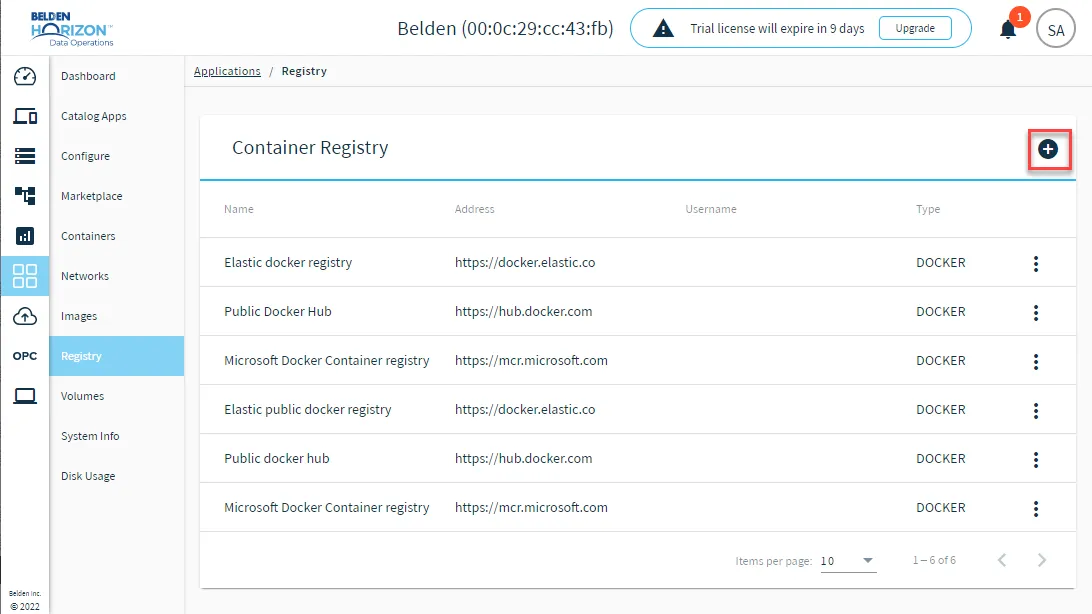 The Add Registry icon
- Select an option from the Type drop-down list. The following options are available:
- AWS_ECR
- AZURE_CONTAINER_REGISTRY
- DOCKER_REGISTRY
- GOOGLE_CONTAINER_REGISTRY
- From the Create Registry dialog box, refer to the respective type depending on your selection and enter the details for the registry.
AWS ECR
- Name
- Registry Description (Optional)
- AWS Region (Optional)
- AWS Key ID
- AWS Secret Key
Azure Container Registry
- Name
- Registry Description (Optional)
- Service principal name
- Service subscription identifier
- Client ID
- Client Secret
- Resource Group
- Registry Name
- Address: Enter the location of the registry.
Docker Registry
- Name
- Registry Description (Optional)
- Docker Login Server: Enter https://index.docker.io/v1 .
- Docker Login User (Optional)
- Docker Login Password (Optional)
- Docker CA Certificate (Optional): Paste a CA Certificate in the Docker CA Certificate field. If Belden Horizon Data Operations is already connected to Belden Horizon Data Manager, the CA Certificate used for that connection is applied.
- Docker Skip TLS Verification (Optional) Select the check box to bypass the TLS security.
Google Container Registry
- Name
- Google container registry address
- Repository Description (Optional)
- JSON key fie: Browse to add a key file.
When done entering the details for the registry, click Save.